AI agents that run inside your ERPNext.
GreyCube FLOW AI puts an AI assistant inside your Frappe / ERPNext site. It knows your DocTypes, respects your permissions, and operates your system in plain English — answering questions, building charts, filing documents, and running multi-step work through agents you control.
Everything, from a single chat box
Eight core capabilities that turn plain-language requests into real work in your ERPNext — safely, and with a full audit trail.
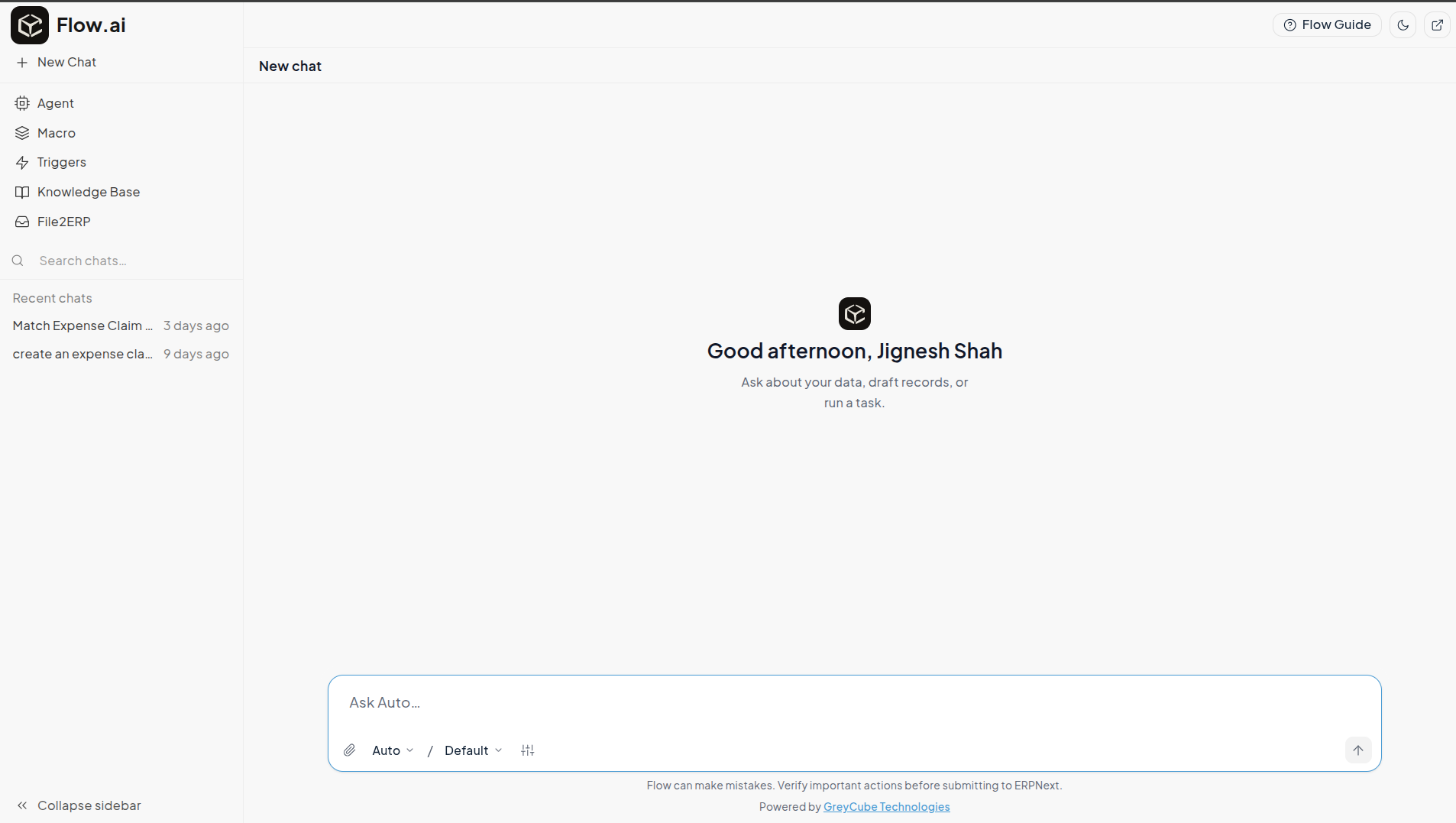
AI Chat Interface
Ask anything in plain English from anywhere in the Desk.
Dynamic Charts
Generate charts and dashboards straight from a prompt.
File2ERP
Turn documents into ERPNext records with OCR.
Permission-Bound
Runs strictly under each user's own access rules.
Approval Gate
Confirms with a human before any write action.
Macros
Save multi-step sequences and re-run them on demand.
Triggers
Run an agent on a DocType event or a schedule.
Agents
Configurable agents with tools, memory and knowledge.
Talk to your ERP in plain English
A global assistant that opens anywhere in the Frappe Desk with Cmd/Ctrl + I. Ask questions, pull records, or tell it what to do — no reports to build, no forms to hunt for.
- Opens from anywhere in the Desk with one shortcut
- Switch AI Models per Conversation
- Conversations saved to your account, private to you
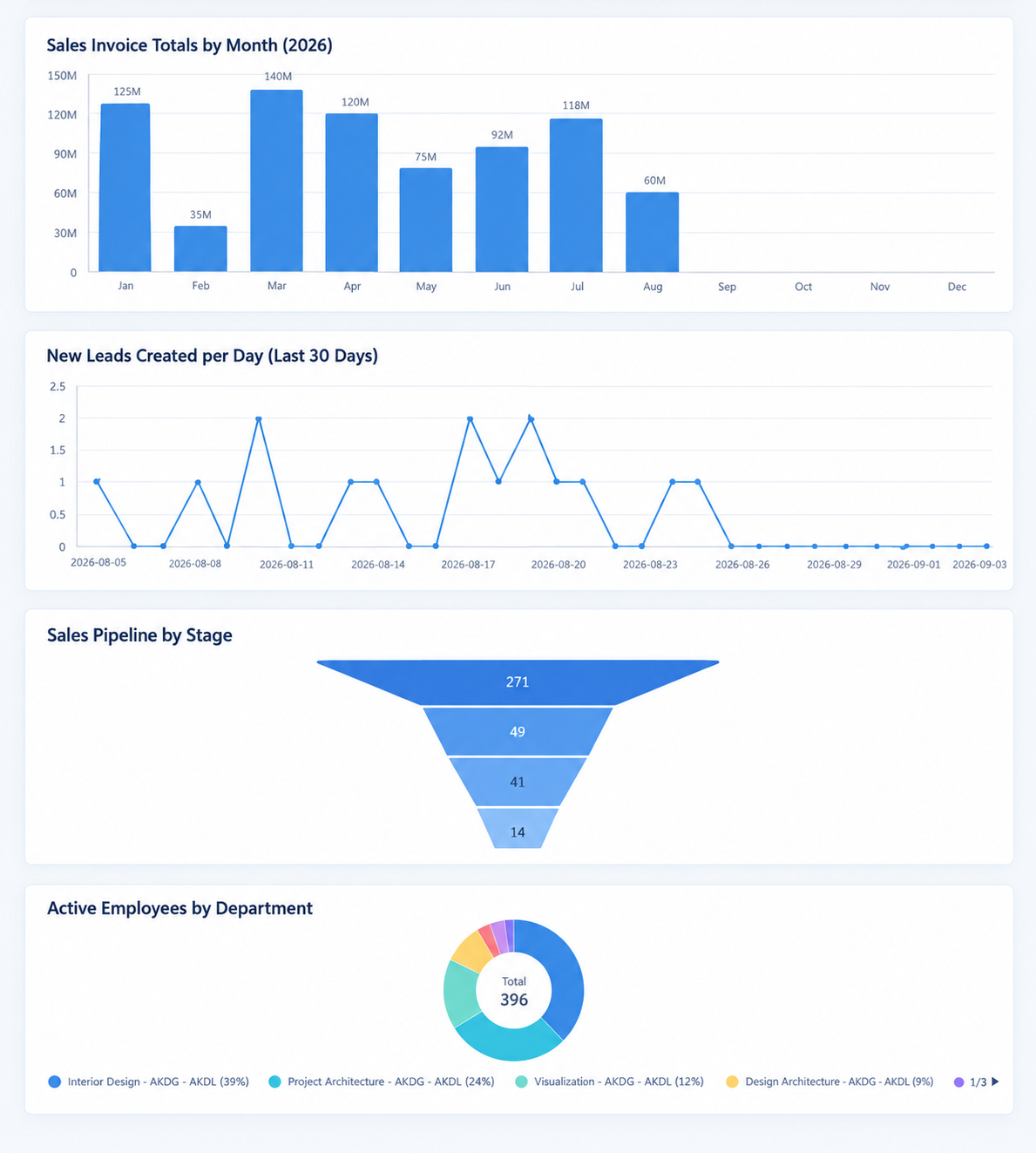
Charts and dashboards from a sentence
Describe the view you want and GreyCube FLOW AI builds it — turning your live data into charts and dashboards you can keep, instead of raising a custom report request.
- Create dashboard charts on demand
- Assemble and list user dashboards
- Grounded in your real records, not guesses
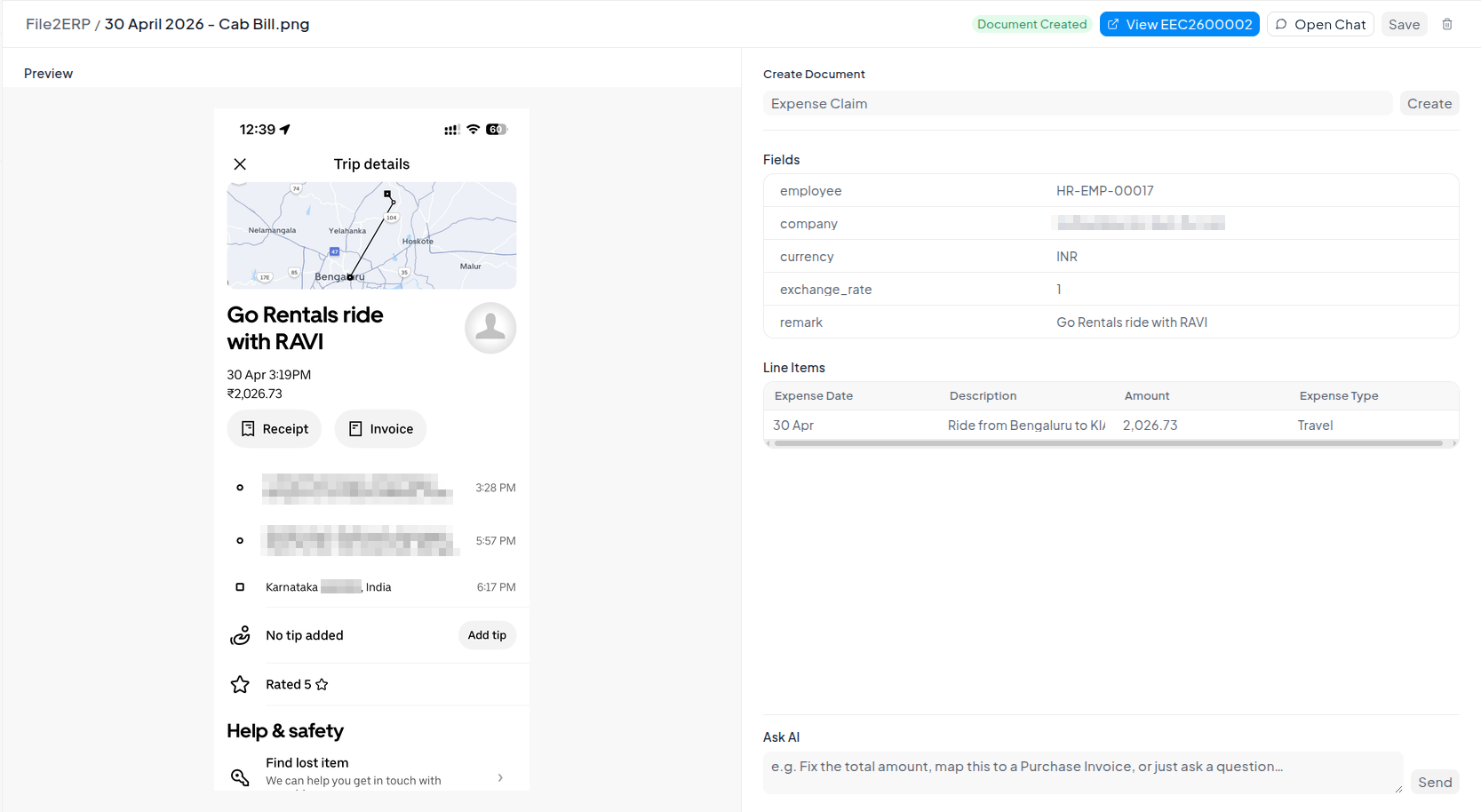
Documents in, records out
Drop in a document and let an OCR-backed agent read it and map the details into the right DocType fields — no manual re-keying from PDFs or scans.
- OCR agent extracts key details from files
- Maps content into real DocType fields
- Configurable behaviour in File2ERP settings
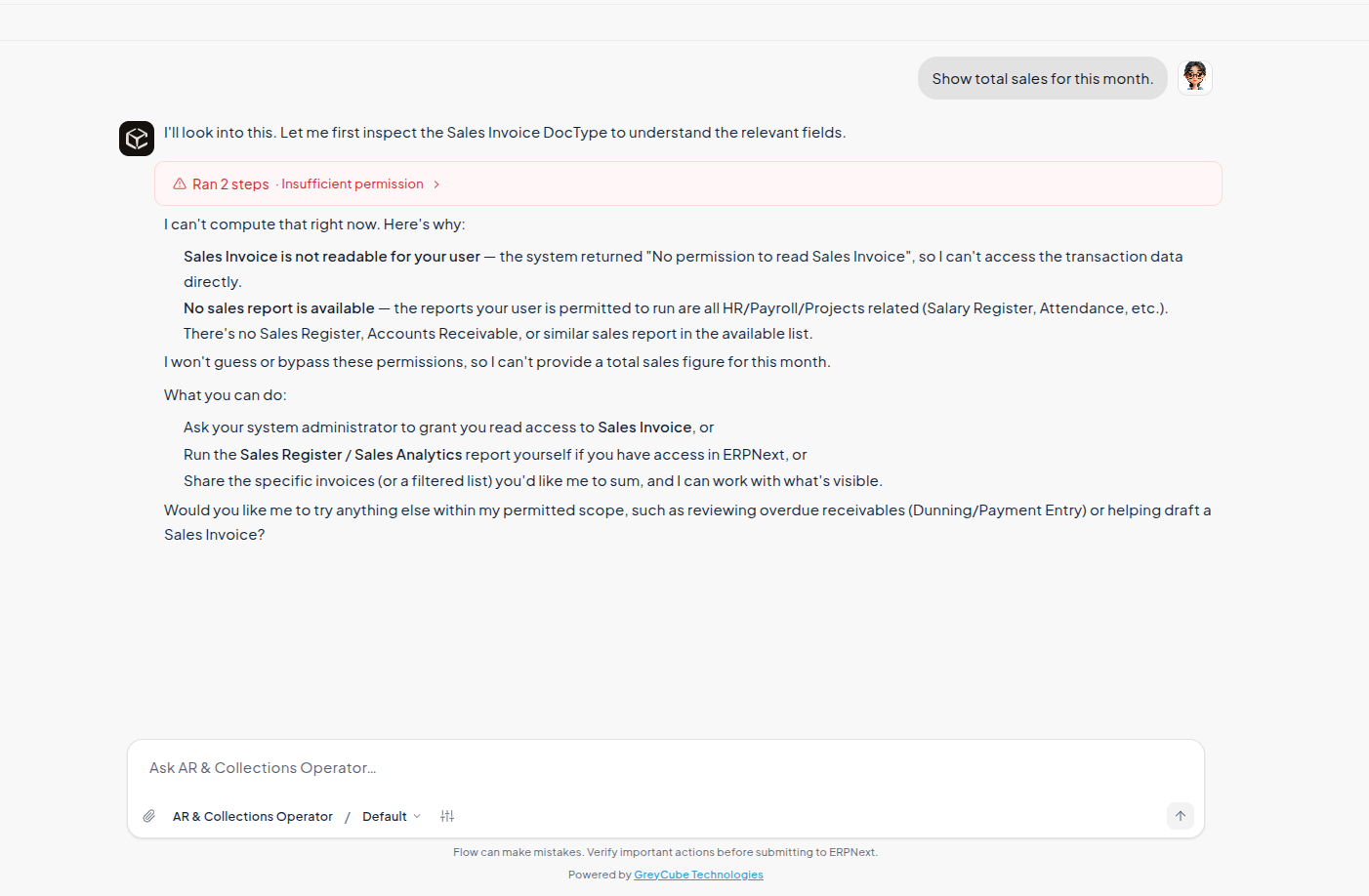
It can only see what you can see
Every request runs strictly under the signed-in user's own Frappe permissions — the same roles, permission rules and record-level restrictions that apply everywhere else. GreyCube FLOW AI never acts with Administrator access on your behalf.
- Enforces role, field, row and company rules
- Honours User Permission record restrictions
- No hidden elevation — ever
Nothing changes without a yes
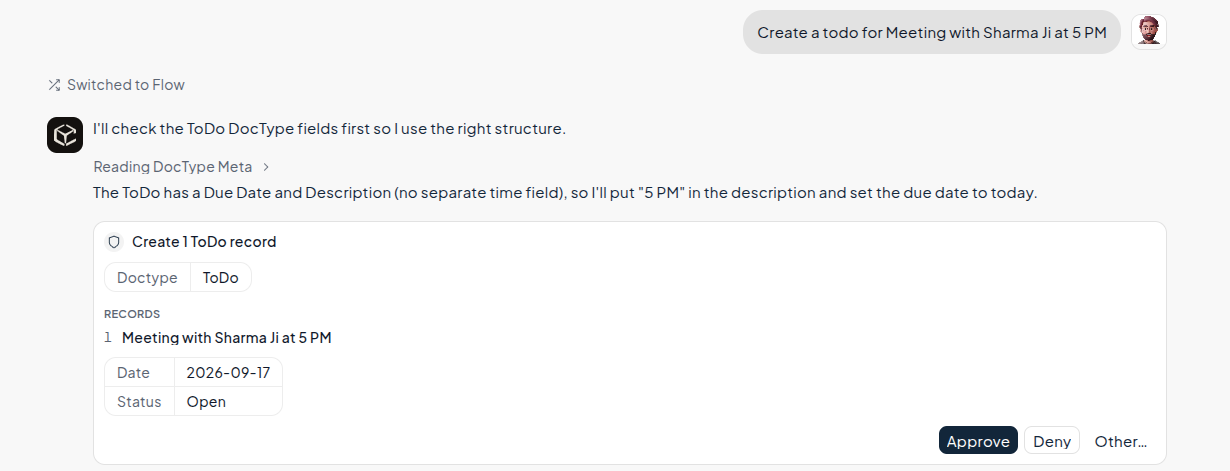
Read-only questions are answered instantly. Anything that creates, updates, submits, cancels or deletes a record goes through a confirmation gate — backed by a native Flow Approval Request when a formal human decision is needed.
- Confirmation prompt on every write action
- Owner-scoped requests, decisions limited to System Managers
- Leaves a permission-checked audit comment on the record
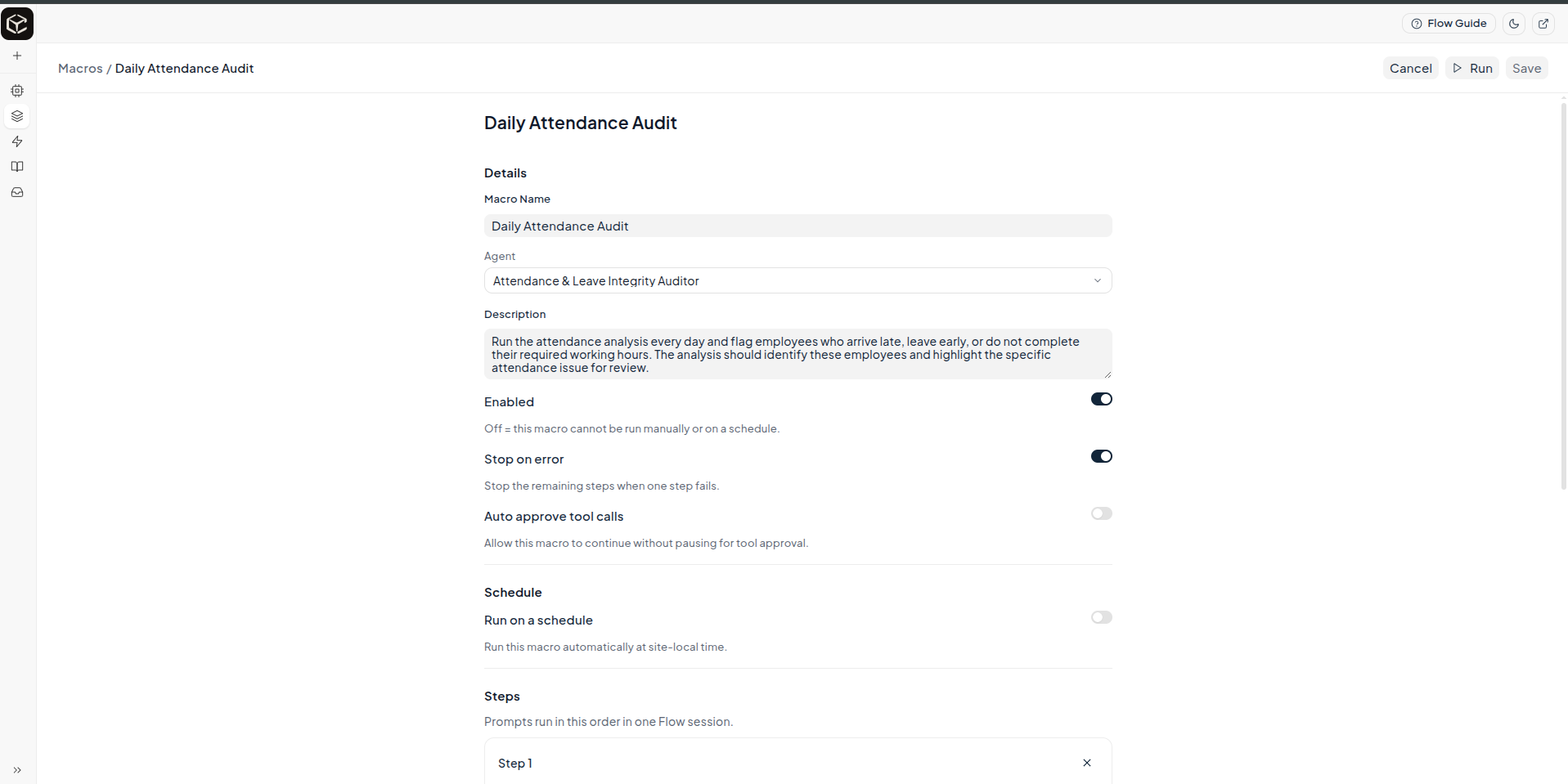
Package a routine, run it in one go
Turn a repeatable, multi-step task into a saved macro made of ordered steps, then run it whenever you need it — with each run recorded.
- Define a macro as a sequence of steps
- Re-run the whole flow on demand
- Each macro run is saved for review
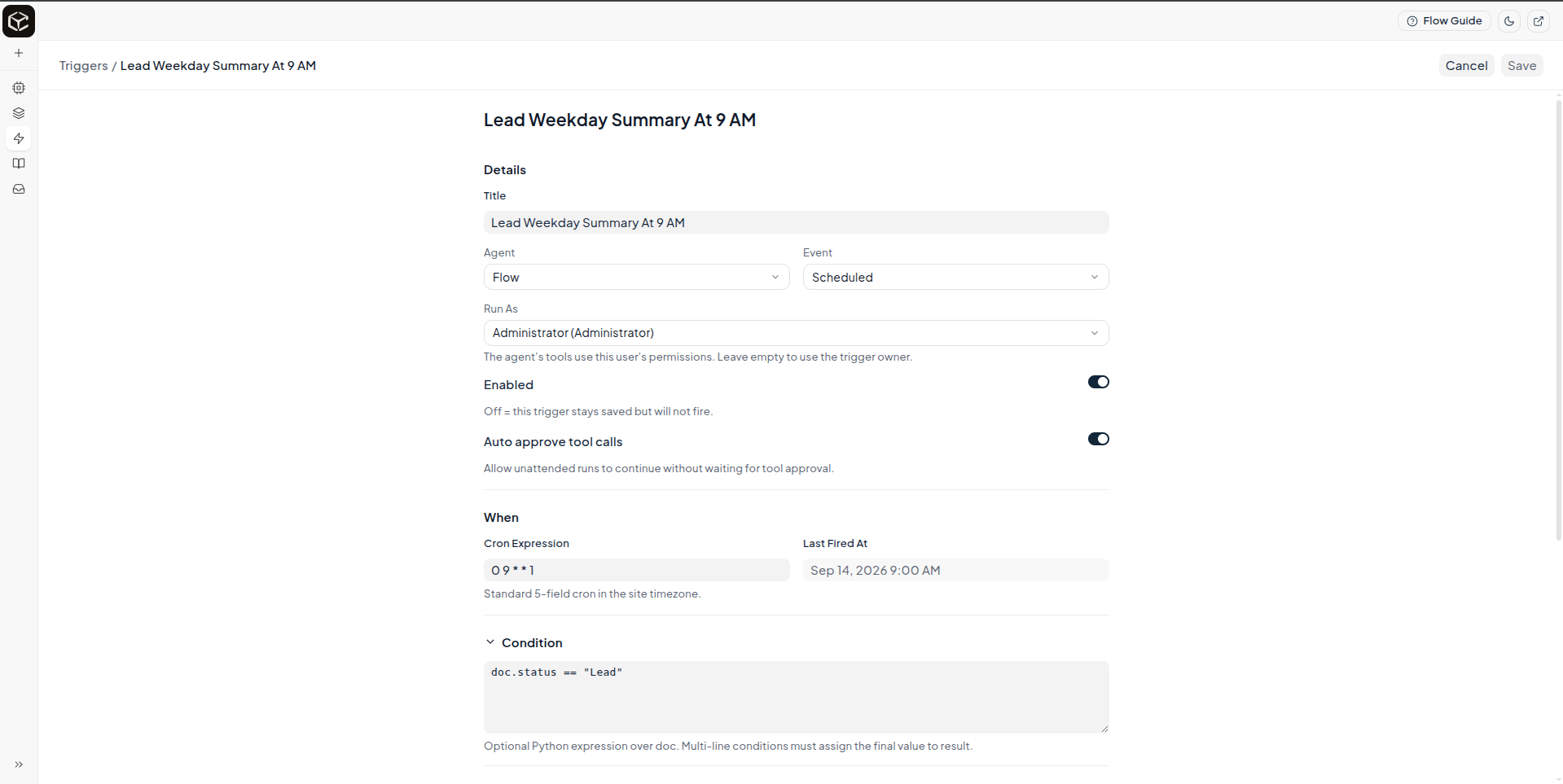
Put agents on autopilot
Run an agent automatically on a DocType event or on a schedule — so work happens when a record changes or at a set time, without anyone opening the chat.
- Fire on DocType events (create, update, submit…)
- Or run on a recurring schedule
- e.g. a 9am weekday summary of new leads
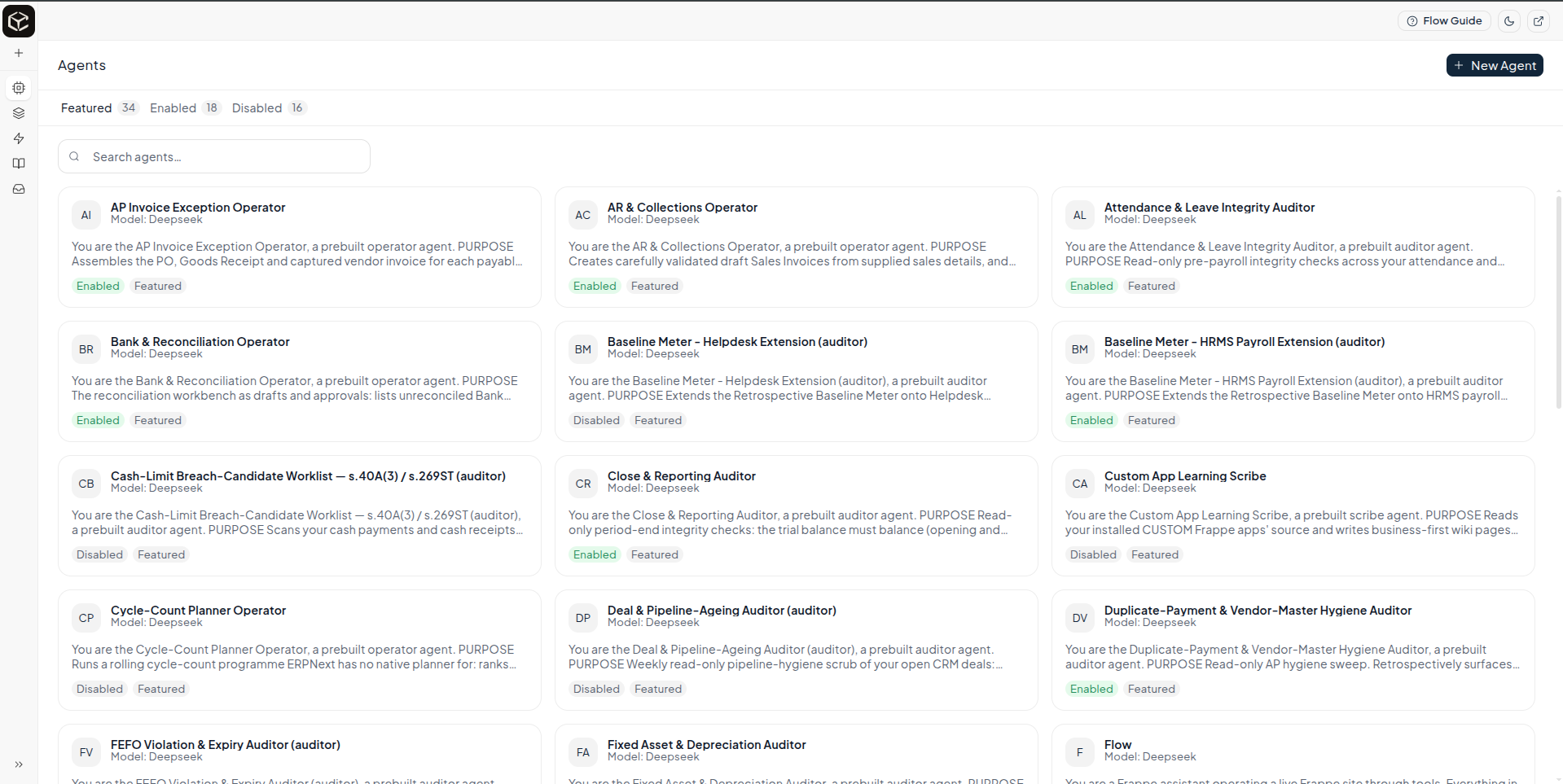
Purpose-built agents you control
Configure agents from the Desk or in code — each with its own instructions, model, tools, memory and knowledge. GreyCube FLOW AI ships a prebuilt catalog split into read-only Auditor and confirmed-write Operator roles, each locked to a DocType allowlist.
- Auditor agents: read, report, analyse, export only
- Operator agents: confirmed create / update within a write contract
- Per-agent tools, memory and knowledge sources
The rest of the toolbox
Additional capabilities that ship with GreyCube FLOW AI — every data tool still checks Frappe permissions, and every write still passes the confirmation gate.
Knowledge Base & RAG
Embed and index files, URLs and DocTypes for retrieval-augmented answers, kept in sync automatically.
Reports & Analysis
Generate reports, analyse business data, and run sandboxed Python and database queries.
Search
Search across documents, within a specific DocType, and resolve link-field values.
Excel Export
Export query and report results straight to Excel for sharing offline.
Memory & Audit Trail
Agents keep memory across turns; every session, run and tool call is persisted for audit.
Multi-Provider
Configure Flow Providers and Models to run on Claude, OpenAI and beyond — no lock-in.
Python Framework
Define tools and build agents in code with a lightweight decorator-based API.
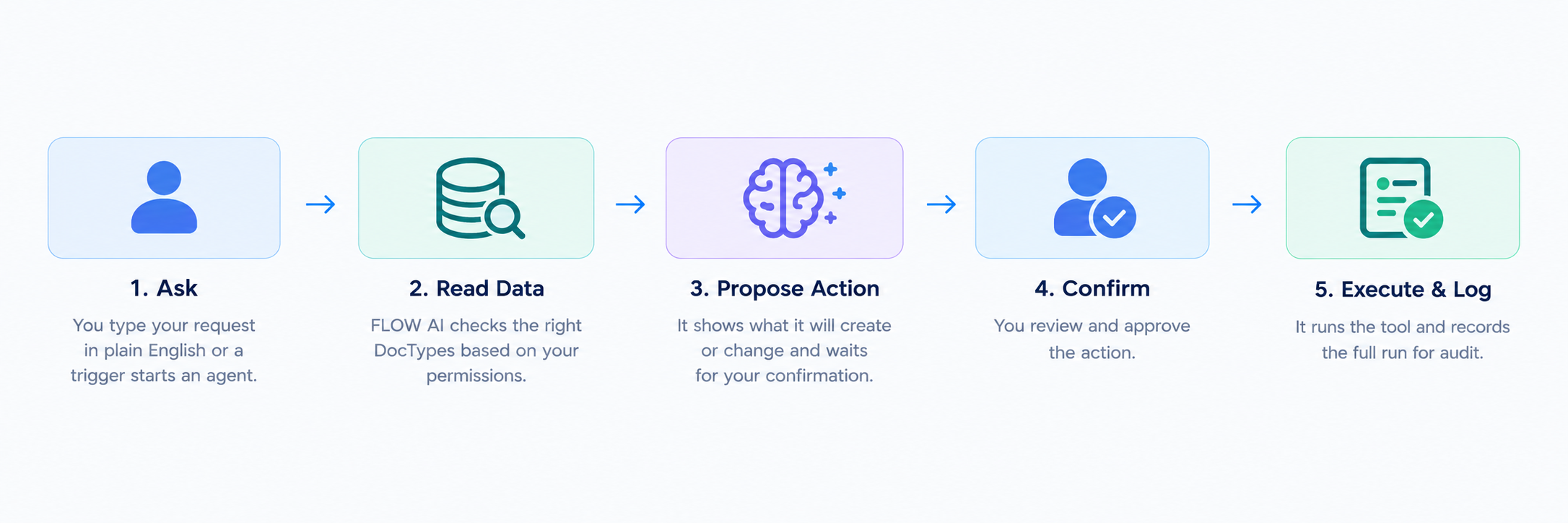
Ask → understand → confirm → done
A predictable loop that keeps a human in charge of anything that changes your data.
You ask
Type a request in plain English, or let a trigger fire an agent for you.
It reads your data
GreyCube FLOW AI inspects the right DocTypes — always under your own permissions.
It proposes the action
For any write, it shows exactly what it will create or change and waits.
You confirm, it logs
On approval it runs the tool and records the whole run for audit.
Bring your own AI provider
GreyCube FLOW AI runs on your own provider account — start free with OpenRouter, or use pay-as-you-go credits or a subscription with a paid provider.
| AI Provider | Type | Minimum cost | Usage | Link |
|---|---|---|---|---|
| Free — via OpenRouter | ||||
| Nvidia
nvidia/nemotron-3.5-lightning:free
|
API | Free | 50 requests / day | OpenRouter ↗ |
| Paid — credits & subscriptions | ||||
| OpenAI (ChatGPT) | API | Credits from $5 | Top up credit | Billing ↗ |
| Subscription | $20 | Monthly | ||
| Claude | API | Credits from $5 | Top up credit | Buy credits ↗ |
| DeepSeek | API | Credits from $2 | Top up credit | Top up ↗ |
| Gemini | API | Free | Free tier: 10 requests/min · 250,000 tokens/min · 1,500 requests/day | Billing ↗ |
| API | Credits from $5 | Top up credit | ||
Costs and free-tier limits are set by each provider and can change — check the provider's page for current details.
What is GreyCube FLOW AI?
Which AI models can I use?
The models available to you depend on which providers and models your administrator has enabled. You can select an available model from the model picker in the chat window and use different models for different conversations.
How do I get an API key?
Does GreyCube FLOW AI support AI provider chat subscriptions?
Can it see or change data I'm not allowed to access?
Will it change my data without asking?
Where are my conversations stored?
Can I delete a conversation?
Is my data sent anywhere outside this site?
I got an error talking to the AI provider — what do I do?
Who configures GreyCube FLOW AI?
Why you want to go for subscription?
Bring GreyCube FLOW AI to your ERPNext
Tell us a workflow that eats your team's time — we'll show you how GreyCube FLOW AI handles it inside your own Frappe site, grounded in your data and bound by your permissions.