Streamlining Agri-Tech Operations: A Custom ERPNext Mobile App for Cropflyt Drone Pilots
Streamlining Agri-Tech Operations: A Custom ERPNext Mobile App for Cropflyt Drone Pilots
In modern agriculture, technology isn't just used in the office—it lives in the field. For companies like Cropflyt Technologies, who provide advanced drone spraying services to farmers, operational efficiency depends heavily on how quickly drone pilots can record spray data and collect payments on-site.
While ERPNext provides a robust backend for managing business workflows, expecting field pilots to navigate complex web forms on a mobile browser while standing in a farm field isn't ideal. To solve this, we engineered a high-performance, field-optimized custom mobile app powered by the Frappe framework.
Here is a breakdown of how we simplified complex ERPNext workflows into a seamless mobile experience for field workers.
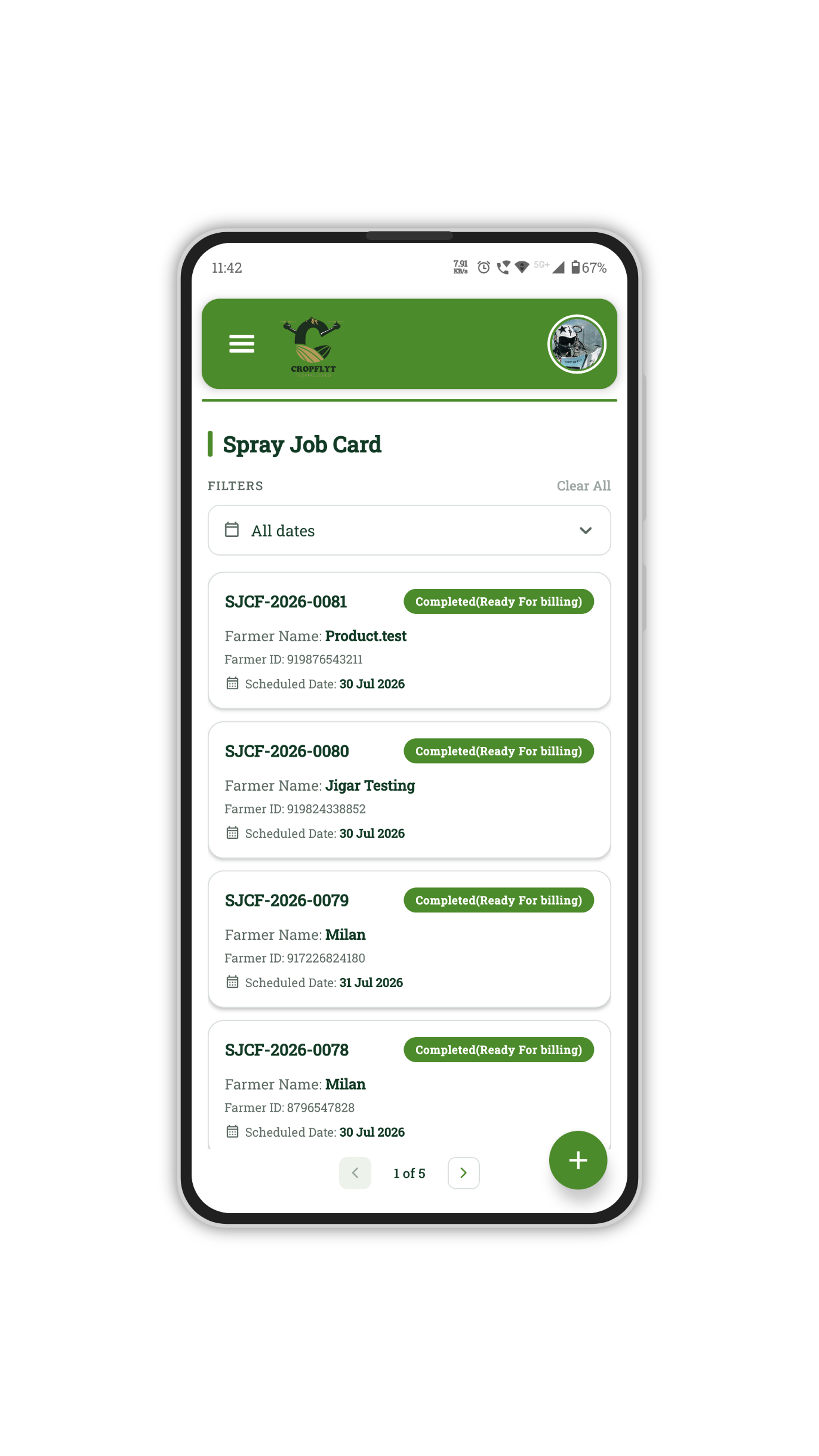
The Challenge: Field Force Operations vs. Complex ERP Forms
Drone pilots operate in demanding environments—often with limited time, variable internet connectivity, and the need to capture rapid data point entries. Creating a Spray Job Card directly in standard ERPNext web UI required multiple screen transitions, opening linked DocTypes in separate tabs, and navigating dense desk views.
Our Objective: Build an intuitive, field-friendly mobile application where drone pilots can perform end-to-end tasks—from client onboarding to payment collection—without ever leaving the current form screen.
Key Capabilities & Workflow Highlights
1. Dynamic Spray Job Card Management
Pilots can view all assigned tasks, edit manager-created drafts, or start a new job card from scratch directly from the mobile interface.
- Draft to Submission Workflow: Open existing draft cards created by office managers, modify sprayed area (in Bigha), adjust chemical dosages, and submit instantly.
- Clear Status Tracking: Real-time card statuses such as
DraftandCompleted (Ready for billing)give pilots immediate visibility over their work.
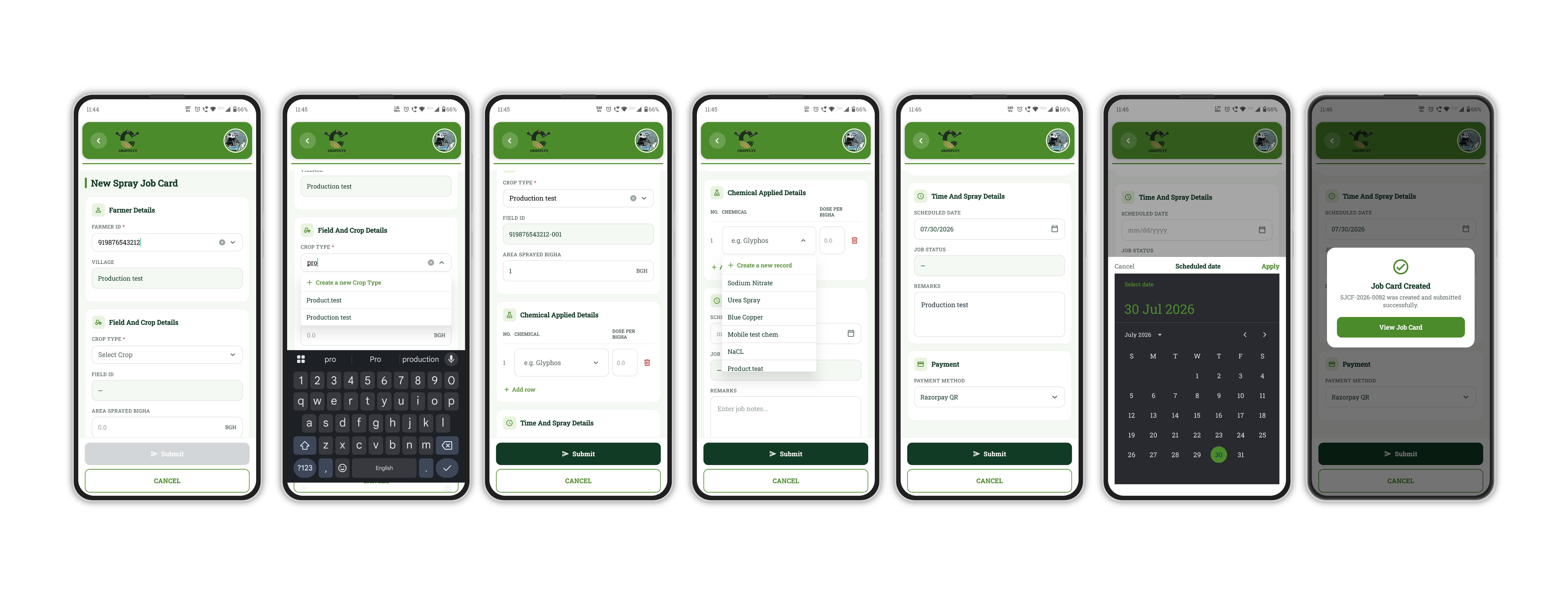
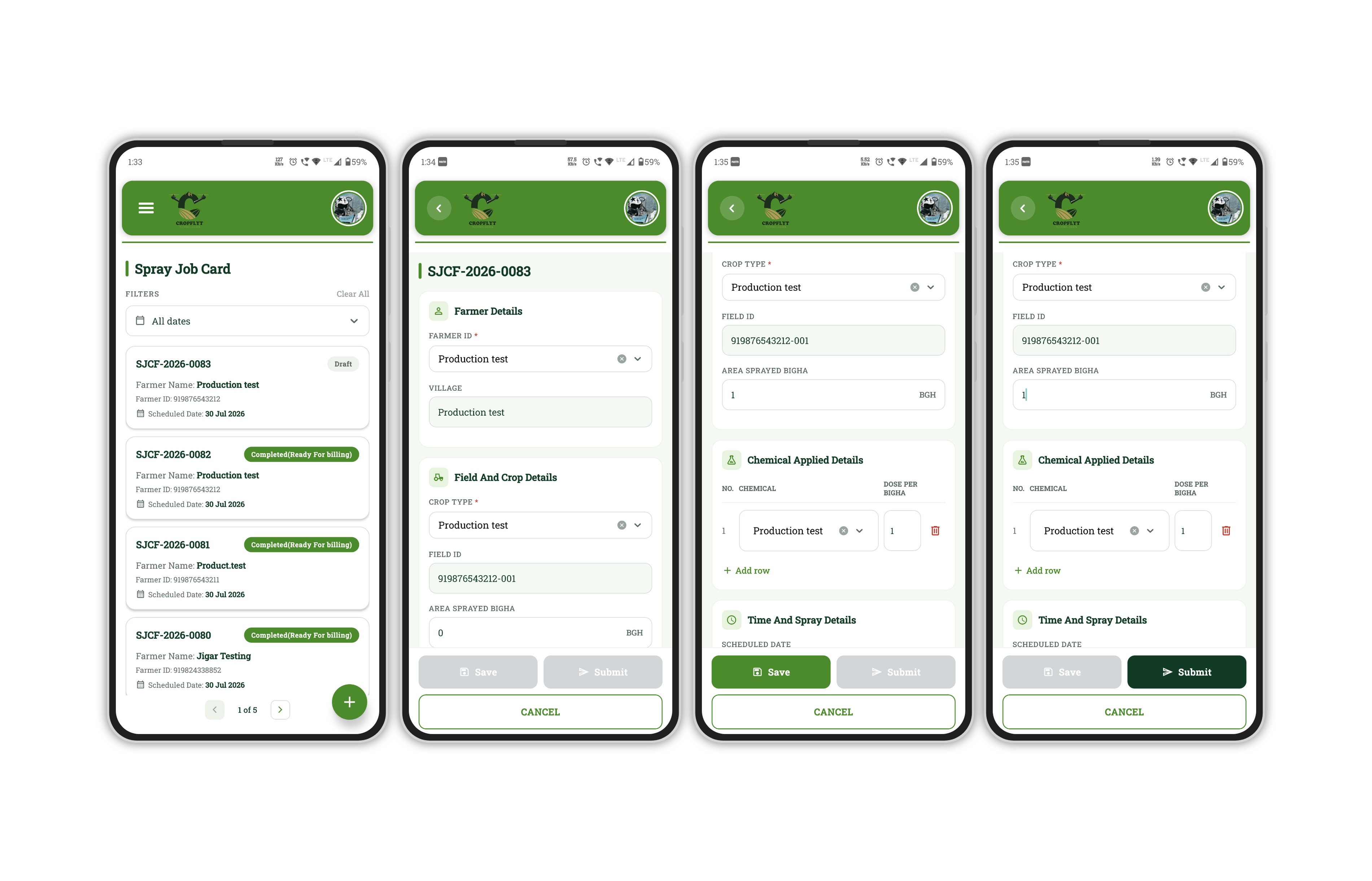
2. Zero-Context-Switching: Single-Screen Master Data Creation
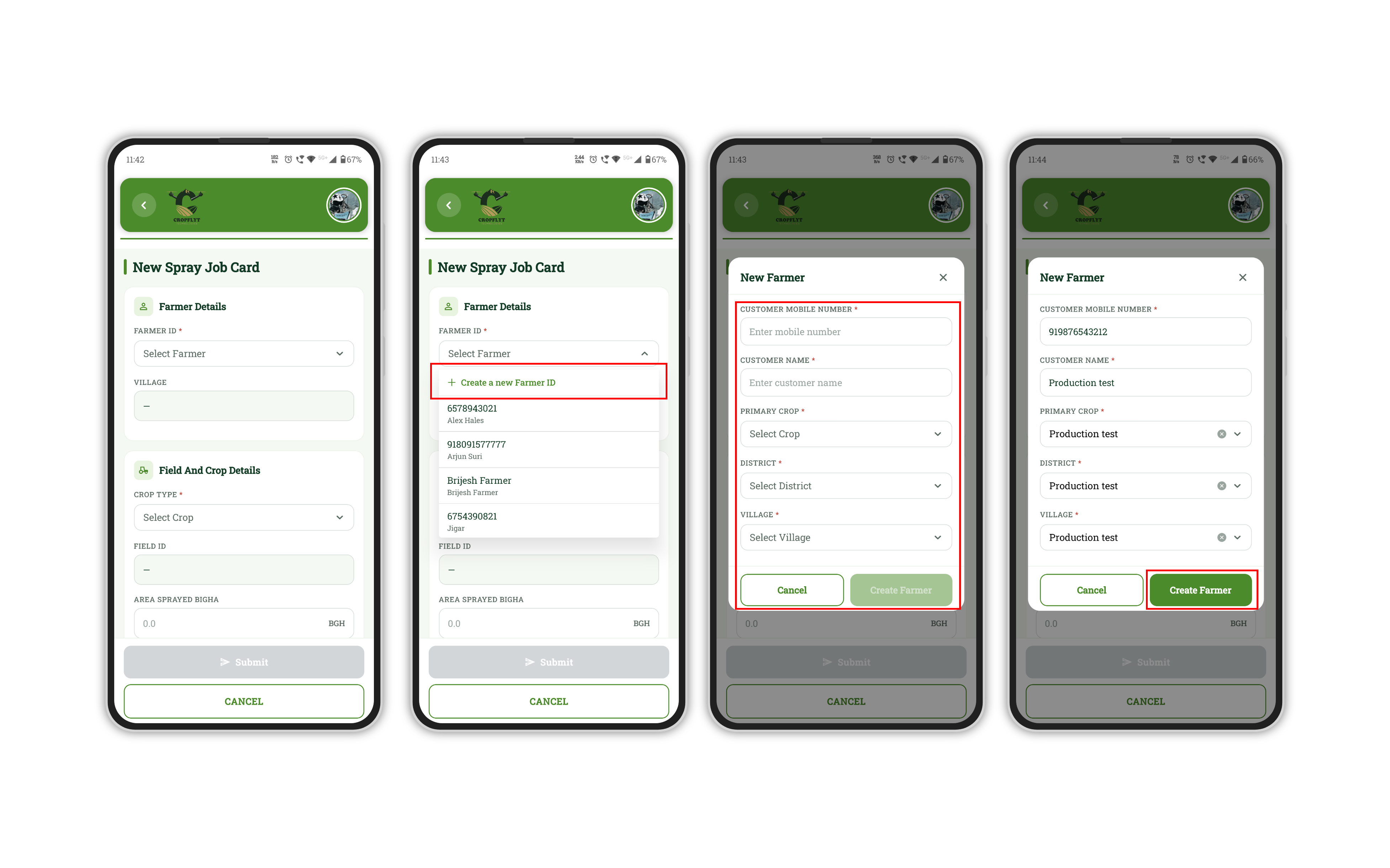
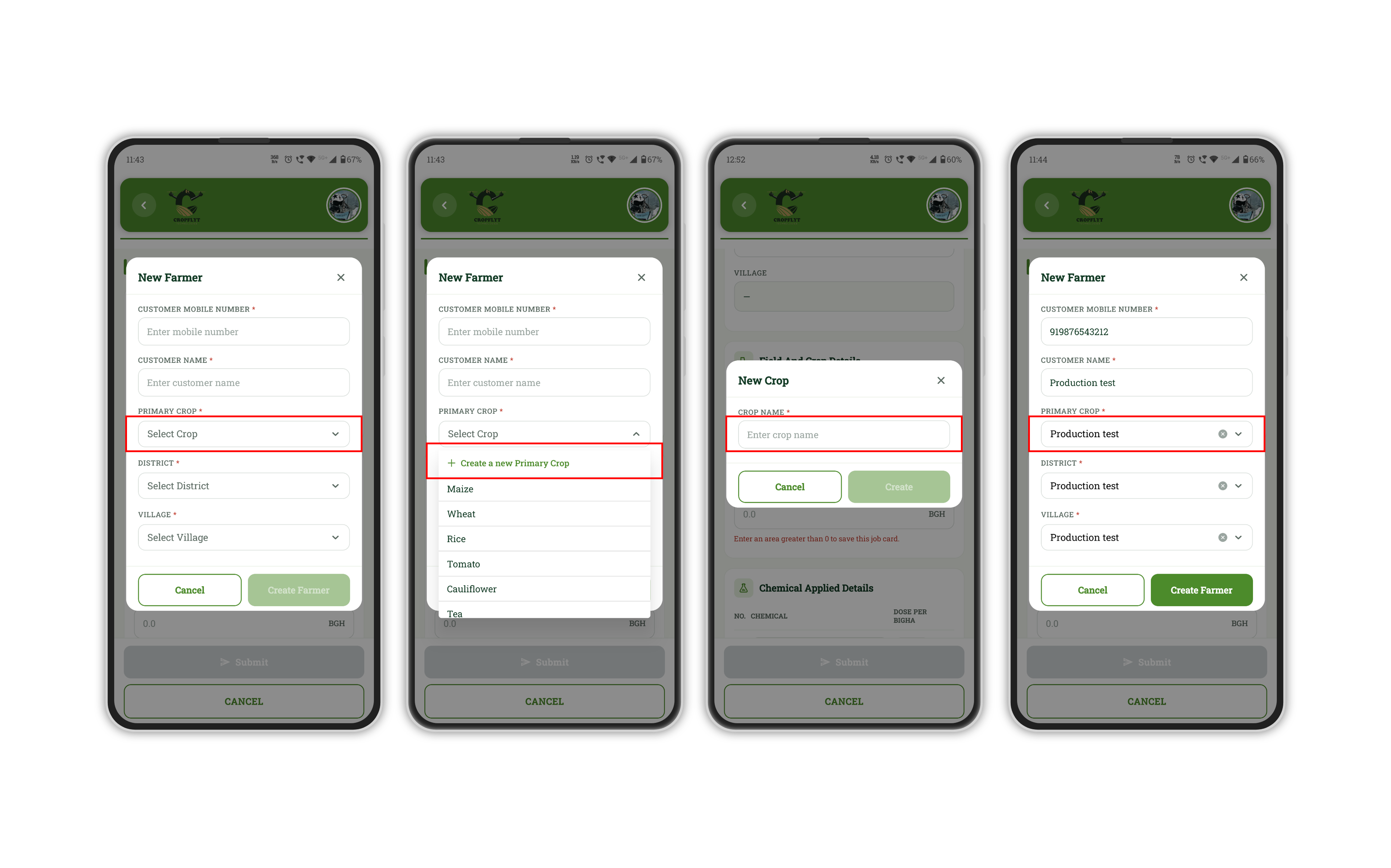
The standout feature of this application is its in-line popup dynamic creation. If a farmer, crop type, district, or chemical does not exist in the ERPNext database, the pilot does not need to abandon the form or navigate away.
Everything is handled via stacked modal popups:
- New Farmer Creation: Quick modal captures Customer Mobile, Customer Name, Primary Crop, District, and Village.
- Nested Sub-master Creation: While inside the "New Farmer" popup, if the Crop, District, or Village is missing, pilots can trigger a secondary popup directly on top of the primary modal!
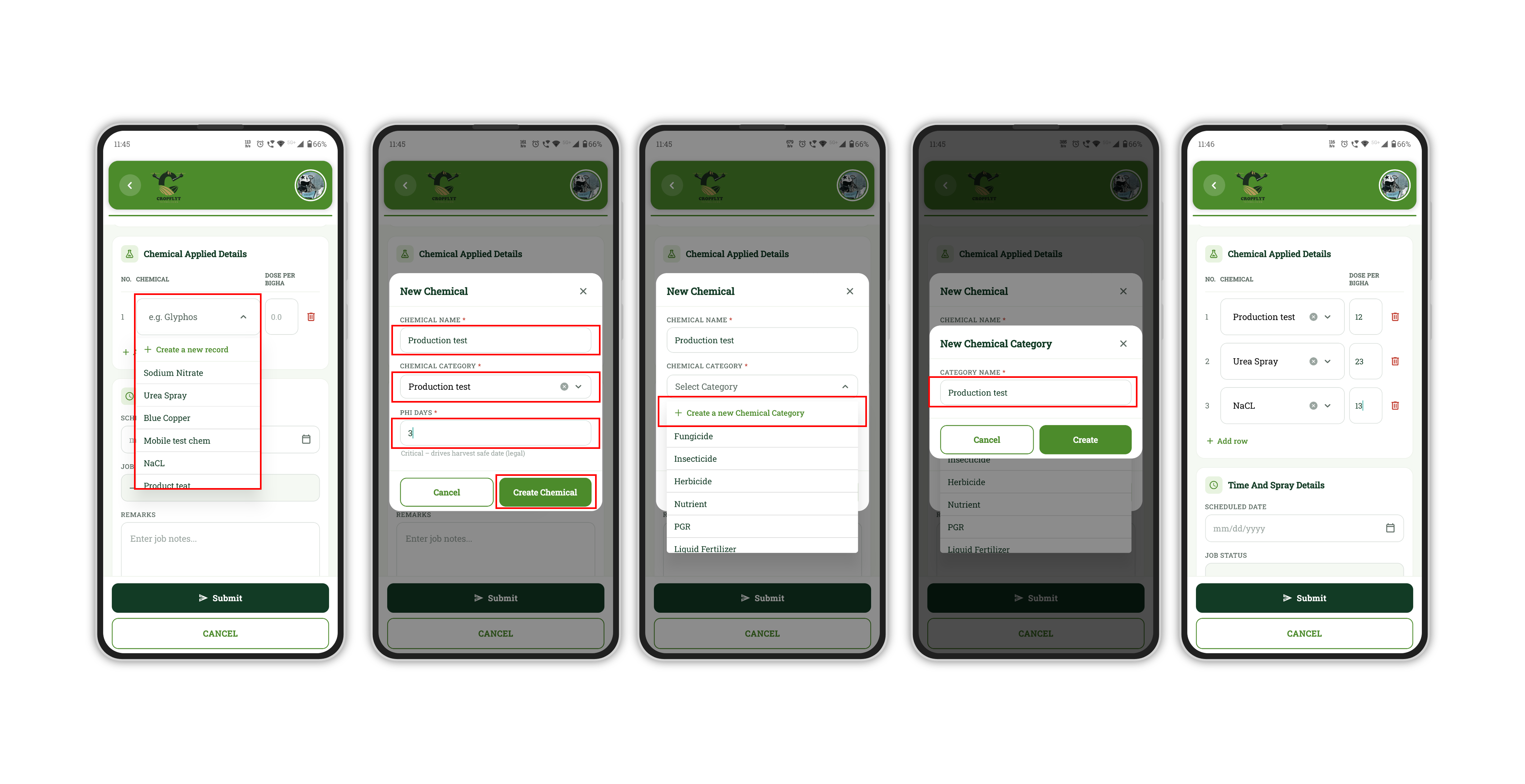
- Chemical & Category Master Entry: When logging chemical spray dosages (e.g., Glyphos, Urea, Blue Copper), pilots can create new Chemical items and Chemical Categories inline on the fly.
3. Instant On-Field Payment Collection via Razorpay QR
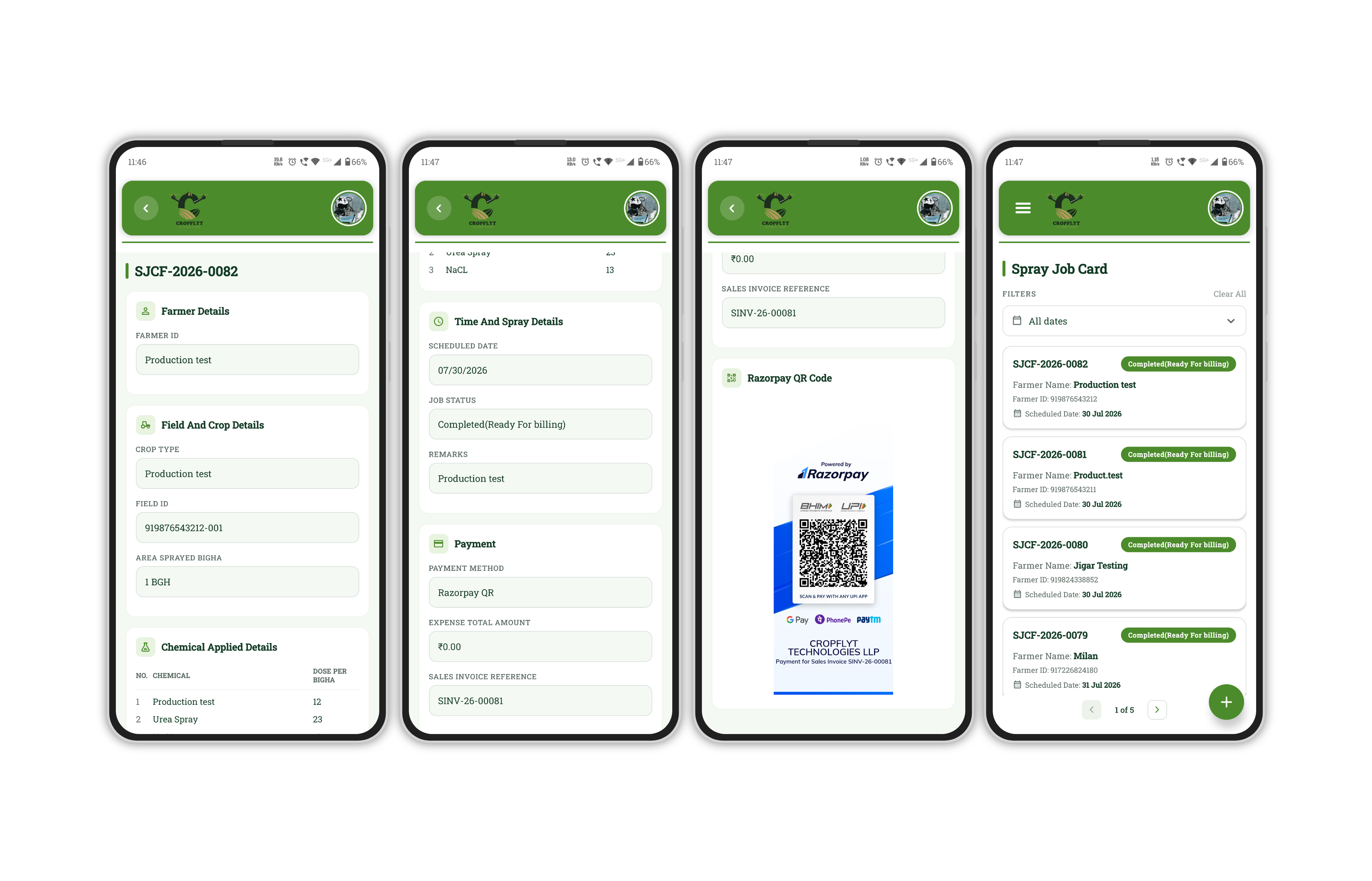
Closing the order-to-cash cycle quickly is critical for service operations. Once a Spray Job Card is submitted:
- The app automatically links the Job Card to the ERPNext Sales Invoice reference.
- A dynamic Razorpay UPI QR Code is generated on screen immediately after form submission.
- Farmers can scan the screen directly using Google Pay, PhonePe, Paytm, or any UPI app to pay the pilot on the spot.
Why Choose Custom Mobile Apps for Your ERPNext Operations?
Building a custom mobile layer on top of Frappe/ERPNext offers significant business benefits for field force management:
- Reduced Field Errors: Guided step-by-step forms with smart defaults minimize data entry mistakes.
- High Data Integrity: Master records created on mobile sync directly into standard ERPNext DocTypes.
- Faster Turnaround: Eliminates end-of-day desk entries by completing data logging and invoicing right at the customer's farm.
- Better UX for Non-Tech Workers: Minimalistic UI designed specifically for small screens and single-handed mobile use.
Looking to Mobilize Your Field Team with ERPNext?
Whether you manage agricultural drone operations, field maintenance engineers, delivery fleets, or sales reps, we can help you translate your complex ERPNext workflows into lightweight, field-ready mobile applications.
Interested in building a custom mobile extension for your Frappe/ERPNext setup? Contact our team today to schedule a demo or discuss your custom requirements!

No comments yet. Login to start a new discussion Start a new discussion