Stop Losing Stock: How One App Transformed Our Warehouse Operations
Tired of misplaced inventory and manual tracking? See how a custom mobile app helped a manufacturer take full control of their warehouse in real time.
Stop Losing Stock: How a Simple Mobile App Gave Us Full Control Over Our Warehouse
If you run a manufacturing business, you know the drill — thousands of parts spread across warehouses, team members guessing where things are, and outdated spreadsheets that nobody trusts. We lived that chaos every day until we built a mobile app that lets your floor team browse, search inventory and update locations right from their phones.
Here's a look at how it works and why it can changed everything for you.
Search Any Item in Seconds
No more walking across the warehouse to check a shelf. With our App, anyone on the team can pull up their phone, select "Item" from the browse menu, type in a part number, and select it and hit search, instantly see every batch, warehouse, quantity, and exact location of search item — all in one view.
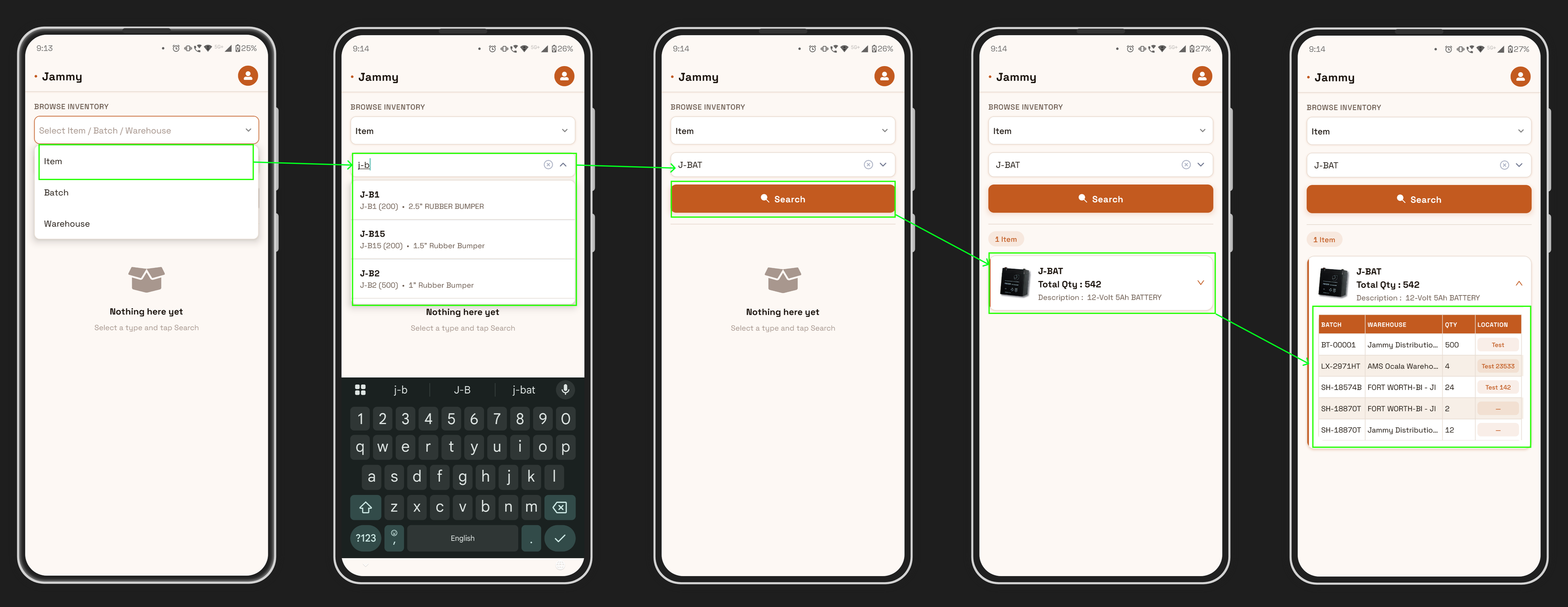
Search for any item like "J-BAT" and instantly see total quantity, description, and a full breakdown by batch, warehouse, and location.
Track Inventory by Batch Number
Need to trace a specific production batch? Just switch the browse type to "Batch", start typing, and the app auto-suggests matching batch numbers as you type. Select one, hit Search, and you'll see exactly which warehouses hold that batch and in what quantities.
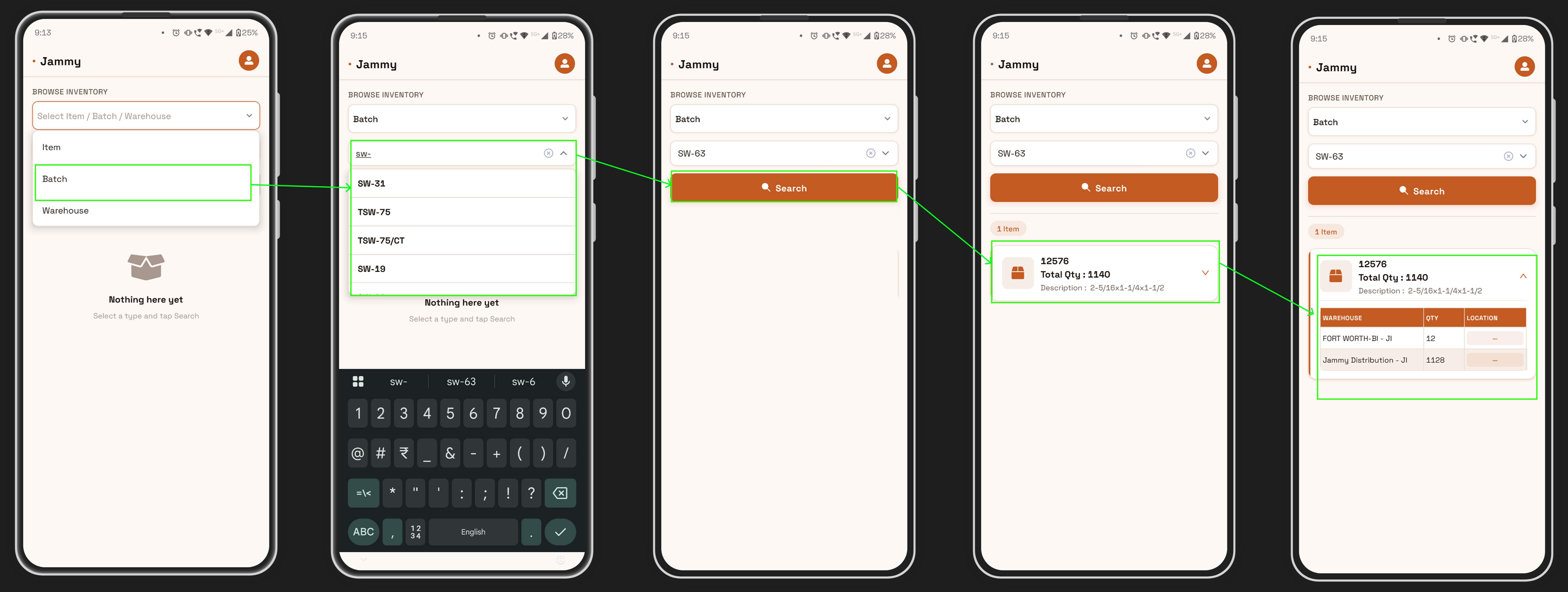
Start typing a batch number and get instant suggestions — no need to remember exact codes.
See the full warehouse-level breakdown for any batch — including quantity and location at each site.
Browse an Entire Warehouse at a Glance
Switch to "Warehouse" view, pick a facility from the dropdown, and see every single item stored there — complete with quantities and batch details. It's like having a digital walk-through of your warehouse on your phone.
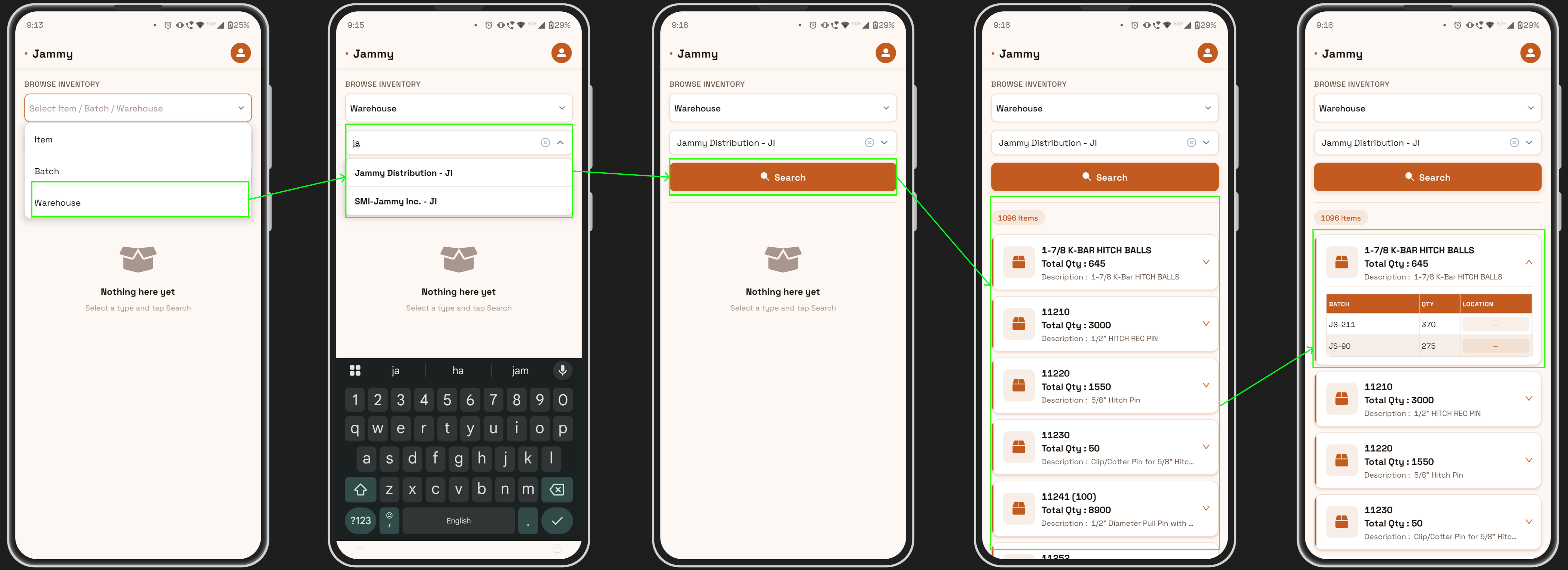
Choose from all your warehouses in one tap — supports multiple facilities and distribution centers.
View all 1,096 items in a warehouse at once — with item name, total quantity, and product description.
Tap any item to expand batch-level detail — see batch numbers, quantities, and location tags instantly.
Update Item Locations in Two Taps
This is where the App really shines. When your team moves stock from one spot to another, they don't need to find a computer or update a spreadsheet. They just tap the location tag, enter the new location, and hit Update. The change is live instantly — everyone on the team sees it in real time.
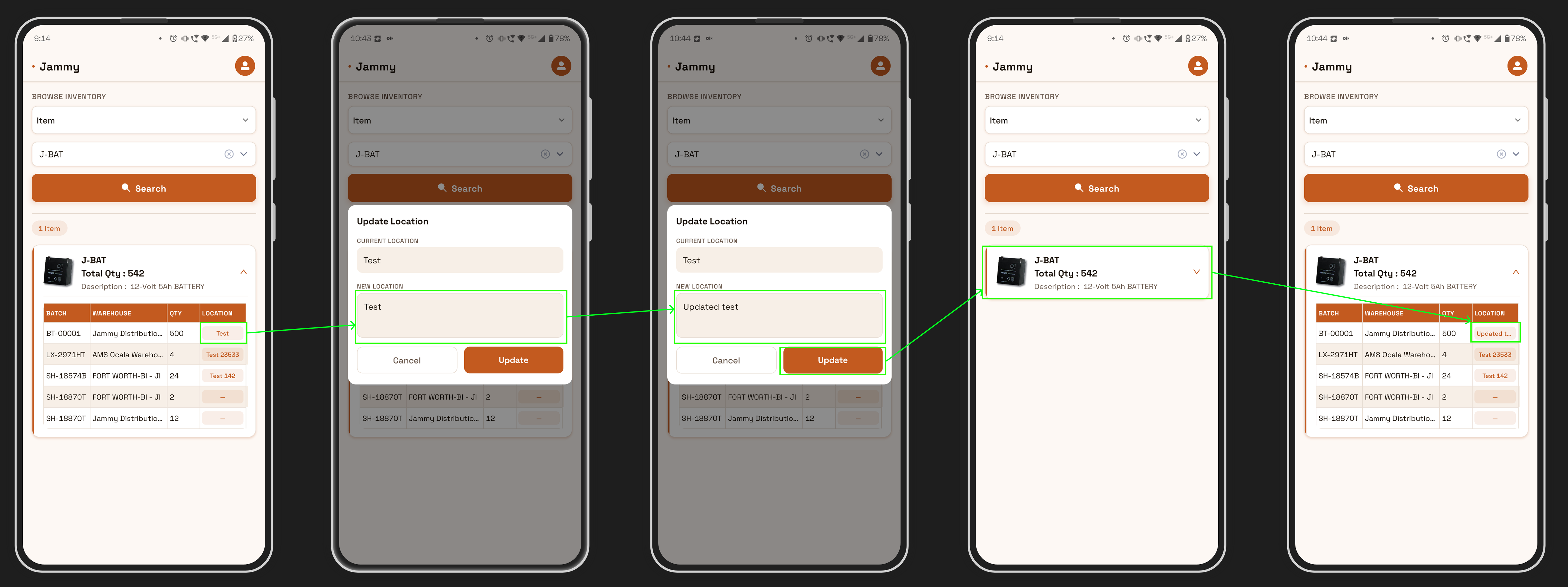
The current location is shown automatically. Just type the new location and tap Update — done in seconds.
Enter the updated location and confirm — the change syncs across the system immediately for all users.
Why This Matters for Your Business
Every minute your team spends searching for stock is a minute they're not building, packing, or shipping. Whether you manage one warehouse or ten, 500 SKUs or 50,000 — the problem is the same: know what you have, know where it is, and update it instantly.
Here's what changed for us after we started using the app:
- Time spent locating items dropped by over 60%
- Shipping errors from wrong picks were cut in half
- New hires got productive in hours, not weeks
- Full inventory audits went from a full day to just a few hours
Ready to Take Control of Your Warehouse?
If your team is still relying on spreadsheets, whiteboards, or "just remembering" where things are — it's time for an upgrade. Our app was built for real warehouse floors, by people who work on them every day.
Get in touch today for a live demo and see how quickly your team can get started.

No comments yet. Login to start a new discussion Start a new discussion