Our Inventory Management App Is Now Live on the Apple App Store
Our inventory management app just hit the Apple App Store. Real-time stock visibility for manufacturing teams — now on iOS.
For manufacturing and warehouse operations, inventory visibility is not a convenience — it is a competitive requirement. When your team cannot locate a batch, confirm a quantity, or verify a storage location without walking the floor or calling across departments, every minute of that search is a minute of lost productivity.
That problem is exactly what we built to solve. And today, we are proud to announce that our inventory management app is officially live on the Apple App Store — now fully iOS compatible and ready for your team.
Now on iOS — What the App Store Launch Means for Your Business
Our app is now available for iPhone and iPad, optimized for iOS and built to meet Apple's strict standards for performance, security, and user experience. Getting unlisted distribution on the Apple App Store is not a formality — it is an independent signal that this product is production-ready and enterprise-grade.
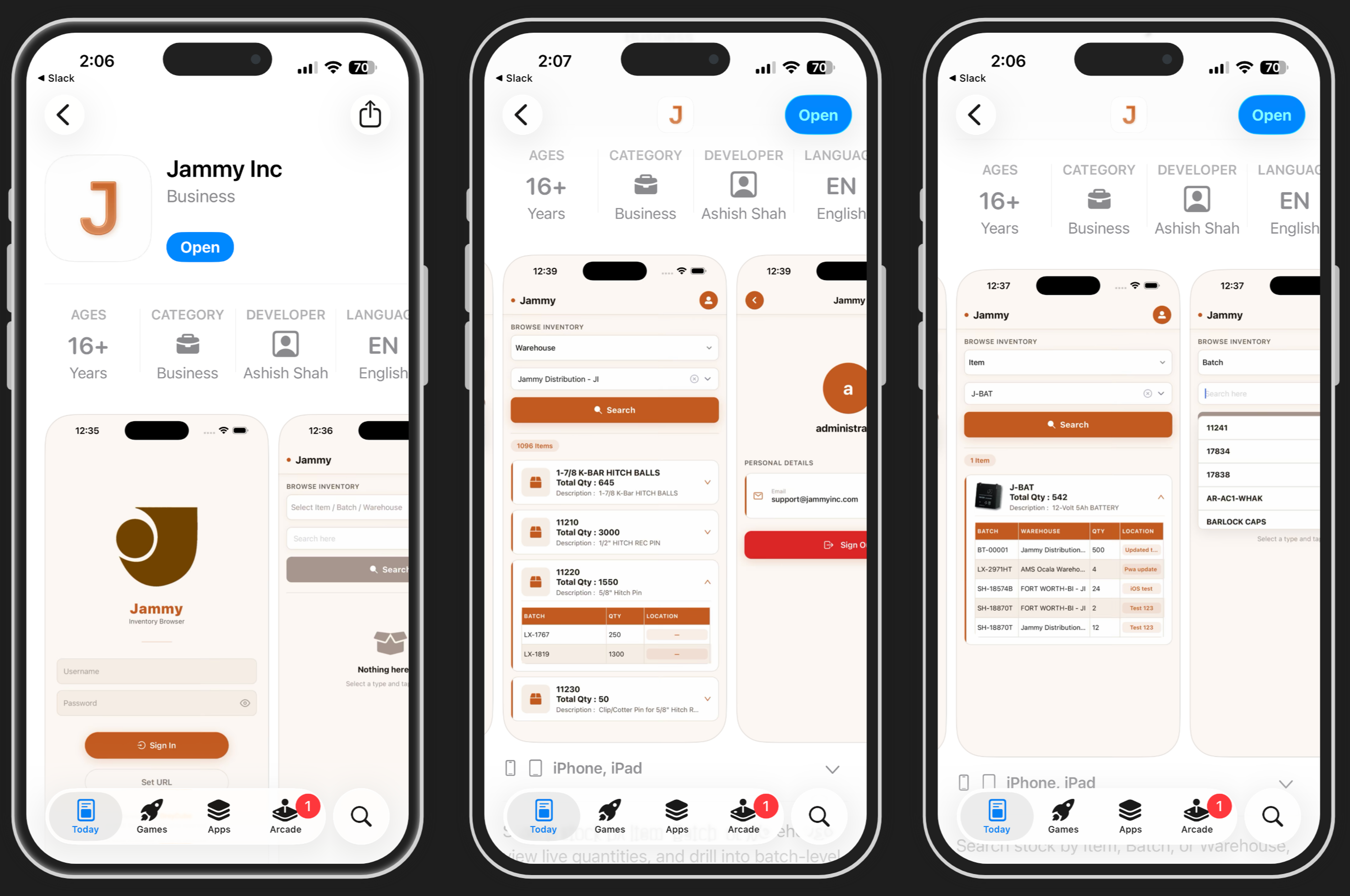
Whether your team is on iPhone 12 or the latest iPhone 16, the app runs smoothly across supported iOS versions. No compatibility headaches, no workarounds — just download from the App Store and go.
What the App Does
The app connects directly to your Frappe/ERPNext backend and gives your team real-time inventory access from any iOS device. No spreadsheets. No radio calls across the warehouse.
Item Search
Enter any part number and instantly see every batch, warehouse, and quantity associated with that item — complete stock visibility in seconds, right from your iPhone.
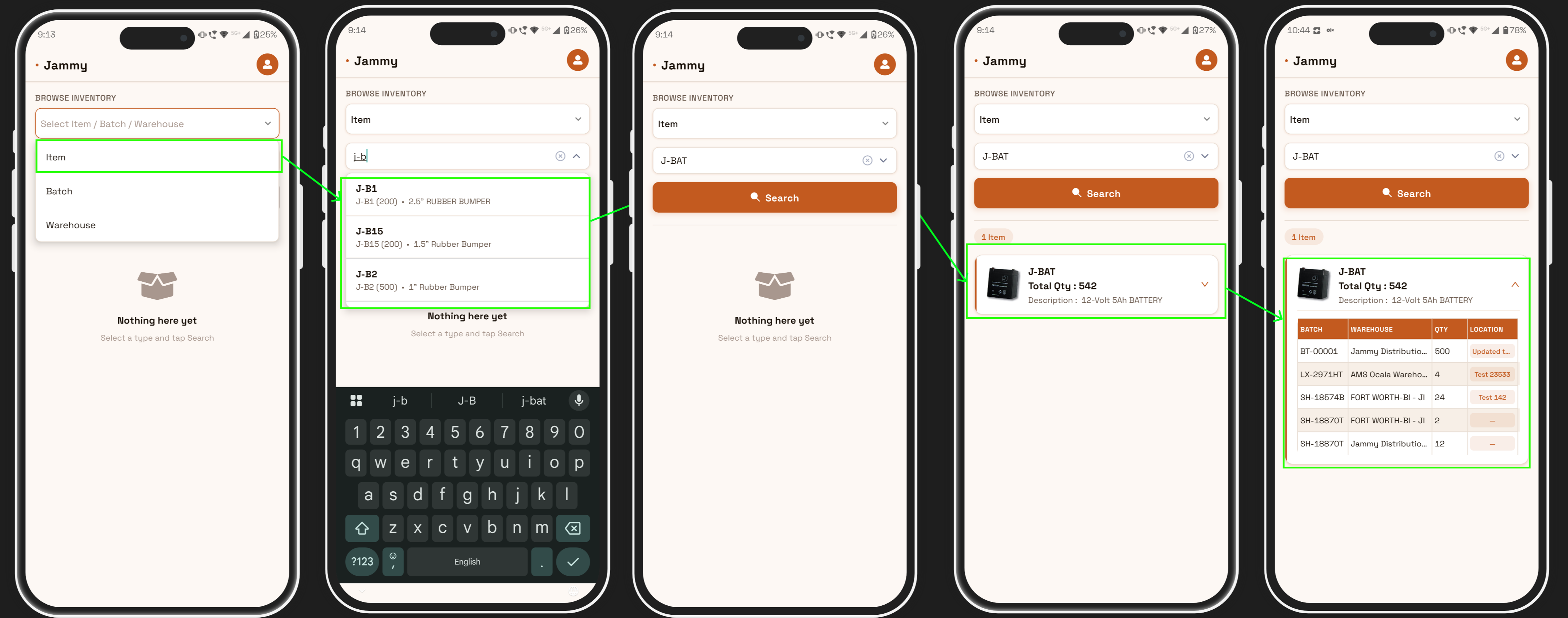
Search for any item like "J-BAT" and instantly see total quantity, description, and a full breakdown by batch, warehouse, and location.
Batch Tracking
Type a batch number and get auto-suggested results as you type. Select a batch and see a full warehouse-level breakdown of where it is stored and how much is available at each location.
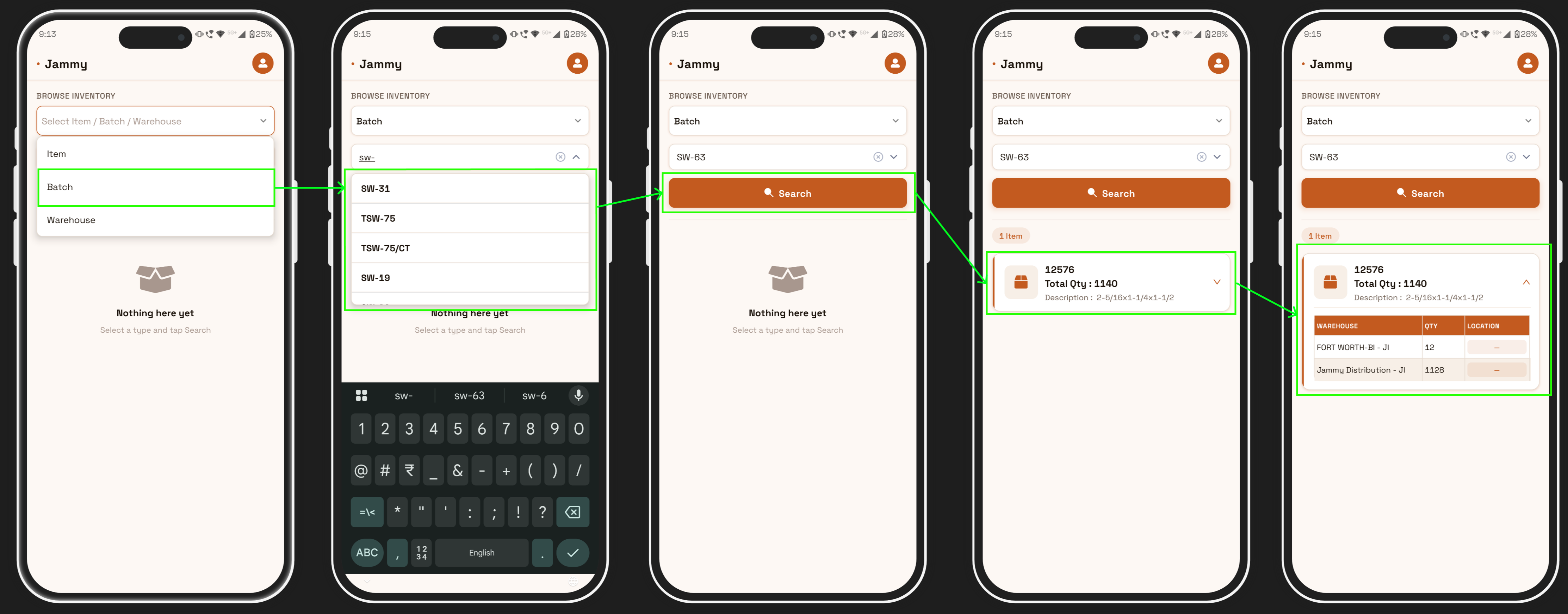
Start typing a batch number and get instant suggestions — no need to remember exact codes.
See the full warehouse-level breakdown for any batch — including quantity and location at each site.
Warehouse Browse
Pick any facility and see every item stored there, along with quantities and batch details — a digital walk-through of your warehouse, on your phone.
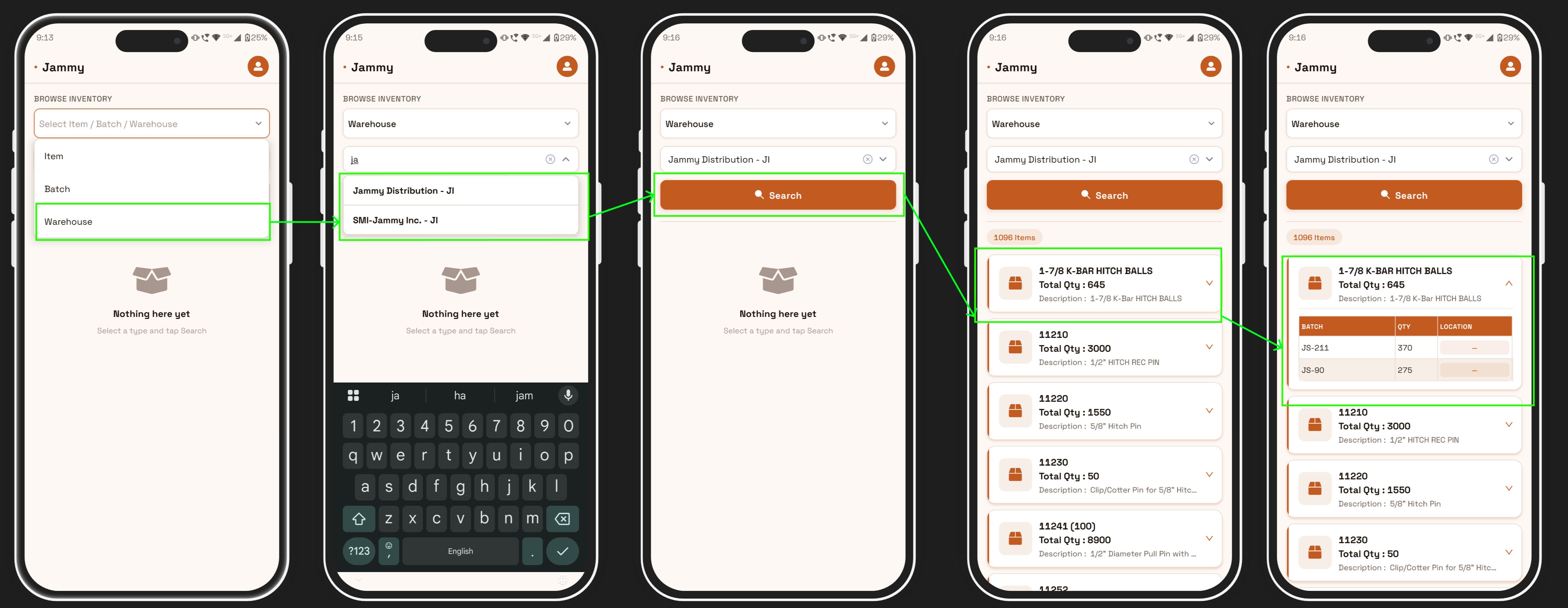
Choose from all your warehouses in one tap — supports multiple facilities and distribution centers.
View all 1,096 items in a warehouse at once — with item name, total quantity, and product description.
Tap any item to expand batch-level detail — see batch numbers, quantities, and location tags instantly.
Live Location Updates
When stock moves, tap a location tag, enter the new location, and the change syncs instantly across all users. Everyone on the floor works from the same live data.
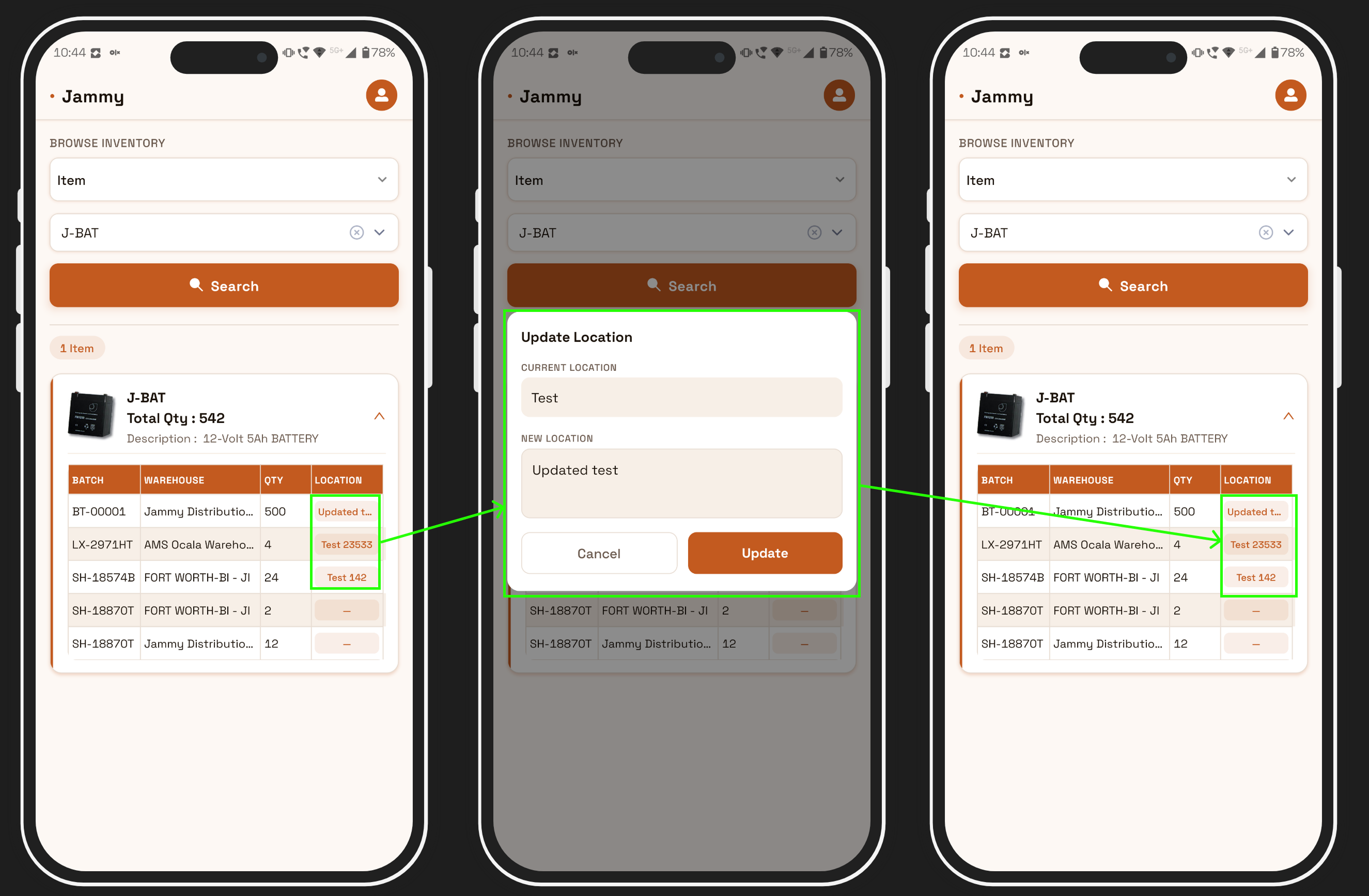
The current location is shown automatically. Just type the new location and tap Update — done in seconds.
Enter the updated location and confirm — the change syncs across the system immediately for all users.
Built for iOS. Built for the Floor.
The app is designed with mobile-first usability in mind — clean, fast, and easy to operate with one hand on a busy warehouse floor. It works seamlessly on iOS, taking full advantage of iPhone's touch interface and performance. No login friction, no slow loads — just fast access to the data your team needs.
Available now on the Apple App Store. Compatible with iPhone and iPad running iOS 14 and above.
The Results Your Operation Can Expect
- 60% reduction in time spent locating items across the facility
- Shipping errors cut in half, driven by accurate, real-time batch and location data
- New hires productive within hours, not weeks — minimal training required
- Full inventory audits shortened from a full day to a few hours
Ready to See It in Action?
The app is live on the Apple App Store for iOS, built to integrate with your existing Frappe/ERPNext environment and deployable without disrupting your current workflows.
We are offering personalized demos for manufacturing and warehouse teams — mapped to your actual use case, not a generic walkthrough.
Get in touch to schedule a session.

No comments yet. Login to start a new discussion Start a new discussion