Manage Your Attendance Requests from Your Phone — Introducing the Attendance Request App
No more emails or desk visits to fix your attendance. Submit, track, and manage your Attendance Requests right from your phone in seconds.
We've all been there — you worked a full day or from home, but the system didn't capture it. Getting that corrected meant hunting down HR or logging into a desktop system you rarely use. Not anymore. The Attendance Request App puts the entire attendance correction workflow in your pocket. Submit a request in under a minute, check its status any time, and manage everything without leaving your phone.
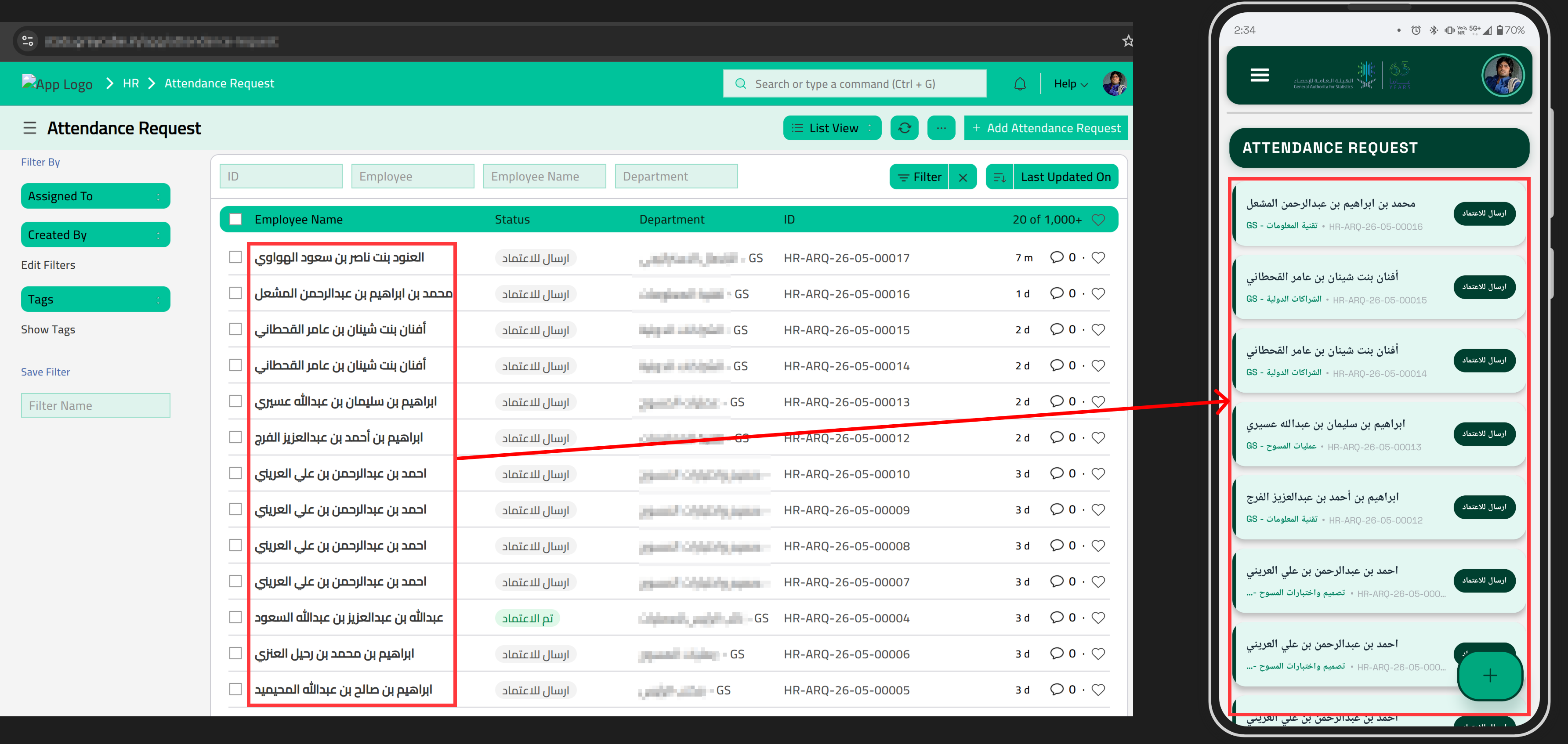
All Your Requests, Right at a Glance
The home screen shows every request you've submitted as a card, sorted by most recently updated. Each card displays your employee name, department, reference number, and current workflow status. The status badge tells you exactly where your request stands — no need to ask anyone.
Submit a New Request in Seconds
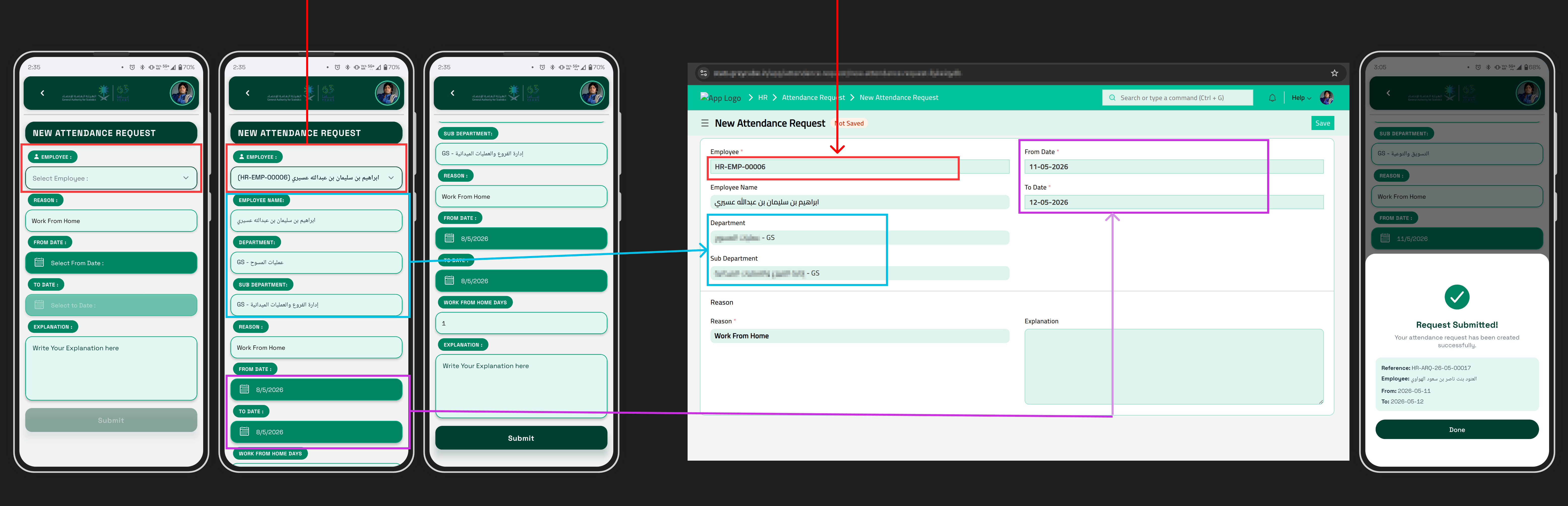
Tap the green + button to open the New Attendance Request form. Select your employee record, pick your date range, add a short explanation, and tap Submit. The app automatically fills in your department and calculates business days — no counting needed.
Easy Edits , Instant Self Confirmation, Full Details
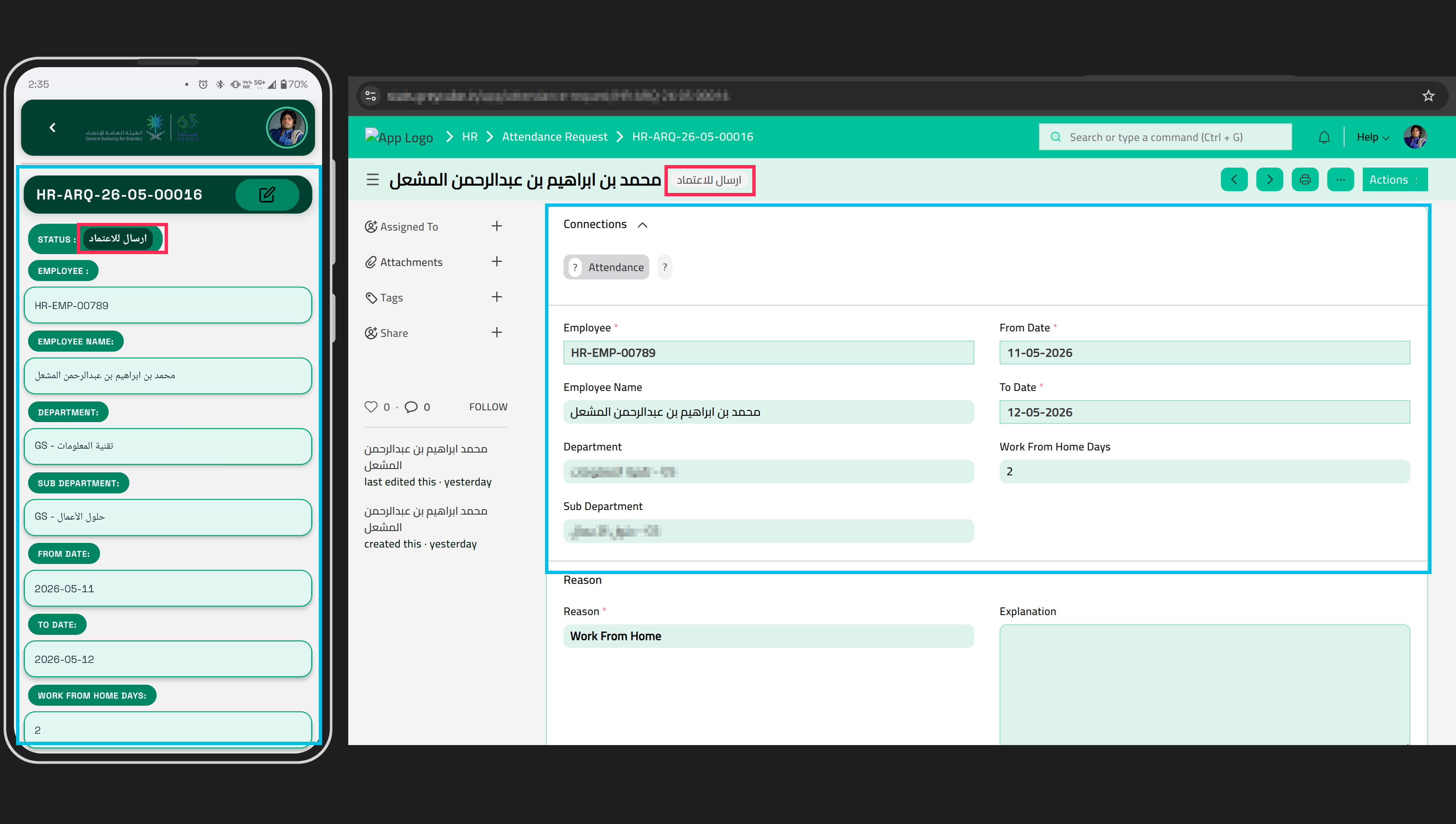
After submitting, a confirmation panel shows your unique reference number, name, and dates. Tap any card in the list to view all fields. If the request hasn't been approved yet, tap the edit icon to update dates — the app recalculates business days automatically.
To delete a request, swipe the card left on the list screen. A confirmation prompt appears before anything is permanently removed.
Why This Matters
- No desktop login required — submit from anywhere, any time.
- No email chains — requests go directly into the system your HR team already uses.
- No uncertainty — you get a reference number the moment you submit and your full history is on the home screen.
Getting Started
Your IT or HR team will share the app with you directly. Once installed, open it, tap Sign In, and use your existing company account. If you run into any issues, reach out to your HR or IT support team.

No comments yet. Login to start a new discussion Start a new discussion