From Visiting Card to ERPNext Lead: A Mobile App for Exhibition Teams
A mobile app for exhibition teams: scan visiting cards, save each visitor as an ERPNext Lead under the right event, and send a WhatsApp message while the conversation is still fresh.
At an exhibition, every visiting card is a sales opportunity. But cards collected in a pocket often reach the CRM days later, or never. By then, the visitor has spoken to ten other companies.
We built a mobile-first exhibition lead capture app for sales teams that run on ERPNext. A team member scans a visiting card at the stall, checks the details, and saves. The visitor is then an ERPNext Lead, linked to the right event, with the card photo attached. Here is a look at the app's core capabilities and how it works with ERPNext.
1. Everything Organised by Event
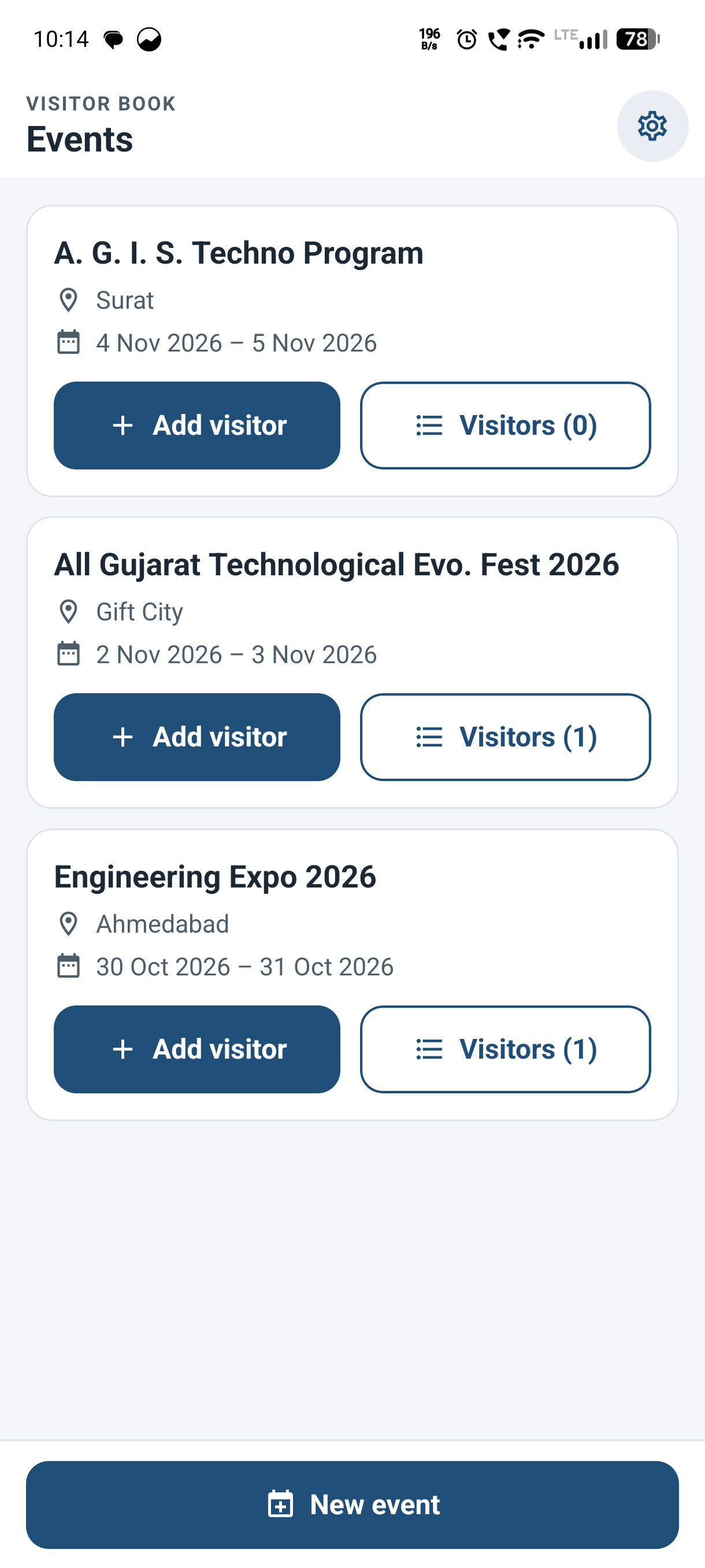
Each exhibition is its own workspace. The home screen lists all events, so a team always knows where each lead came from:
- Event Cards: Each card shows the event name, city, dates, and the number of visitors captured so far.
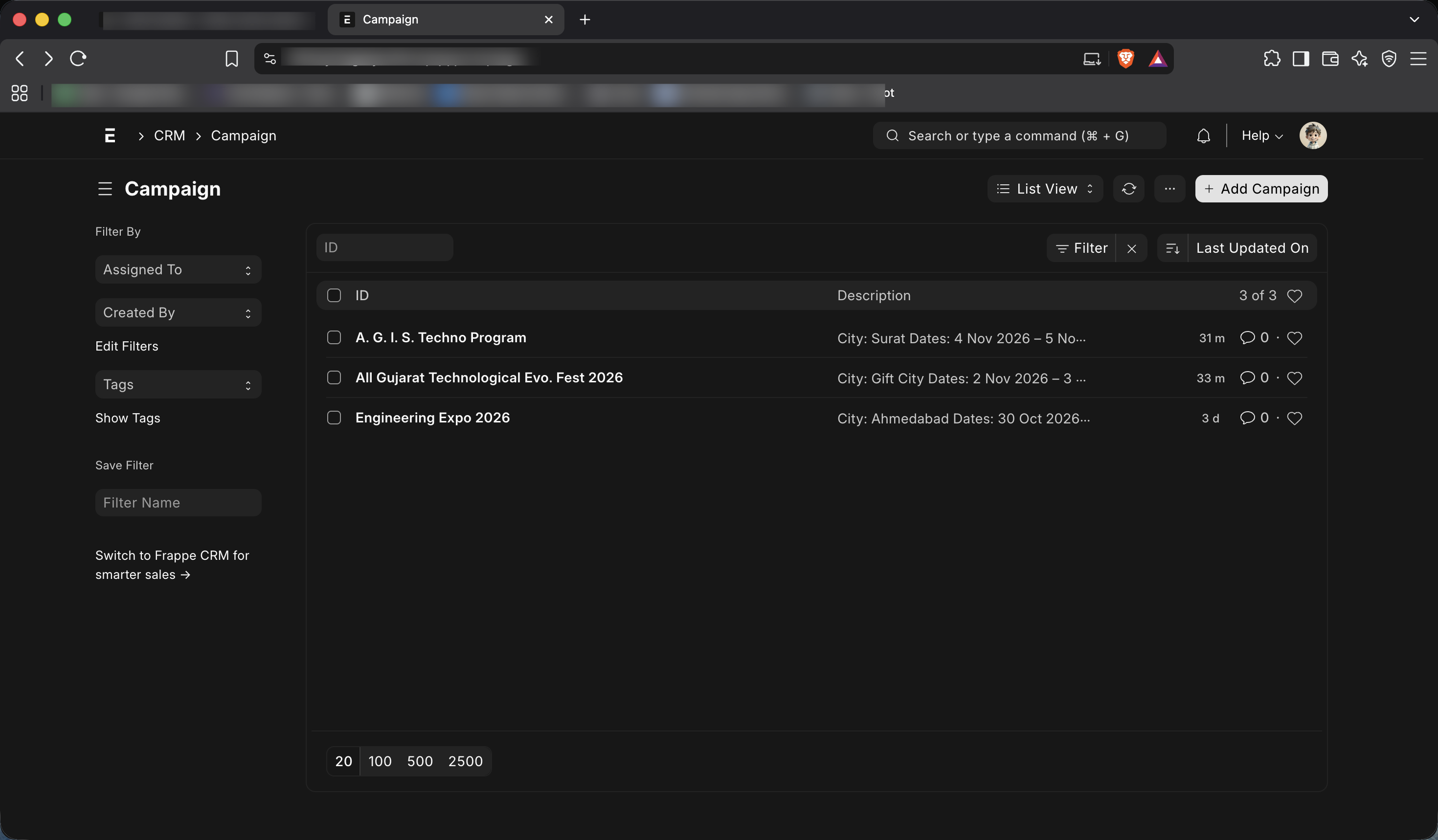
- Quick Event Setup: Create an event at the stall with its name, city, details, and start and end dates.
- Shared Across the Team: If two team members create an event with the same name, both use the same event. All their leads stay in one place.
- One Tap to Start: Add Visitor on any event card opens the card scanner at once.
2. Smart Card Scanning with Live Edge Detection
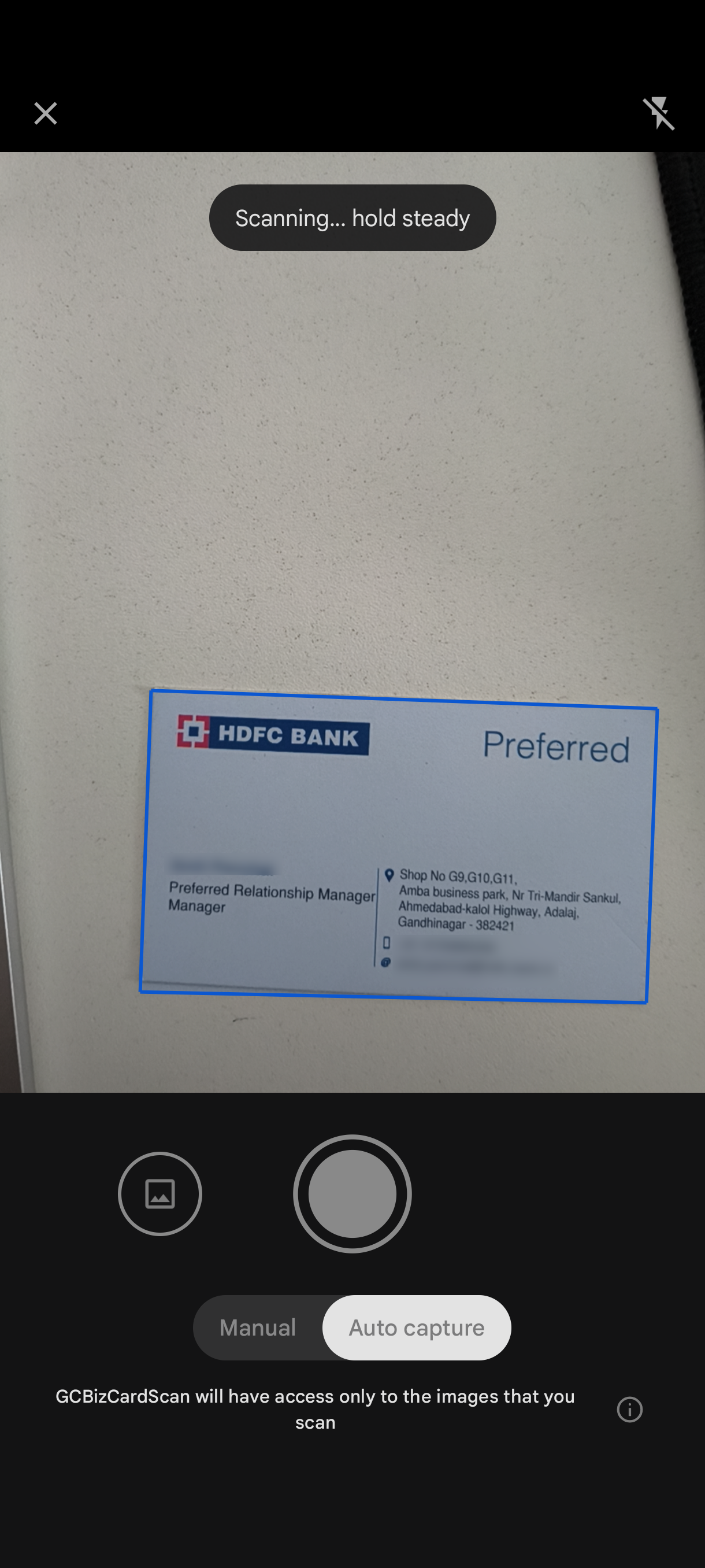
The camera finds the card by itself, so the team does not need to frame or crop each photo by hand:
- Live Card Outline: An outline follows the edges of the card on screen while the scanner looks for it.
- Clean Capture: Only the card is kept, cropped and straightened, with no table or background in the image.
- Text Read on the Phone: On-device text recognition reads the card without sending the image to a third-party OCR service.
- Other Ways to Add a Visitor: Pick a card photo from the gallery, or type the details by hand when a visitor has no card.
3. Automatic Field Filling with One-Tap Correction
After the scan, the app sorts the card text into the correct fields. It uses patterns and hints from the card itself:
- Contact Details: Email, mobile, phone, and website are picked out automatically.
- Person and Company: Name, designation, and company are identified from keywords, the email address, line position, and text size.
- Address Details: Address, city, pincode, and state are read from the address lines on the card.
- Tap to Correct: Every line from the card appears as a chip. Tap a field, then tap the correct line. No retyping is needed.

4. WhatsApp Follow-Up Before the Visitor Leaves
The first follow-up can go out while the conversation is still fresh:
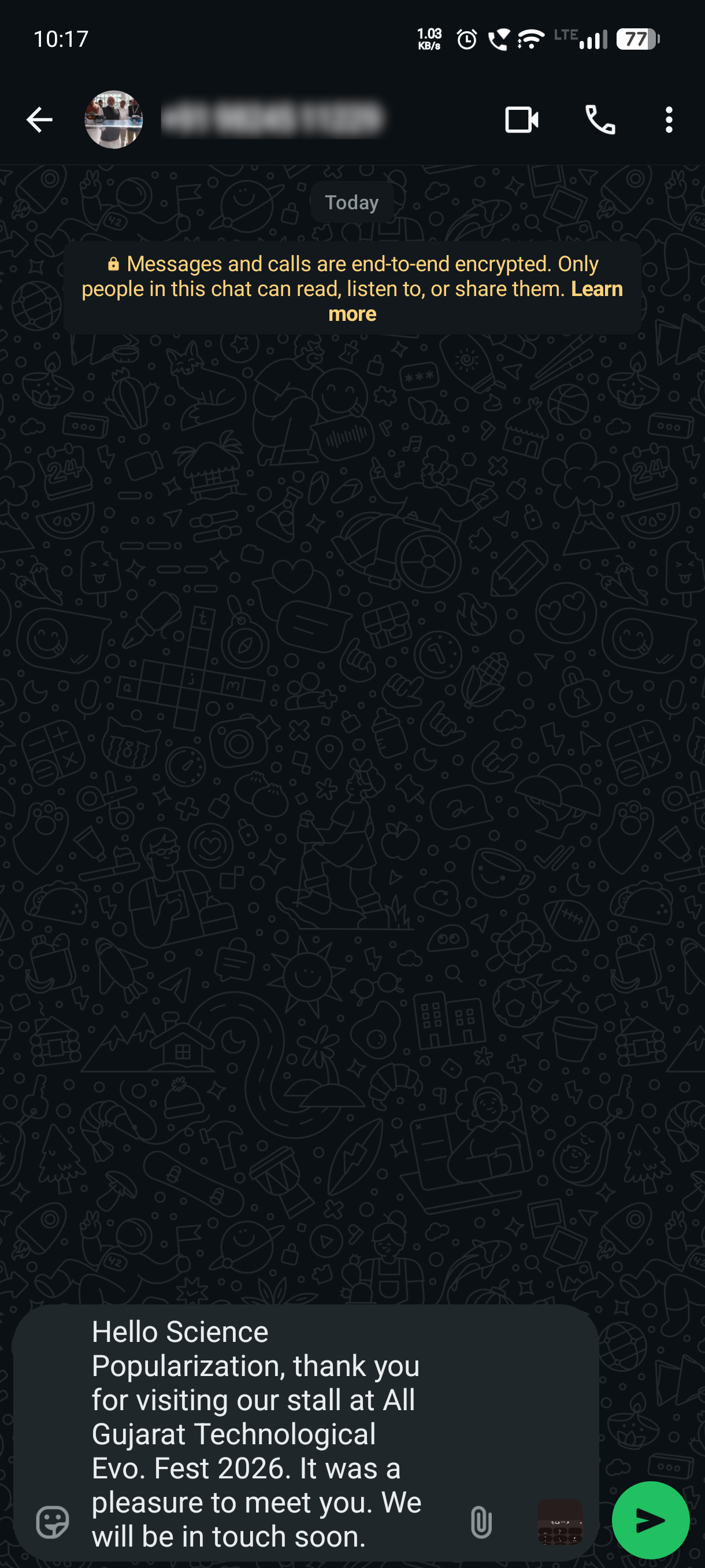
- Save & WhatsApp: One button saves the visitor and opens WhatsApp with the message ready to send.
- Personalised Template: The message fills in the visitor's name, company, and event name automatically.
- Team-Editable Wording: The template and the default country code can be changed in the app settings.
5. Event-Wise Visitor List
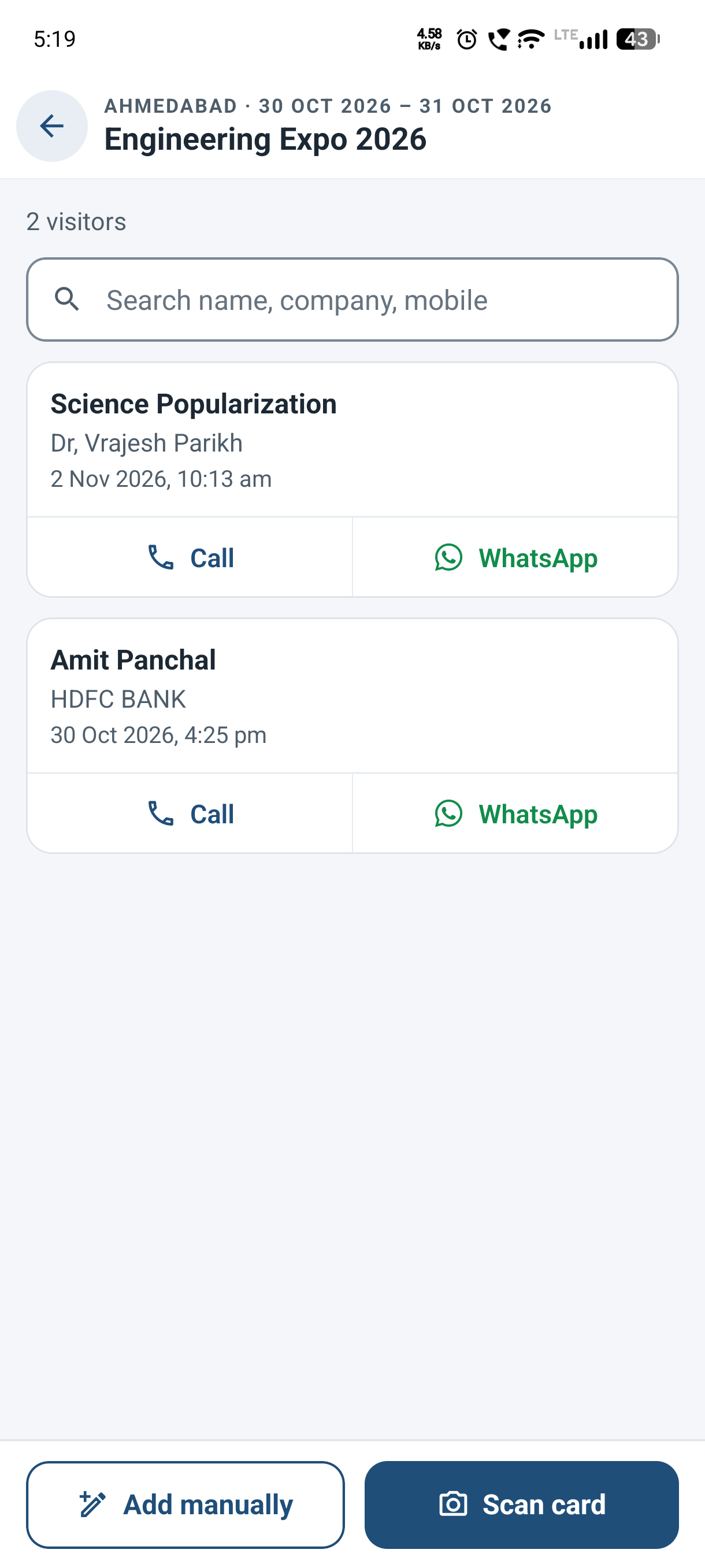
Each event has its own list of visitors, loaded live from ERPNext:
- Clear Visitor Rows: Name, company, and the date and time the visitor was captured, newest first.
- Instant Search: Find a visitor by name, company, mobile, or email.
- Direct Actions: Call or WhatsApp a visitor straight from the list.
- Edit Any Time: Open a visitor to see the original card photo, correct the details, or add a note.
⚙️ How It Works in ERPNext
The app uses standard ERPNext doctypes only. There is no custom app and there are no custom fields to install or maintain. Team members log in with their existing ERPNext user account.
| In the App | In ERPNext |
|---|---|
| Event | Campaign. The city and dates are saved in its description. |
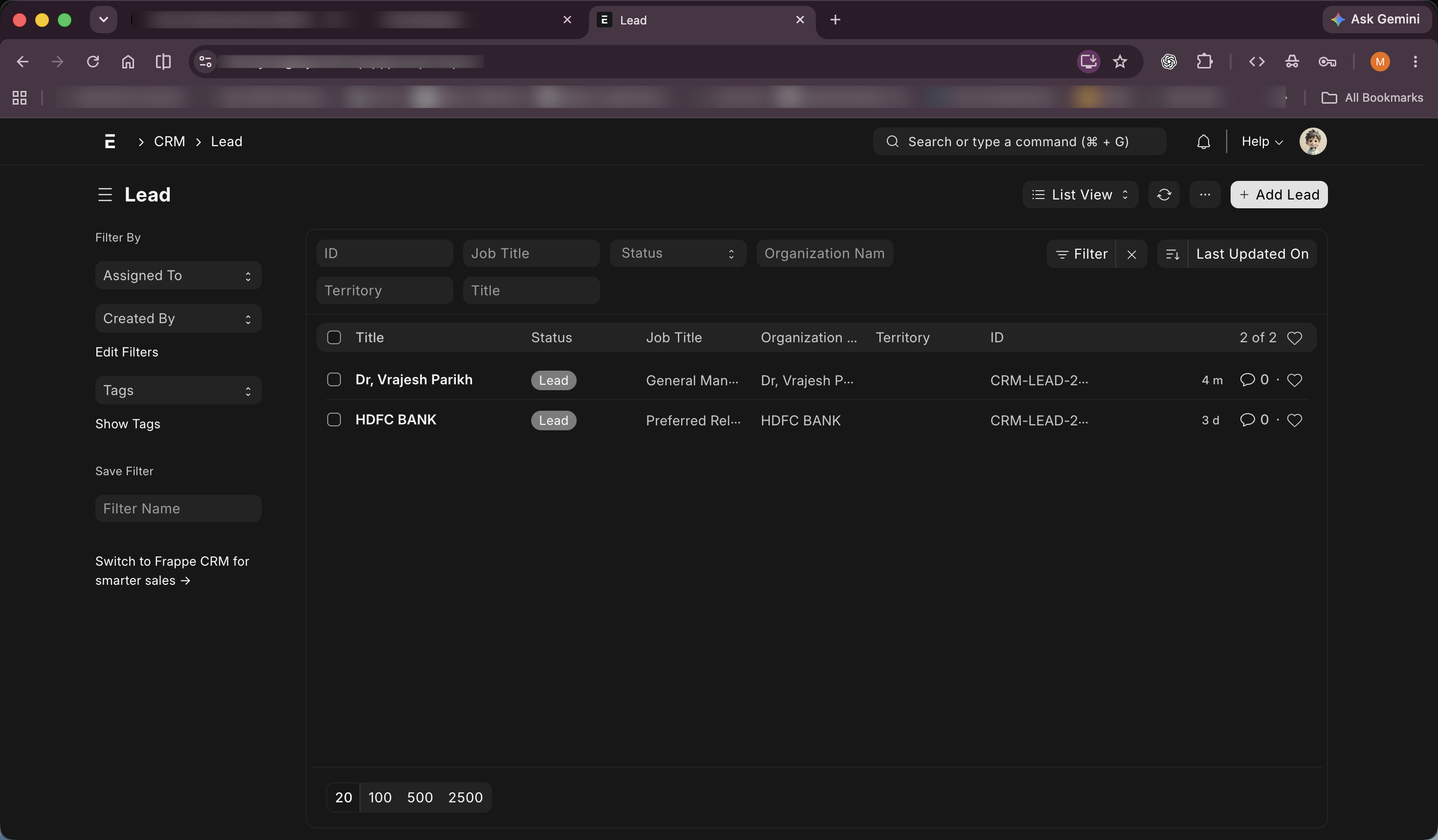
| Visitor | Lead, linked to the event's Campaign. The logged-in user becomes the Lead Owner. |
| Remarks | CRM Note in the Lead's notes. |
| Card photo | File attached to the Lead. |
| Address | Address record linked to the Lead. |
- Direct Save: Each save writes straight to ERPNext, so the sales office sees new leads right away. There is no export or import step. The phone needs an internet connection to save.
- Standard Permissions: ERPNext roles still control access. Creating an event needs the Sales Manager or Sales Master Manager role, and creating a Lead needs the Sales User role.
- Standard Validation: ERPNext's own rules still apply, including its check for duplicate email addresses.
- Version Aware: The app reads the ERPNext version at login and uses the correct campaign link: Campaign Name on v15 and UTM Campaign on v16.
- Normal CRM Follow-Through: From the desk, a team can filter Leads by Campaign, export them, and move them through the usual sales process.
📉 The Business Case
Companies spend heavily on stalls, travel, and staff to meet buyers at exhibitions. Much of that value is lost in the gap between the stall and the CRM.
- Lost and Forgotten Cards. Cards get mixed up, misplaced, or left in a bag after a long day on the floor.
- Slow Manual Data Entry. Someone must type every card into the system after the show, which delays follow-up and adds typing errors.
- Late First Contact. By the time a lead is in the CRM, the visitor may have already moved on to a competitor.
- No Proof of Event Results. When leads are not tagged by event, it is hard to say which exhibition was worth the investment.
"A visiting card in a pocket is not a lead. It becomes one only when it reaches your CRM."
🚀 The Business Value
The exhibition lead capture app turns a stack of visiting cards into organised, event-tagged leads in ERPNext, at the moment the conversation happens.
- Leads Captured On the Spot. Each visitor is saved at the stall, so the card cannot be lost later.
- Less Manual Typing. The scan fills the fields and a tap corrects them, so staff can stay focused on visitors.
- Faster First Follow-Up. A personalised WhatsApp message can go out before the visitor leaves the stall.
- Event-Wise Lead Tracking. Every Lead is linked to its Campaign, so a team can see what each exhibition brought in.
- The Original Card Is Always There. The card photo stays attached to the Lead for anyone who needs to check a detail.
- Low Maintenance on ERPNext. With standard doctypes and no custom app, there is no extra server code to maintain, and data stays in one system.

No comments yet. Login to start a new discussion Start a new discussion