Field Service Mobile: Turn Every Site Visit Into Faster, Accurate Invoices
Field Service Mobile digitizes paperwork, captures billable travel and labor time, photos, parts, and customer sign-off — syncing to Frappe ERP in real time.
Your technicians do great work in the field. But the paperwork that follows them — the scribbled job sheets, the guessed travel times, the "I'll log it when I get back to the office" parts lists — is quietly costing you money. Field Service Mobile closes that gap. It puts every job, timer, photo, and signature into one simple app on your engineer's phone, then pushes it all straight into your central system the moment the work is done.
Key Features
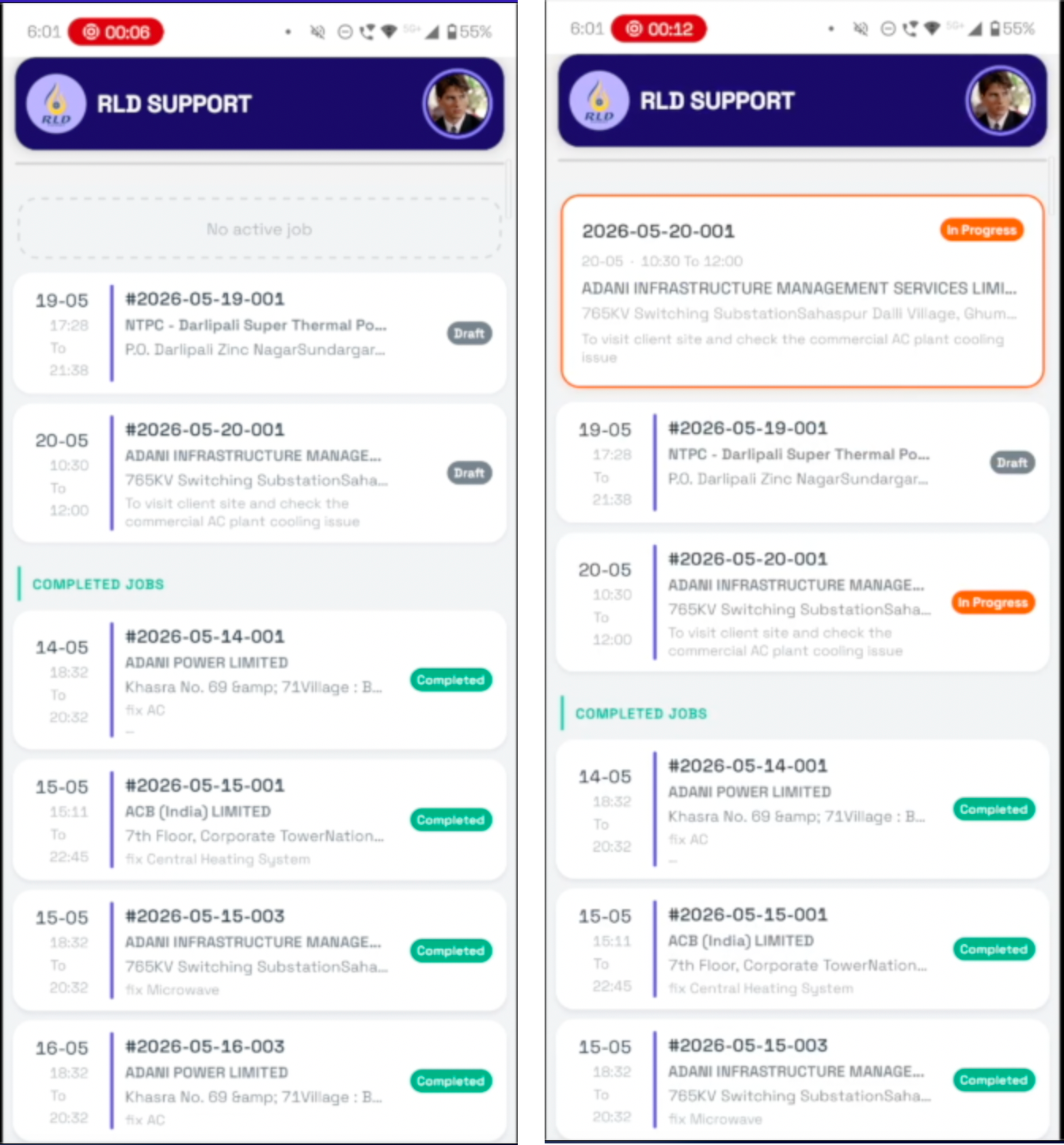
- Personal job list. Each technician logs in and sees only their assigned jobs, with date, scheduled times, customer, site address, and a clear status badge.
- Guided job workflow. A step-by-step checklist walks the engineer through the entire visit — nothing gets skipped.
- Travel & work timers. One-tap start/stop timers capture travel time and on-site labor separately and accurately.
- Parts & materials log. Record every item consumed on the job so it flows straight onto the invoice.
- Photo proof of work. Capture before-and-after images as undeniable evidence of completed work.
- Customer feedback & signature. Collect remarks and a digital signature for instant, paperless sign-off.
How It Works
Six simple steps take the technician from arrival to sign-off:
Step 1: Log in and see the day's work
The technician opens the app and signs in. Their assigned jobs appear instantly — each card showing the date, scheduled start and end time, customer name, site address, a short description, and a status badge (Open, In Progress, Completed, or Cancelled).
Step 2: Open the guided job workflow
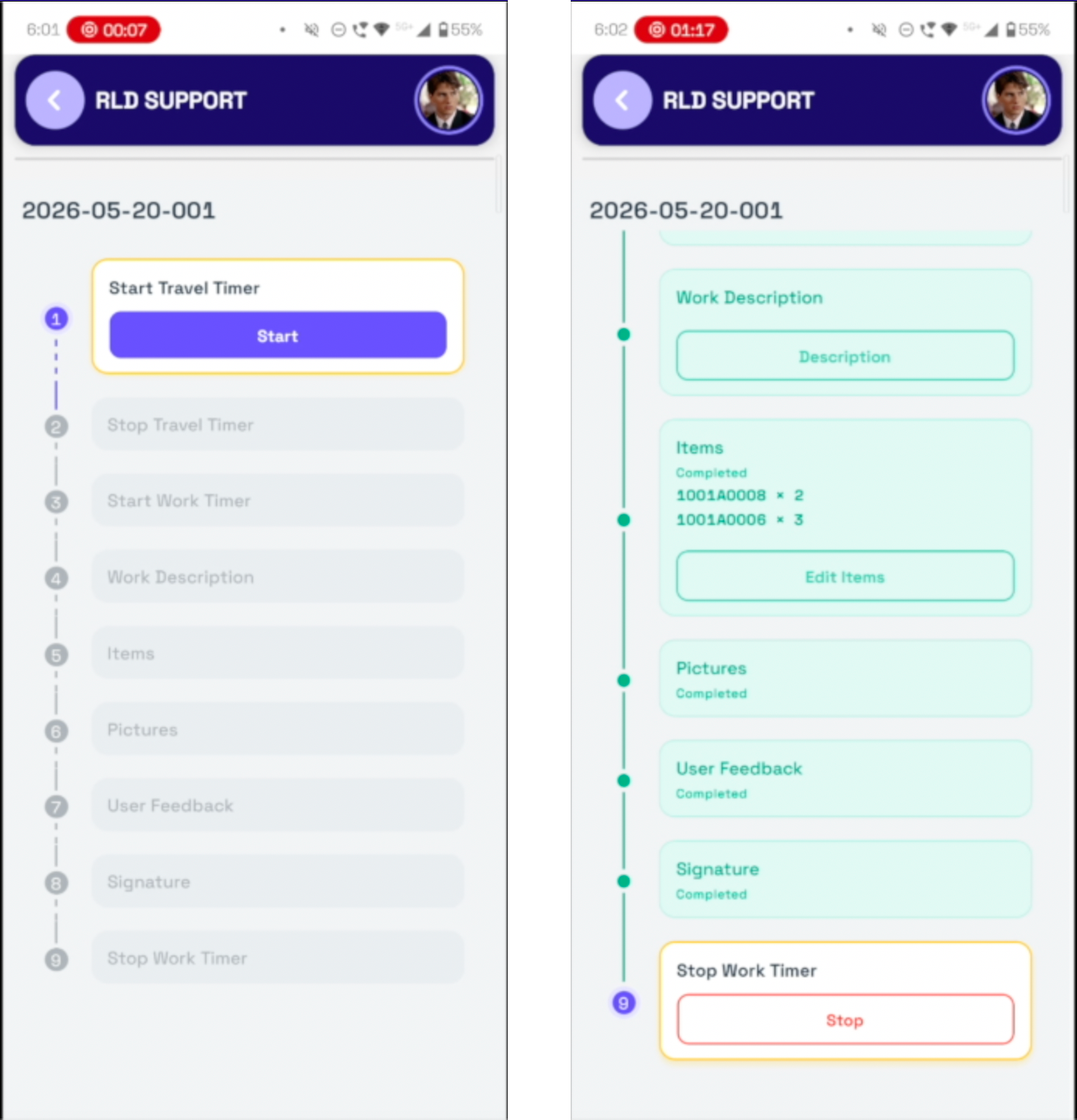
Tapping a job launches a step-by-step checklist that walks the engineer through every part of the on-site visit, so nothing is forgotten and nothing goes unrecorded.
Step 3: Track travel and work time
The technician starts the travel timer on the way to site and the work timer once the job begins — capturing real, billable time instead of guesswork.
Step 4: Record the work, parts, and proof
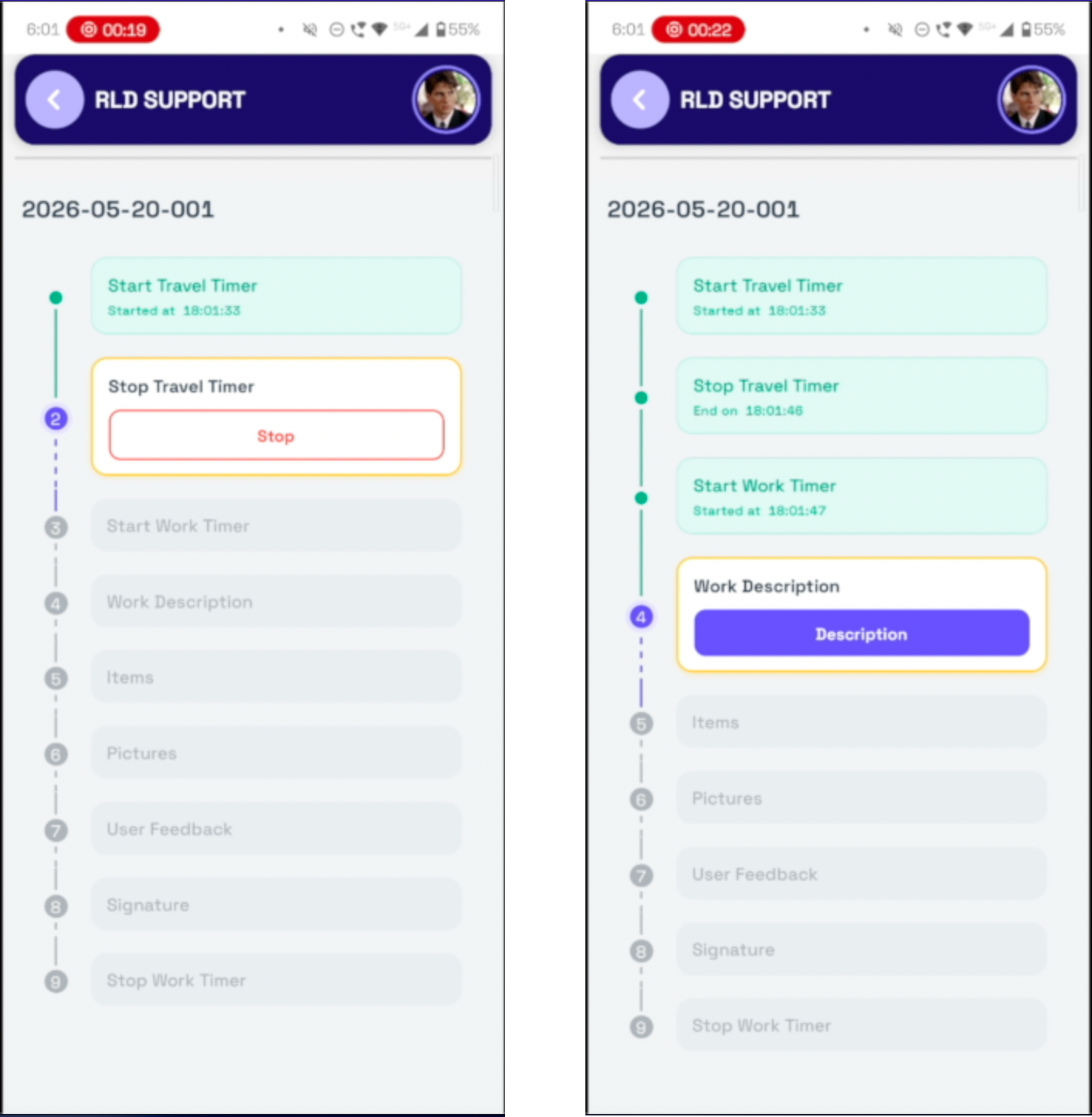
On site, the engineer enters a work description, logs the items and parts consumed, and captures photos as proof of the completed job.
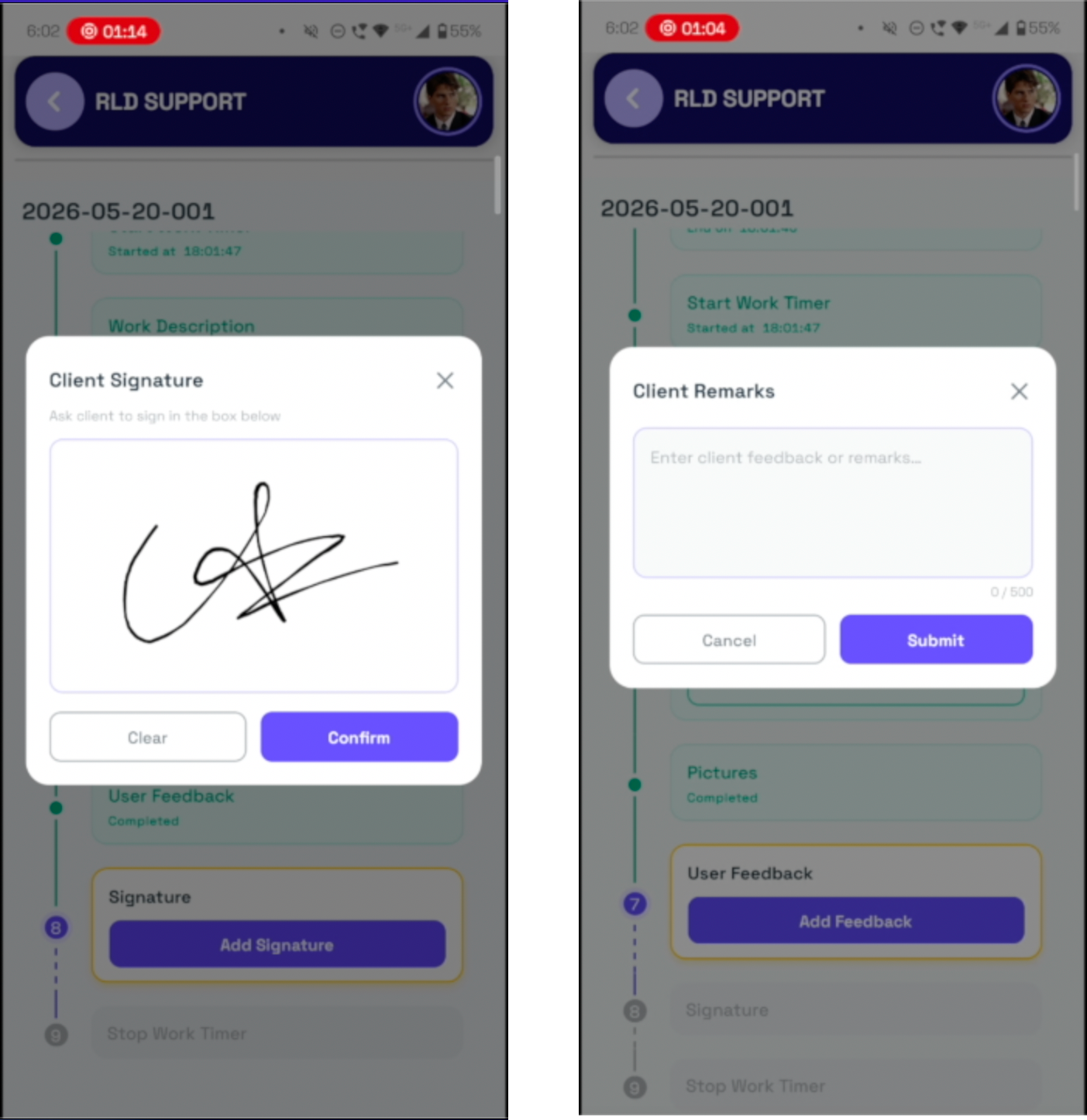
Step 5: Capture feedback and customer sign-off
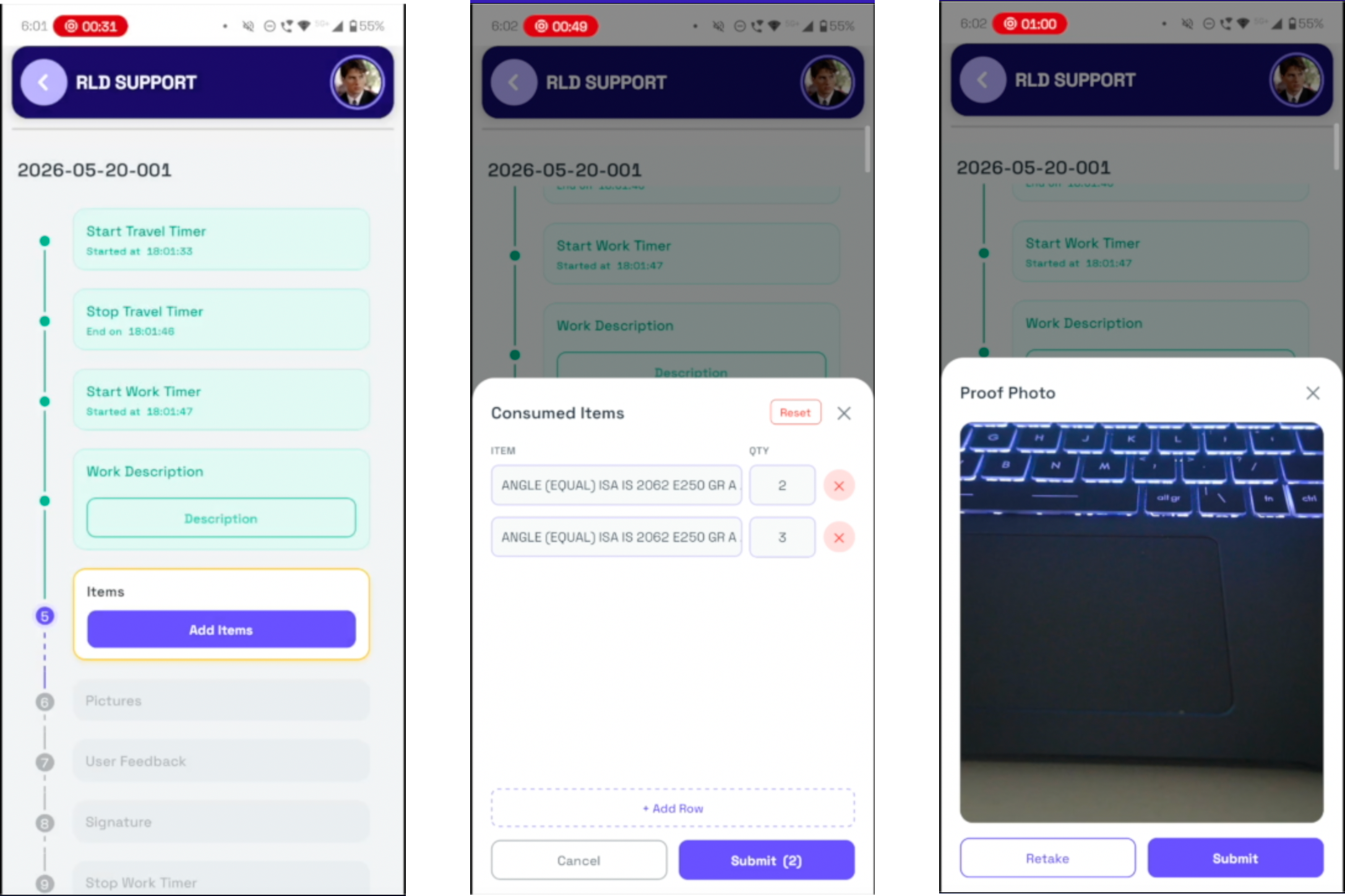
Before leaving, the technician records the customer's feedback and collects a digital signature on the screen — closing out the job with a clear, mutual record of what was done.
Step 6: Everything syncs to the office
The moment the job is complete, all of it — timers, parts, photos, feedback, and signature — flows straight back to your central system, ready to invoice.
Why Build It on Frappe
Field Service Mobile isn't a standalone app that creates yet another data silo. It's powered by your Frappe ERP, which means the field and the office finally speak the same language.
- Real-time sync. Jobs flow from the office to the technician and completed work flows back instantly — no manual re-entry, no delays.
- A single source of truth. The same job, customer, and parts data lives in one place, so billing, scheduling, and reporting all stay perfectly aligned.
- Built to extend. Because it runs on Frappe, the app grows with your business — connect it to invoicing, inventory, CRM, and reporting without ripping anything out.
The Business Case
Field-service companies lose revenue in the gap between the work and the invoice. The job gets done well — but capturing it accurately is where everything breaks down.
- Paperwork everywhere. Handwritten job sheets get lost, smudged, or never make it back to the office.
- Lost billable time. Travel and on-site labor are estimated from memory, so hours — and revenue — quietly leak away.
- Customer disputes. Without photos, signatures, or a clear record of parts used, "that's not what we agreed" turns into a write-off.
- Slow invoicing. Job details trickle back days later, delaying billing and stretching your cash-flow cycle.
Every job sheet sitting in a van's glovebox is an invoice you haven't sent yet.
The Business Value
Field Service Mobile turns the messy back-end of field work into structured, billable data — captured once, on site, and never re-keyed.
- Bill for every minute. Separate travel and work timers capture actual time on the job, so estimated hours stop eating your margin.
- Invoice faster. Completed jobs sync instantly, compressing the gap between "done" and "invoice sent"Time-stamped photos, recorded parts, and a customer signature give you an airtight record of every visit.
- Build accountability. Managers see real status across the whole team — what's open, in progress, and completed — without chasing anyone.
- Delight customers. A clean, on-screen sign-off and transparent record of the work builds trust and repeat business.
Ready to Stop Losing Billable Time?
Every visit your team makes is revenue waiting to be captured cleanly. Field Service Mobile makes sure it is — accurate hours, documented parts, photo proof, and signed sign-off, all synced to your ERP before the technician has left the driveway.
Book a live demo today and see how much faster your invoices could go out.

No comments yet. Login to start a new discussion Start a new discussion