Accelerating Enterprise Approvals: A Custom ERPNext Mobile App for CXO
Give CXOs instant visibility into purchase orders and business requests, with a secure mobile app to review, approve, or reject requests directly from ERPNext.
Business Approvals Shouldn't Be Limited to the Office
Purchase orders and business requests often require approval from senior decision-makers. But when approvals depend on being at a desk, important requests can remain pending while teams wait for a decision.
A custom ERPNext mobile approval app brings these workflows directly to the decision-maker's phone, allowing CXOs and authorized approvers to review requests, understand the details, and take action wherever they are.
Instead of navigating through the full ERP system for every approval, users get a focused mobile experience built around the information and actions they need most.
A Mobile Dashboard for Approval Visibility
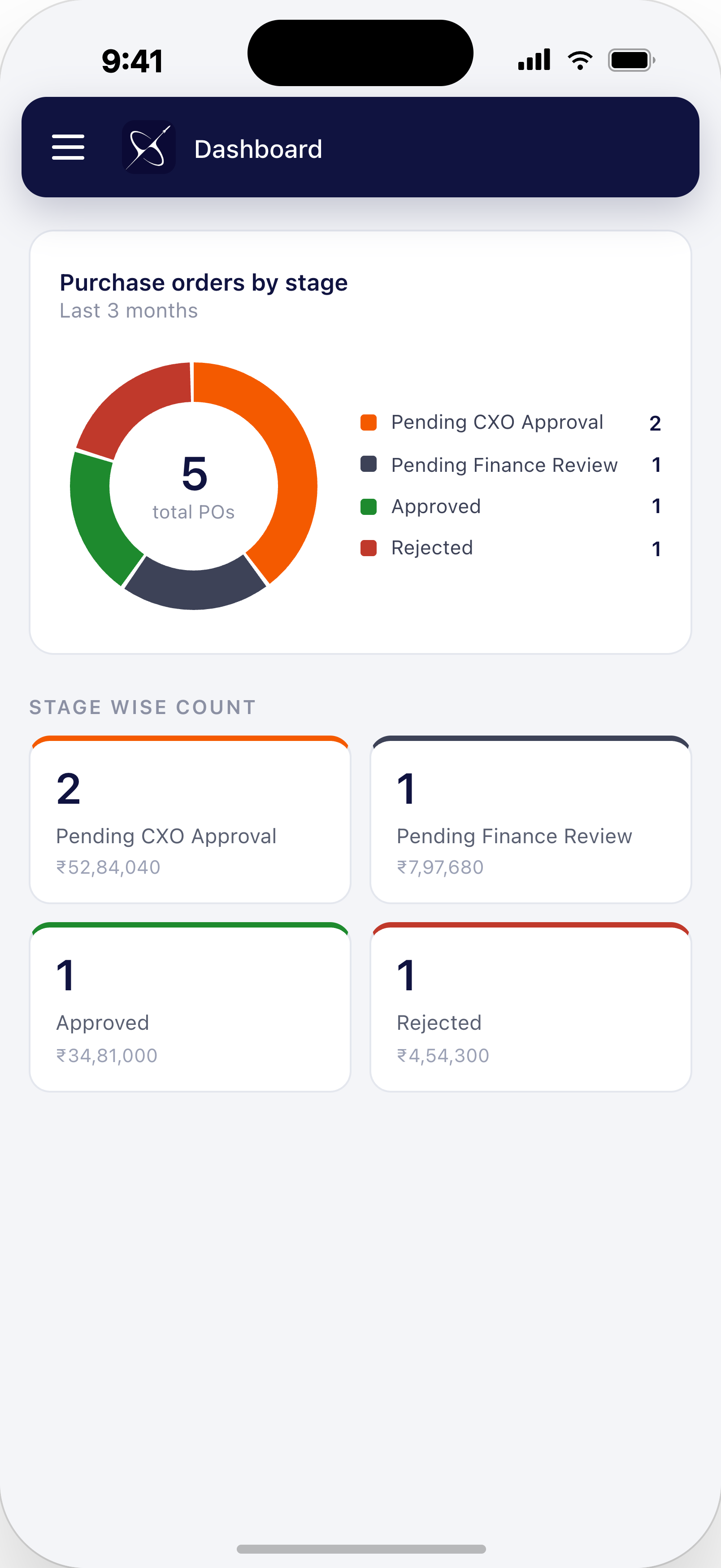
The app opens with a dashboard that gives approvers an immediate overview of the current approval workload.
Purchase orders are grouped by their workflow stage, making it easy to see how many requests are waiting for CXO approval, finance review, already approved, or rejected.
The dashboard also provides stage-wise values, helping decision-makers understand not only the number of pending requests but also the financial value associated with them.
- Overview of purchase orders by workflow stage
- Pending CXO approval count
- Pending finance review count
- Approved and rejected request counts
- Financial value associated with each stage
This gives leadership a quick snapshot of the approval pipeline without requiring them to search through multiple ERP screens.
Review Pending Requests from Anywhere
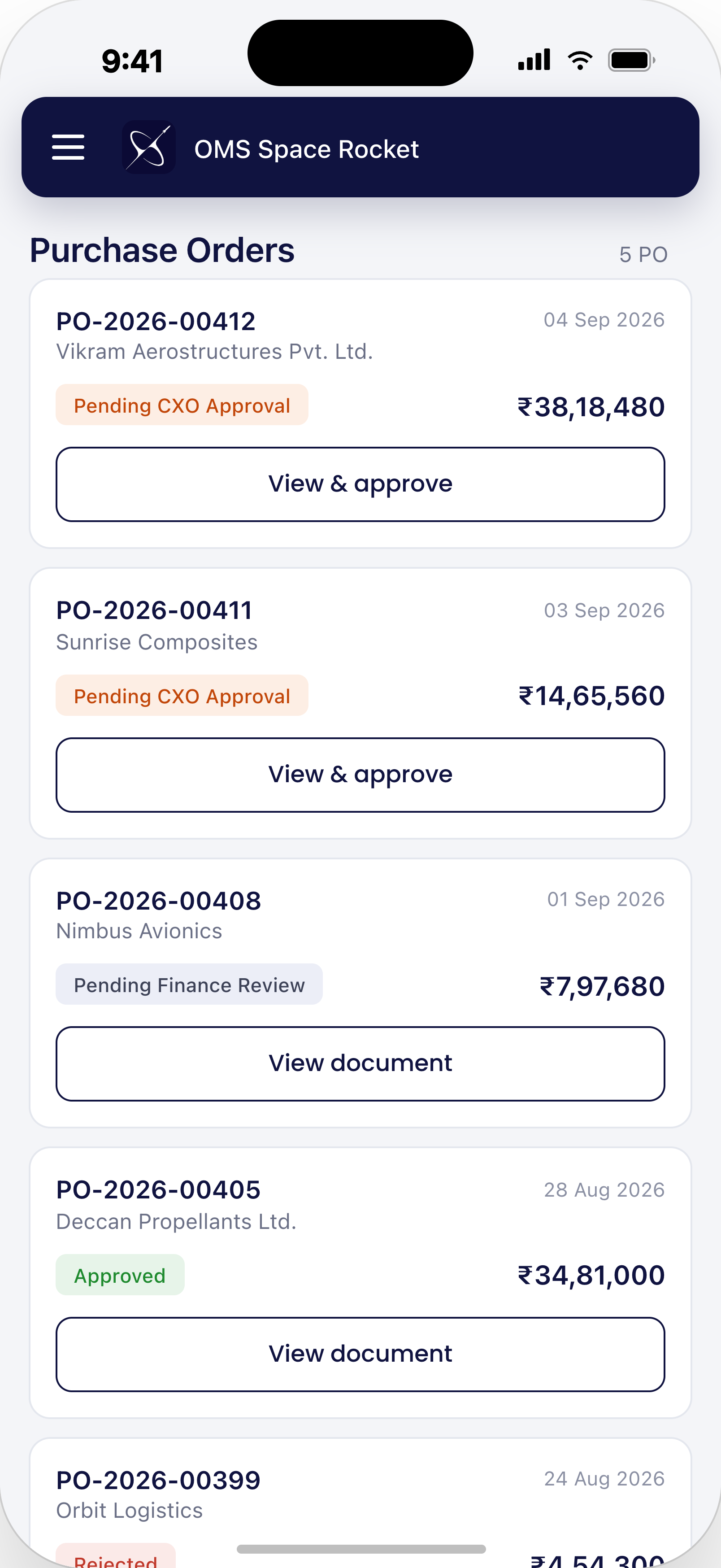
The purchase order list provides a simple view of requests that require attention. Each request displays important information such as the request number, supplier, date, current approval status, and total value.
Approvers can quickly identify which requests require their attention and open the relevant document for a detailed review.
All the Information Needed for a Decision
Approval decisions should be based on the actual details of a request, not just its title or total amount.
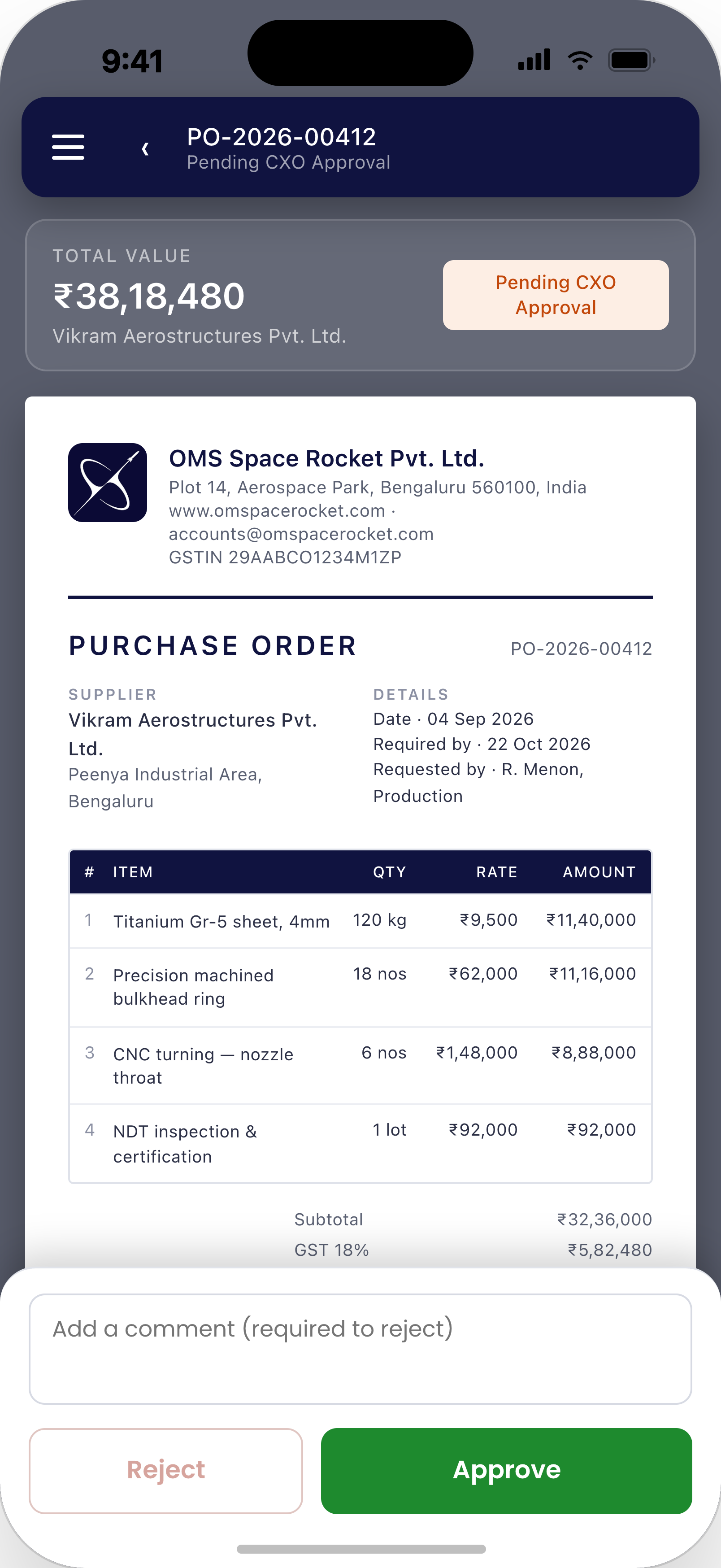
The mobile approval screen brings the important purchase order information together in a single view. Approvers can review supplier information, request dates, required dates, requested-by details, line items, quantities, rates, amounts, taxes, and the overall purchase order value.
This reduces the need to switch between systems or ask the procurement team for additional information before making a decision.
Approve or Reject Directly from the Mobile App
Once the request has been reviewed, the approver can take action directly from the mobile screen.
The workflow provides clear actions for both approval and rejection. When rejecting a request, the approver can provide a comment explaining the reason, creating useful context for the teams responsible for the request.
- Review the complete request
- Approve directly from the mobile app
- Reject a request with a required comment
- Maintain clear workflow status
This turns the mobile app into an extension of the ERP approval workflow rather than a separate system.
Built Around ERPNext Workflows
The application is designed around the existing ERPNext data and approval process. Instead of creating a disconnected approval system, the mobile experience can work with the organization's existing ERPNext records, roles, permissions, and workflow requirements.
This approach makes it possible to create mobile approval experiences for different types of business transactions while keeping the underlying ERP system as the central source of business data.
More Than Purchase Order Approvals
Although purchase orders are a natural use case, the same approach can be extended to other approval-driven business processes.
Depending on the organization's requirements, a custom mobile approval app can provide mobile access to workflows such as quotations, expense requests, purchase requests, leave approvals, payment-related requests, and other ERPNext transactions.
The interface, approval rules, information displayed, and available actions can all be customized around the organization's workflow.
Why Put Approvals on Mobile?
For senior decision-makers, the value of a mobile approval workflow is not simply having another way to access ERP data. It is about reducing the time between a request being submitted and a decision being made.
- Faster decisions: Approvers can act without waiting to access a desktop.
- Better visibility: Approval workload and financial values are visible at a glance.
- Less operational delay: Teams can continue their processes without waiting for manual follow-ups.
- Centralized data: Approval decisions remain connected to the underlying ERPNext workflow.
- Purpose-built experience: The mobile interface focuses on the information and actions required by approvers.
A Custom Mobile Experience for Your ERPNext Workflows
Every organization has its own approval hierarchy, business rules, and information requirements. A generic mobile application cannot always accommodate these workflows effectively.
A custom ERPNext mobile application can be designed around the exact approval process, user roles, document types, and business requirements of an organization.
From purchase order approvals to employee requests and other management workflows, ERPNext can become a mobile-first business platform for teams that need to make decisions away from their desks.
Ready to Take ERPNext Approvals Mobile?
If your approval workflows still depend on desktop access, emails, or manual follow-ups, a custom ERPNext mobile application can provide a faster and more convenient experience for decision-makers.
Build a mobile approval workflow around your existing ERPNext processes and give your leadership team the visibility and control they need — wherever they work.

No comments yet. Login to start a new discussion Start a new discussion