Seamless Whatsapp Integration With ERPNext
A complete guide to ERPNext WhatsApp integration—explore supported message features, Meta API pricing rates, prerequisites, and key limitations.
Integrating WhatsApp with ERPNext/Frappe allows businesses to streamline communication by automatically sending WhatsApp notifications on any DocType event. Whether it's an order confirmation, payment receipt, or status update, you can seamlessly notify customers and team members directly on WhatsApp.
Features We Provide
Our WhatsApp integration package comes equipped with essential tools to configure, automate, and manage your WhatsApp messaging workflow directly within ERPNext:
-
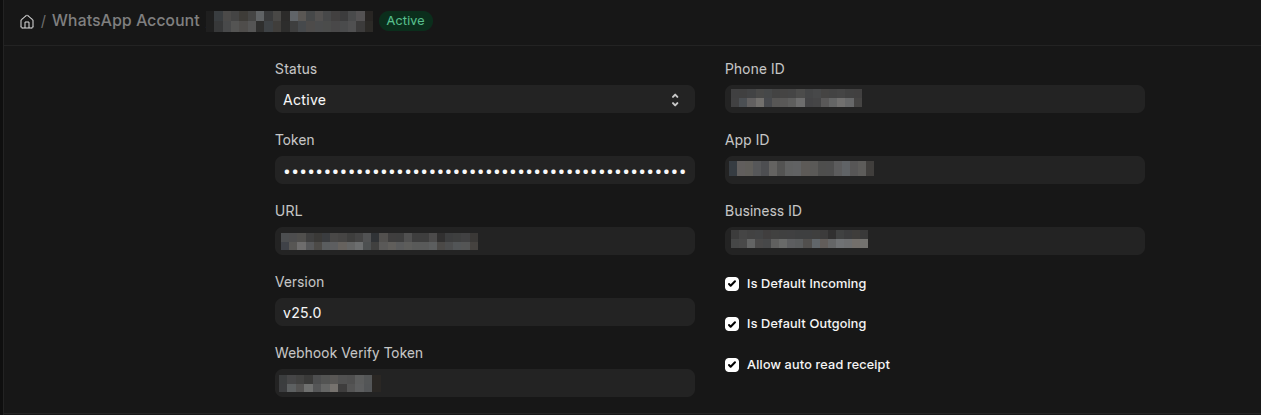
Meta Configuration: Easy setup on Meta to access WhatsApp APIs and securely connect your system.
-
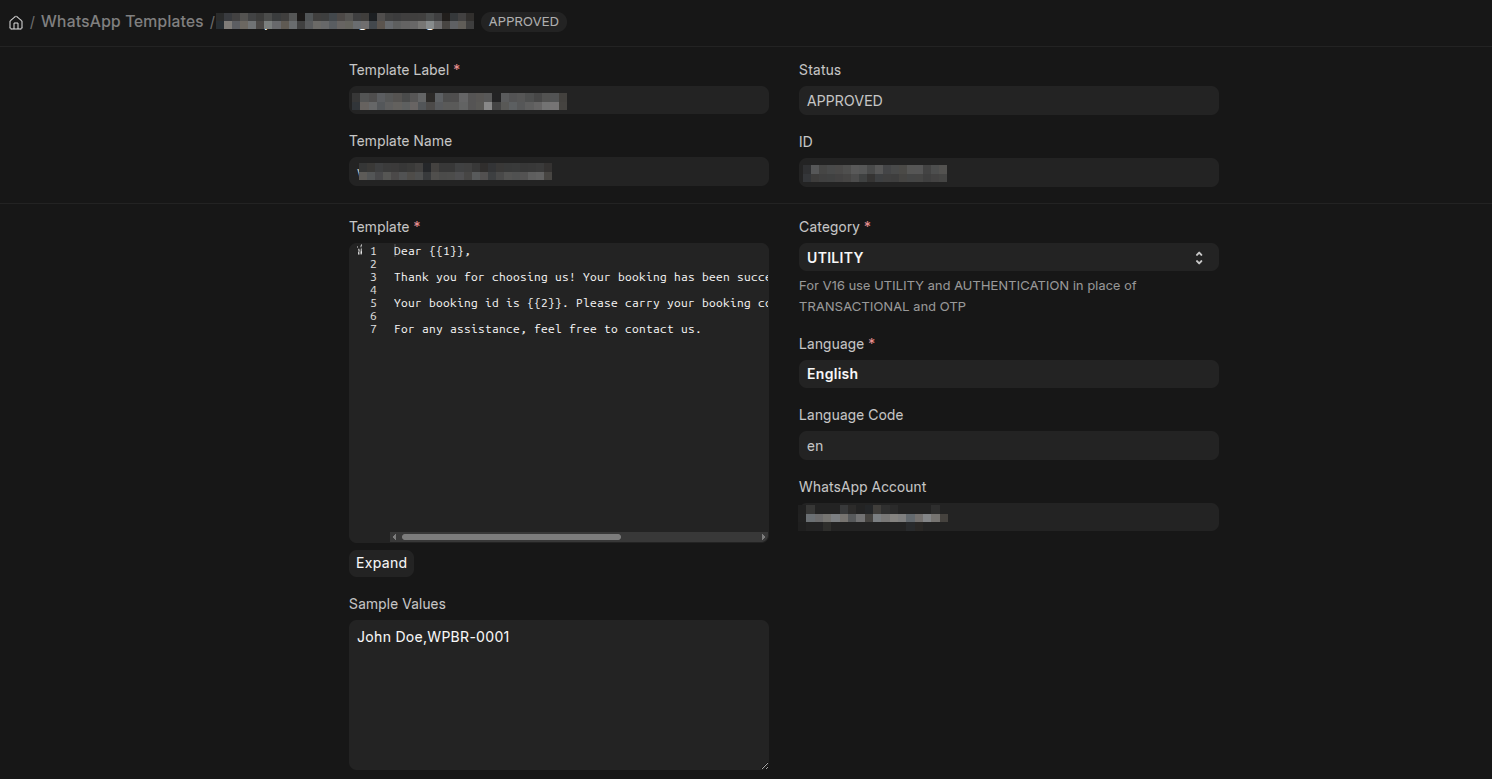
Template Creation: Setup of up to 5 custom message templates to send business-initiated messages to your customers.
-
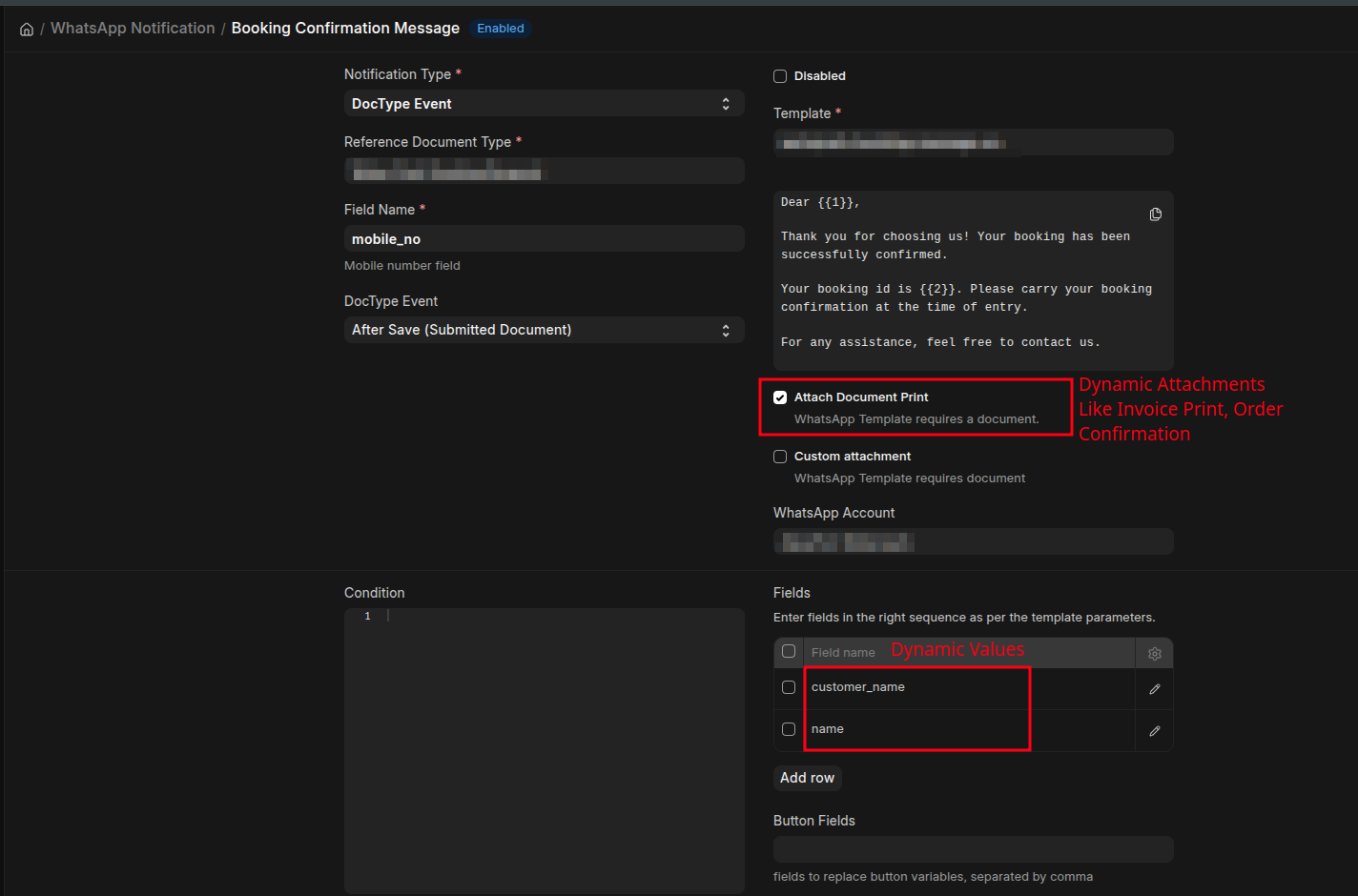
Notification Setup: Flexible notification rules configured on ERPNext to send messages automatically on any DocType event.
- WhatsApp Feature Set:
- Normal Text Template Messages
- Messages with Images/Documents attached
- Authentication messages
- Bulk WhatsApp Messaging
Pricing For WhatsApp API Per Message
WhatsApp Business API messaging charges vary by country and category. For detailed rates and standard pricing guidelines, visit the official WhatsApp Business Platform Pricing Rates.
Below is the per-message pricing breakdown for key regions:
| Category | India | US | Saudi Arabia |
|---|---|---|---|
| Authentication | ₹0.1150 | $0.0014 | SAR0.0401 |
| Marketing | ₹0.8631 | $0.0118 | SAR0.1877 |
| Utility | ₹0.1150 | $0.0014 | SAR0.0401 |
| Authentication International | ₹2.4971 | $0.0304 | SAR0.2240 |
Pre-requisites
To ensure a smooth onboarding process, please make sure you have the following accounts and assets ready before we begin setting up your integration.
- A Meta Business Manager account.
- A phone number that is not currently registered on personal or WhatsApp Business mobile apps.
- Credit/Debit Card (for adding payment methods to Meta for outgoing messages).
- Business Verification Documents Like GST Certificate, VAT Certificate, Company Registration
Limitations
To ensure secure communication, protect user privacy, and maintain high delivery rates, Meta enforces specific operational restrictions and messaging policies that apply to your WhatsApp integration:
- If you send too many outgoing messages to customers who do not interact with your number, Meta will penalize your account with a temporary hold that usually lasts 24 to 48 hours.
- You cannot initiate a conversation with a new customer using a freeform (text) message. All initial outreach must use pre-approved message templates.
- Meta enforces strict anti-spam policies. Poor messaging practices may lower your quality ratings, reduce messaging limits, or result in account restriction.
- Outside the 24-hour customer care session window (triggered when a user sends a message to your business), you must use approved message templates to send subsequent communications.
No comments yet. Login to start a new discussion Start a new discussion