Manage ERP Data Using AI
Discover how AI is transforming ERP management—turning complex ERPNext queries into simple conversations for faster, smarter business decisions.
Ask ERPNext a question in plain English, and get a straight answer back.
Getting an answer out of ERPNext usually means building a report, chaining filters, and exporting to a spreadsheet. AI integration changes that. Connected directly to ERPNext, an AI assistant can read your live data and answer questions in plain language — and, when asked, can also prepare changes like creating a record for someone to approve.
Whether you're working in Sales, HR, CRM, Projects, or Accounts, AI can perform actions and answer business questions instantly.
Examples
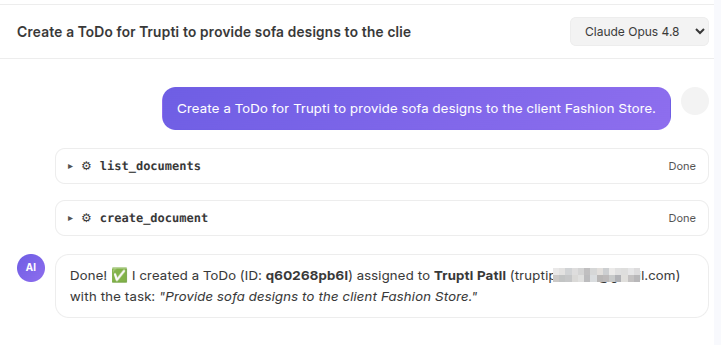
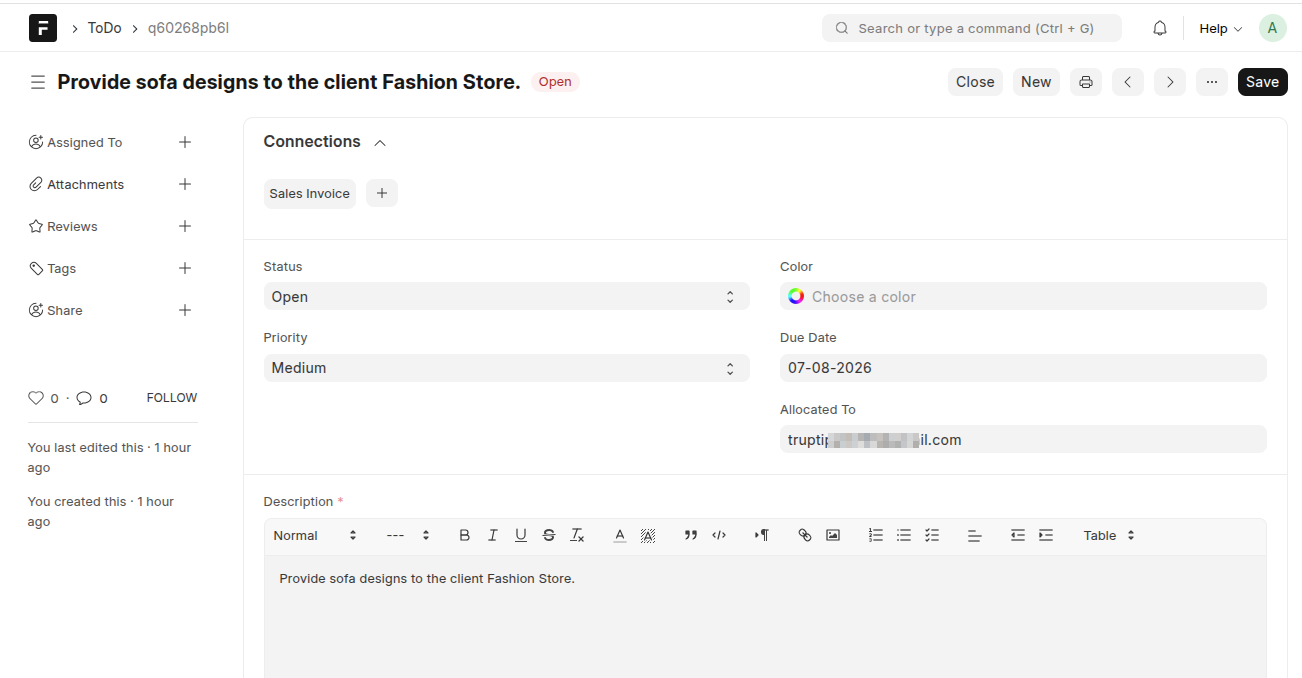
1. Creating a record
AI automatically creates the ToDo and assigns it to the appropriate user.
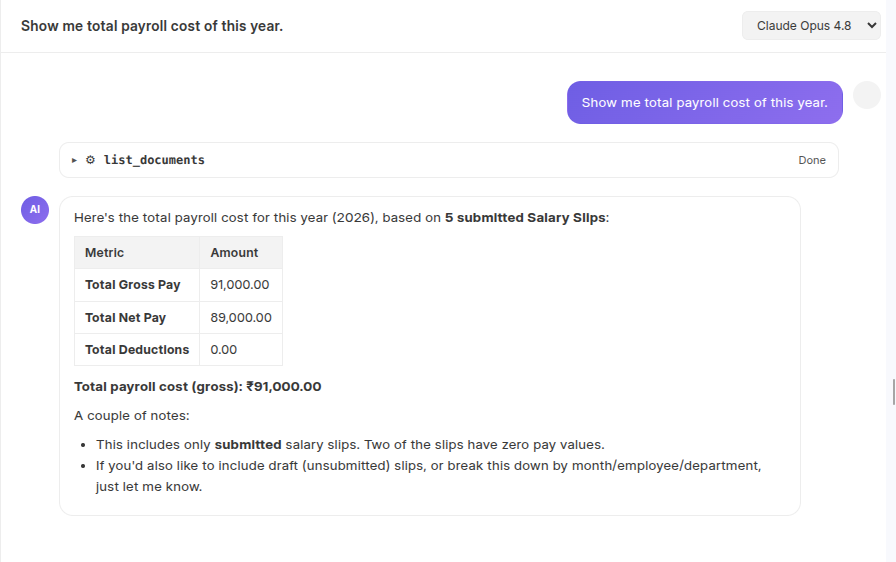
2. HR Analytics
Payroll cost across the year is calculated and totaled instantly — no manual spreadsheet reconciliation needed.
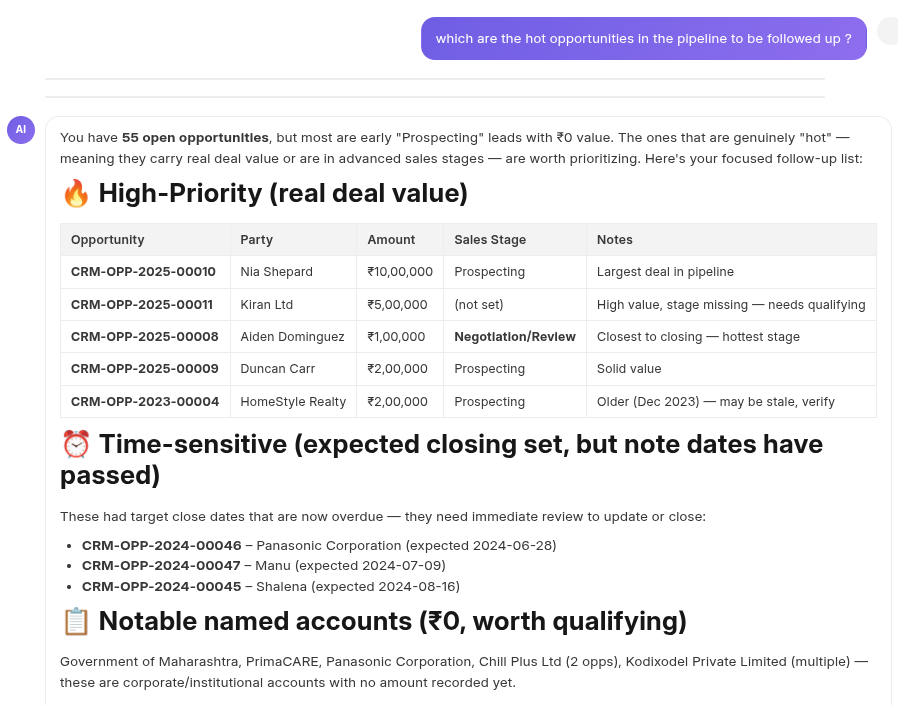
3. CRM Insights
High-priority opportunities are surfaced automatically, helping the sales team focus follow-ups where they matter most.
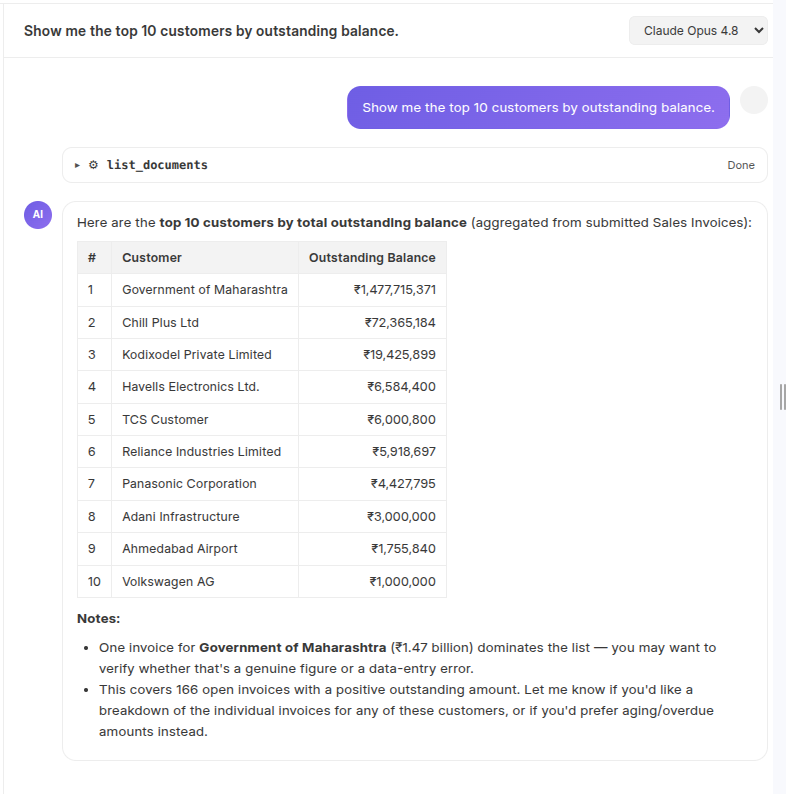
4. Customer Outstanding Report
A common finance question, answered in one sentence instead of a report export.
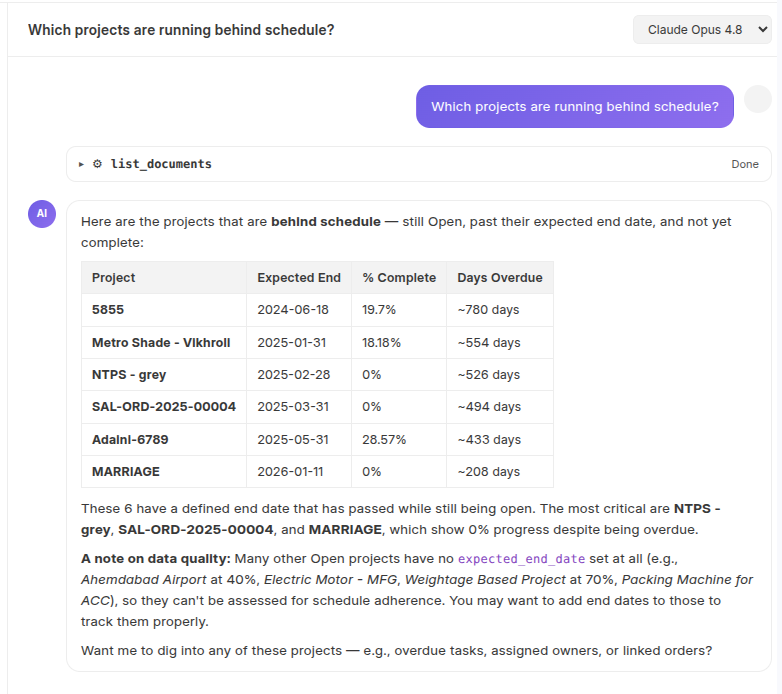
5. Project health
Project timelines and task progress are compared automatically to flag projects that are behind.
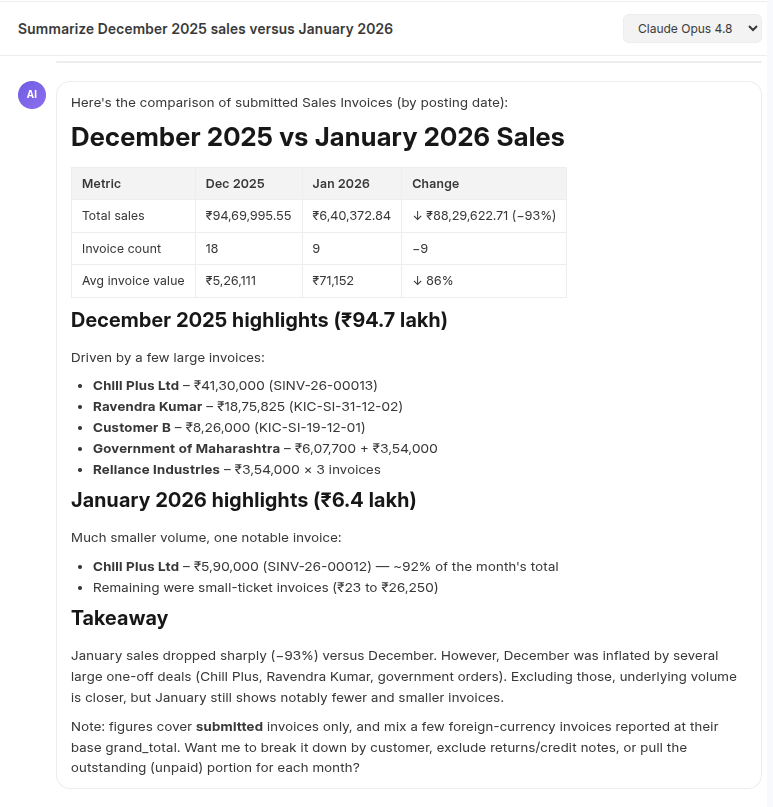
6. Sales Comparison
Receive a concise comparison of sales performance across both months, making trend analysis quick and effortless.
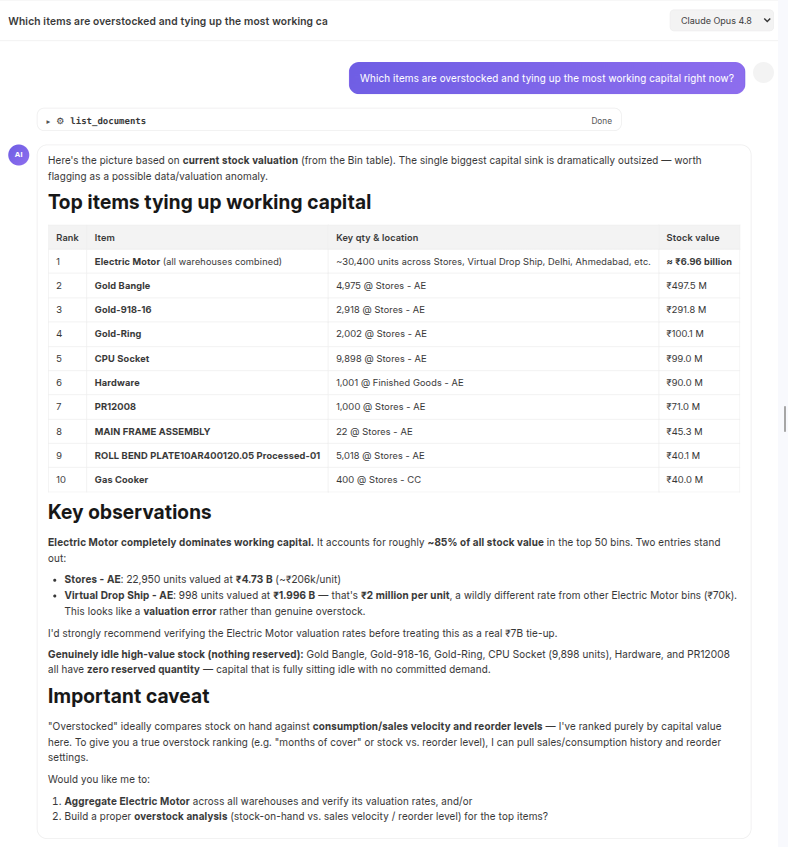
7. Inventory Optimization
Slow-moving stock is identified instantly, helping free up capital that's sitting idle in the warehouse.
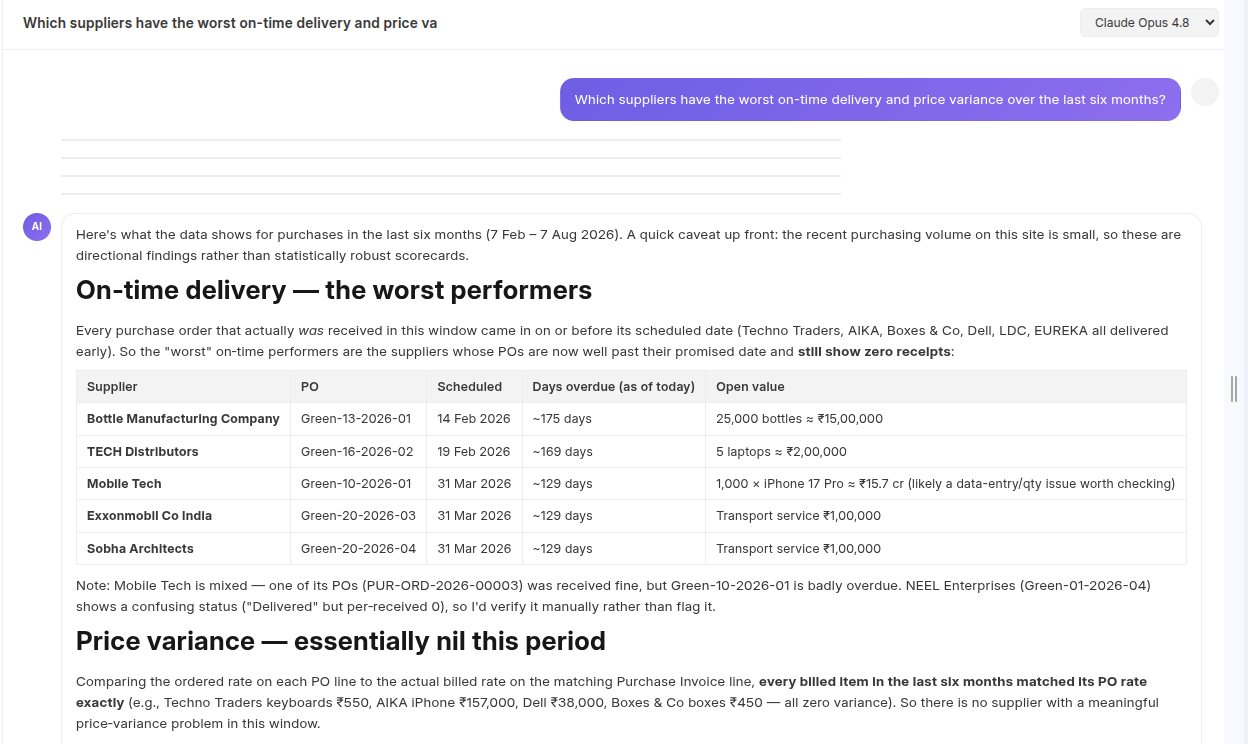
8. Supplier Performance
Supplier performance across delivery and pricing is compared automatically, flagging where procurement risk is building up.
Why it matters
- Faster answers — no report-building for one-off questions.
- No UI knowledge needed — you don't need to know where a field lives or how ERPNext's screens are laid out.
- Not limited to existing reports — get an answer even if no report for that question exists yet.
- Accessible to everyone — non-technical staff can query ERPNext directly.
- Permission-aware — users only see what their ERPNext role already allows.
- Safer by design — write actions always need human approval.

No comments yet. Login to start a new discussion Start a new discussion