Module Documentation
Membership Suspension
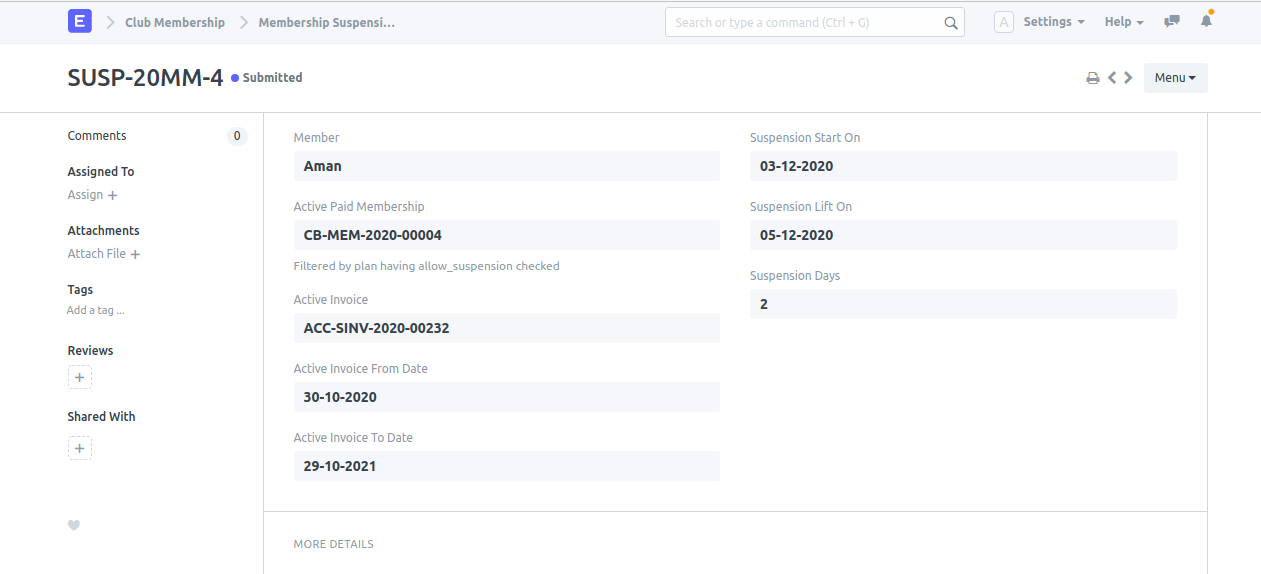
Feature
To suspend the membership.
Navigation
Pre-requisite
How to create
- Open Document: Open New Suspension doctype.
- Select Membership: Select the Member and his/her particular Active Paid Membership which needs to be suspended.
- Set Dates: Select the Suspension Start On and Suspension Lift On date.
- Save & Submit: Click on Save and then Submit it.
Note: Suspension comes into effect after 2 hours.
How to lift suspension before Lift Date
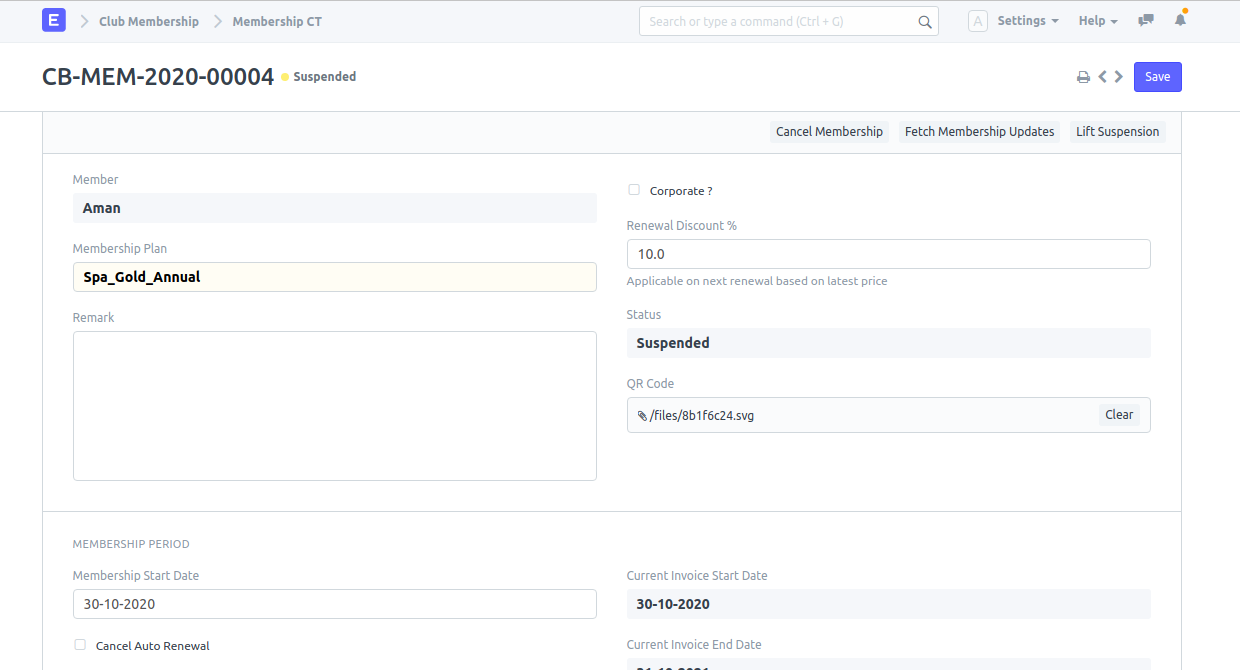
- Access Membership: Open the membership doctype of the particular member whose suspension is to be lifted.
- Lift Suspension: Click on the Lift Suspension button.