Comprehensive HRMS Custom Solutions for Organizational Excellence
A unified HR system driving efficiency, compliance, and employee-centric operations.
General Authority for Statistics (GASTAT) is the official statistical authority of Saudi Arabia, responsible for collecting, analyzing, and publishing national data. It provides reliable information on economic, social, and environmental indicators such as population, GDP, employment, and inflation.
We have implemented customized HRMS solutions for GASTAT to support its employee-focused initiatives. GASTAT offers various benefits such as training programs, scholarships, education allowances for employees’ children, different leave types, overtime compensation etc, we have developed dedicated doctypes that allow employees to easily apply for and manage all these facilities within the system.
Some customizations are listed below:
-
Smart Leave Management – Custom Leave Request Doctype
We have developed a custom Leave Request doctype to simplify and automate leave management. When an employee applies for leave for the first time, the system automatically defines the Leave Year in the Employee Profile, ensuring accurate yearly tracking without manual setup. Once a leave request is submitted, the system automatically creates both Leave Allocation and Leave Application records, maintaining consistency and reducing HR administrative work.The system also includes special leave types designed specifically for female employees, covering pregnancy and child-related needs, ensuring better support, compliance, and employee well-being within the organization.
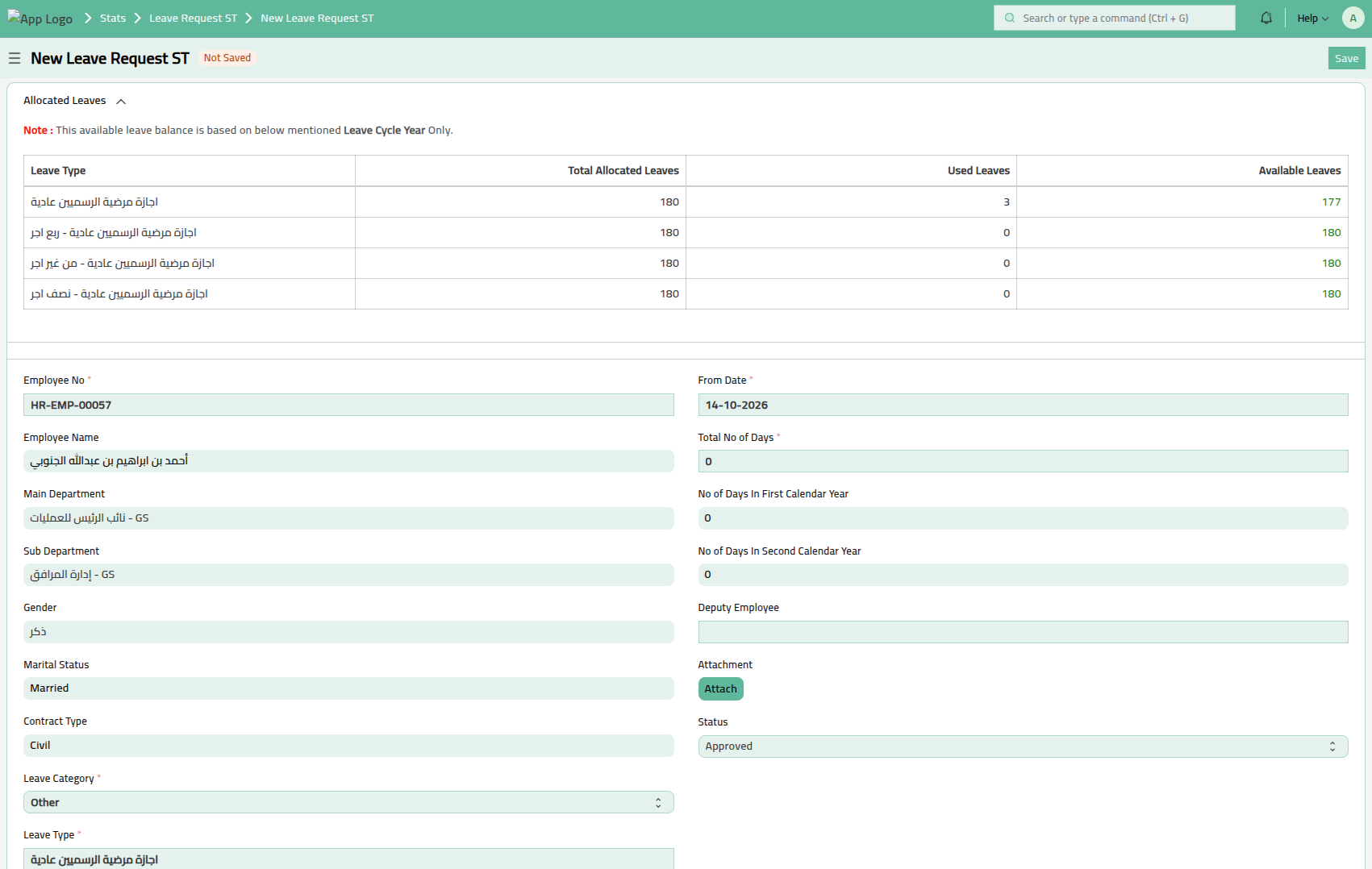
Image 1 : Leave Request ST Doctype
A key highlight of this customization is the structured Sick Leave configuration. There is one parent Sick Leave type and four child leave types under it: Full Payment, ½ Payment, ¼ Payment, and LWP (Leave Without Pay). Employees only select the parent Sick Leave while applying. In the background, the system automatically consumes leave balance sequentially—starting from Full Payment, then ½ Payment, followed by ¼ Payment, and finally LWP—ensuring proper salary impact handling and eliminating confusion for employees.
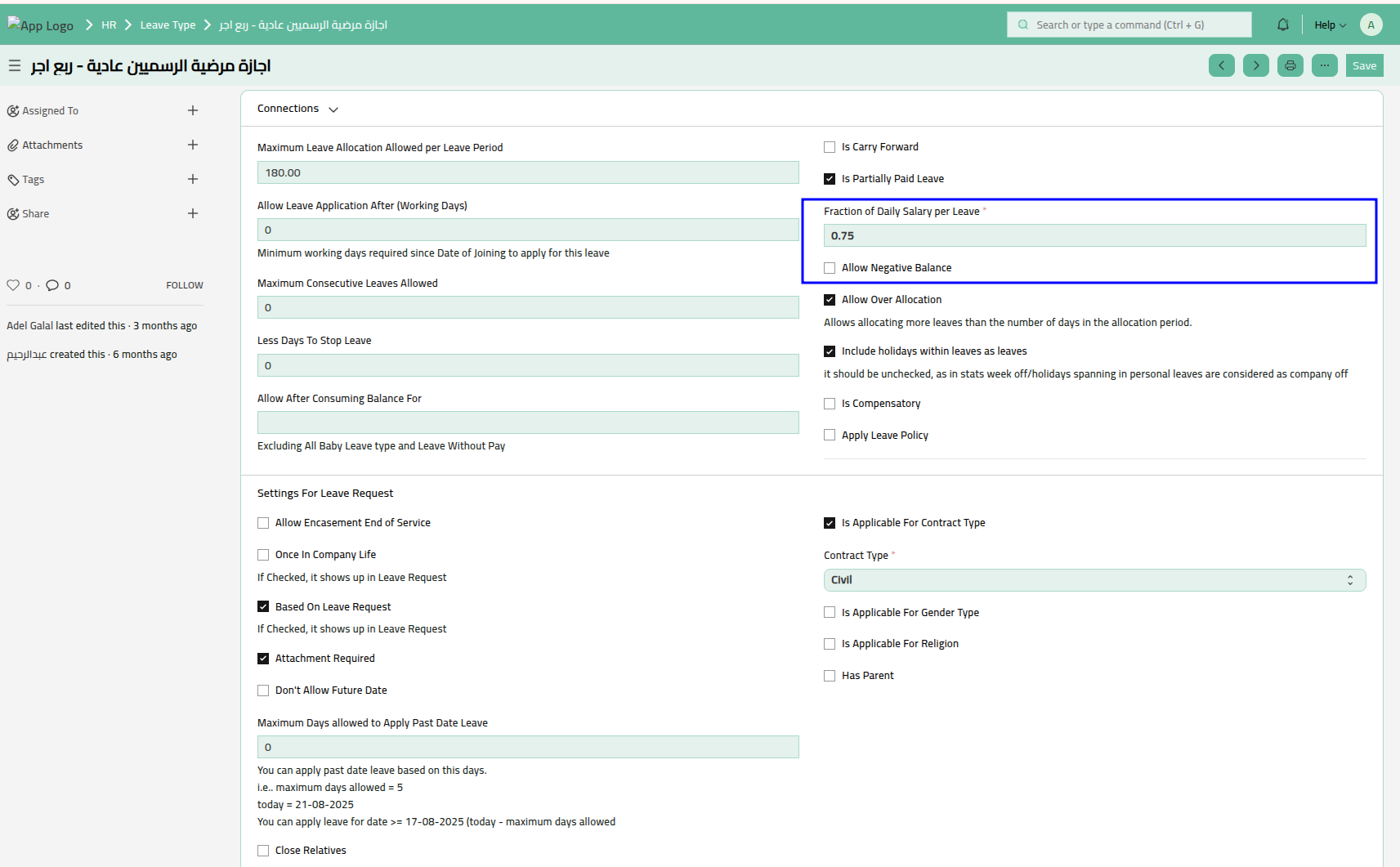
Image 2 : Leave Type with ¼ Payment
Additionally, the leave cycle year is managed dynamically. Once a leave cycle year is completed, the next cycle begins automatically from the date of the first leave applied in the second year. This ensures continuous and accurate leave tracking aligned with actual leave usage rather than being restricted to a fixed calendar structure, making the system flexible, automated, and user-friendly.
-
Employee Family Well-Being – Education Allowance
We have introduced an Education Allowance Request doctype to support employees in managing their child’s educational expenses. Through this feature, employees can apply for reimbursement of school or education fees directly in the system by submitting the required details and documents.
The system follows company policy by setting a maximum reimbursement amount and a defined child age limit. Employees can claim only within the approved amount and eligible age criteria, ensuring a simple, transparent, and well-controlled reimbursement process for both employees and HR.
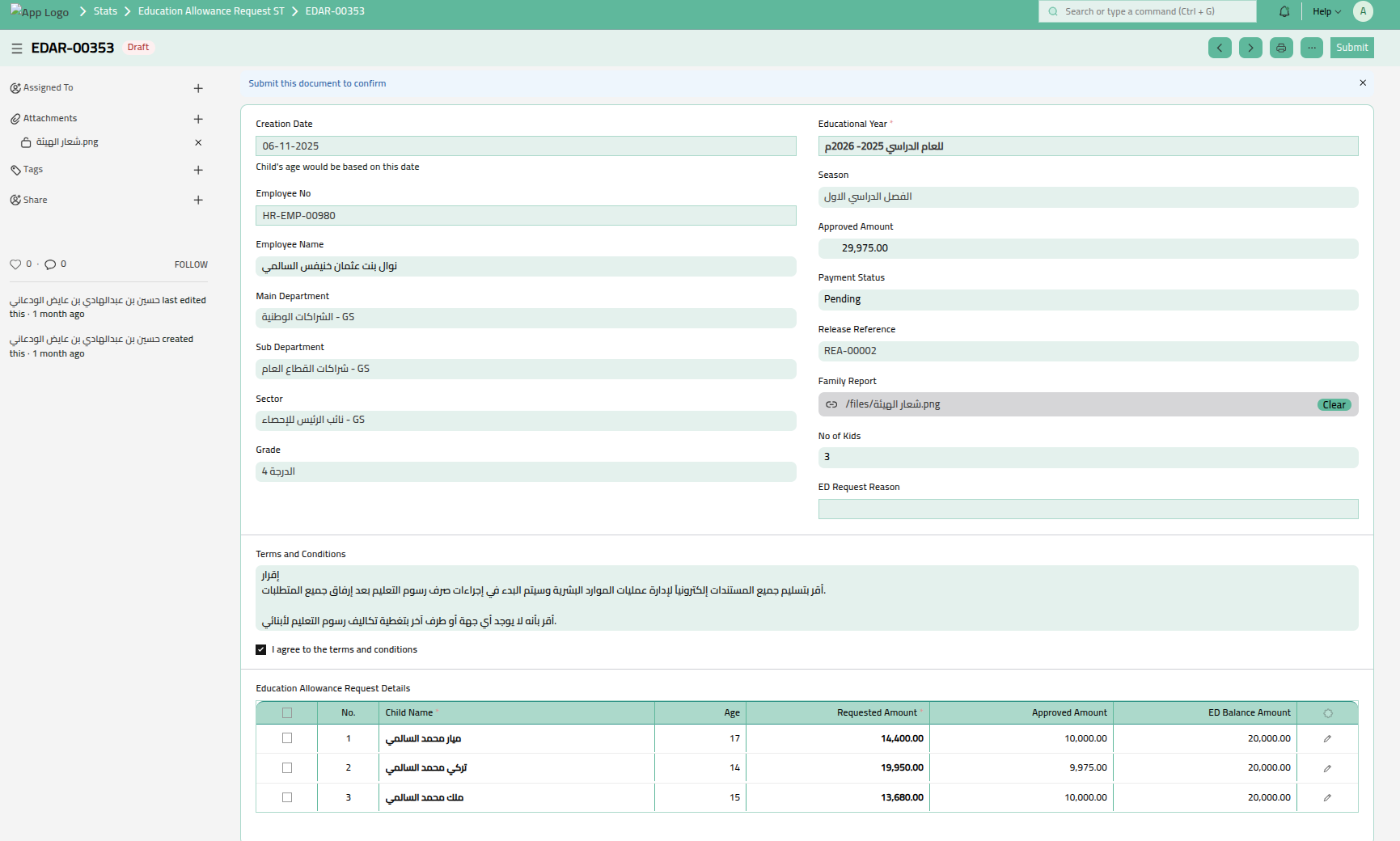
Image 3 : Education Allowance Doctype
-
Employee Performance Evaluation
We have developed a structured Evaluation doctype to manage employee performance reviews efficiently. The system supports two evaluation types: Yearly and Half-Yearly, allowing organizations to conduct periodic assessments as per their policy.
Each designation has predefined competencies categorized into Basic, Technical, and Leadership, along with target degrees. In addition to these competencies, personal goals can also be included in the evaluation. When an evaluation is created, all relevant competencies are automatically fetched into the form. The evaluator enters the achieved degree for each competency, and the system automatically calculates the average score across all competency types.
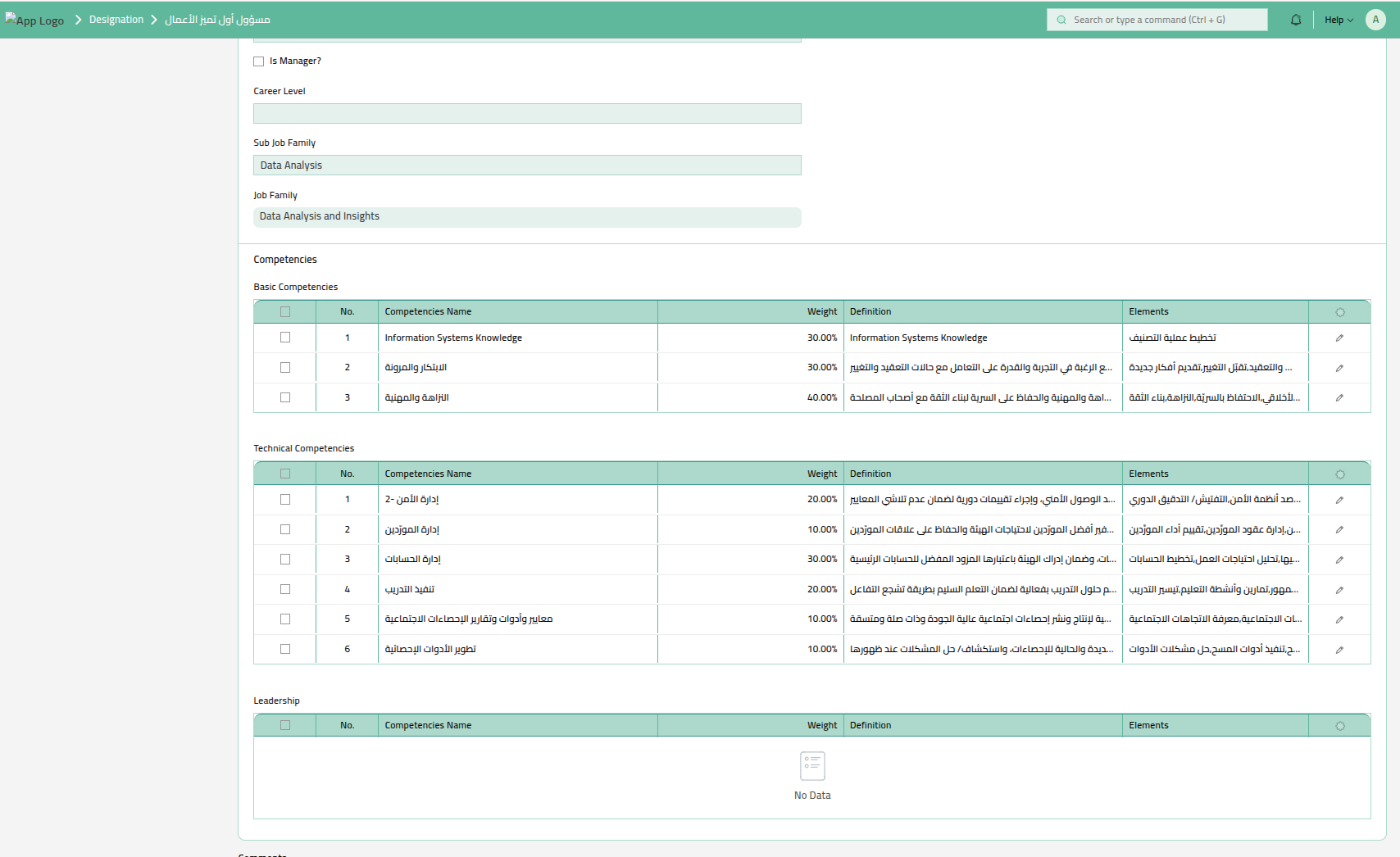
Image 4 : Predefine Competencies
Based on the calculated average, the system determines the employee’s final evaluation result. The evaluation status and corresponding score ranges are predefined in a Settings doctype, ensuring standardized, transparent, and policy-driven performance assessment across the organization.
-
Advanced Attendance & Time Management
To enhance accuracy and transparency in time tracking, we have customized the Attendance doctype to automatically calculate key working-hour metrics for each employee. The system computes total working minutes based on check-in and check-out records, determines any shortage against required working hours, and identifies extra working minutes.
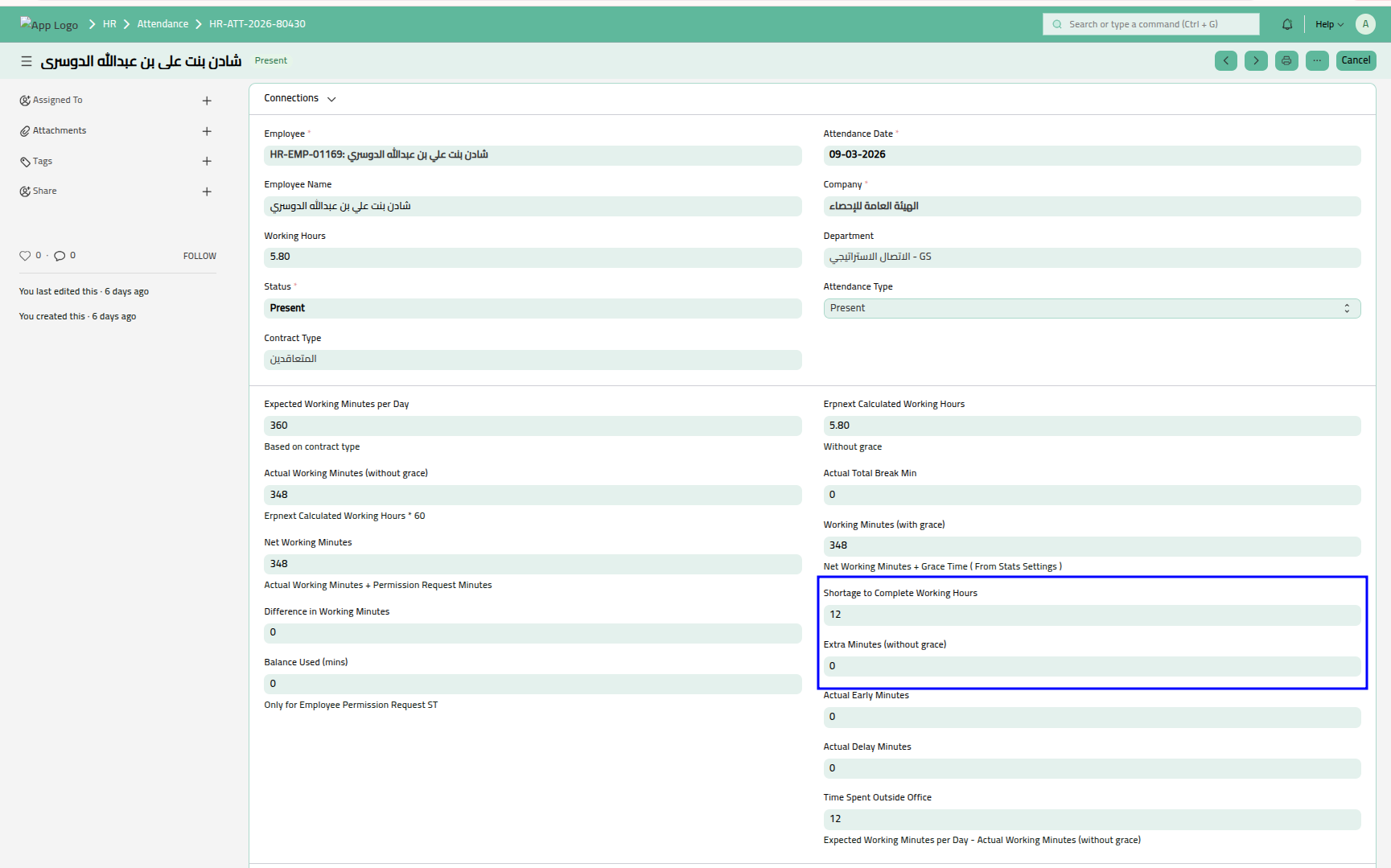
Image 5 : Attendance Doctype
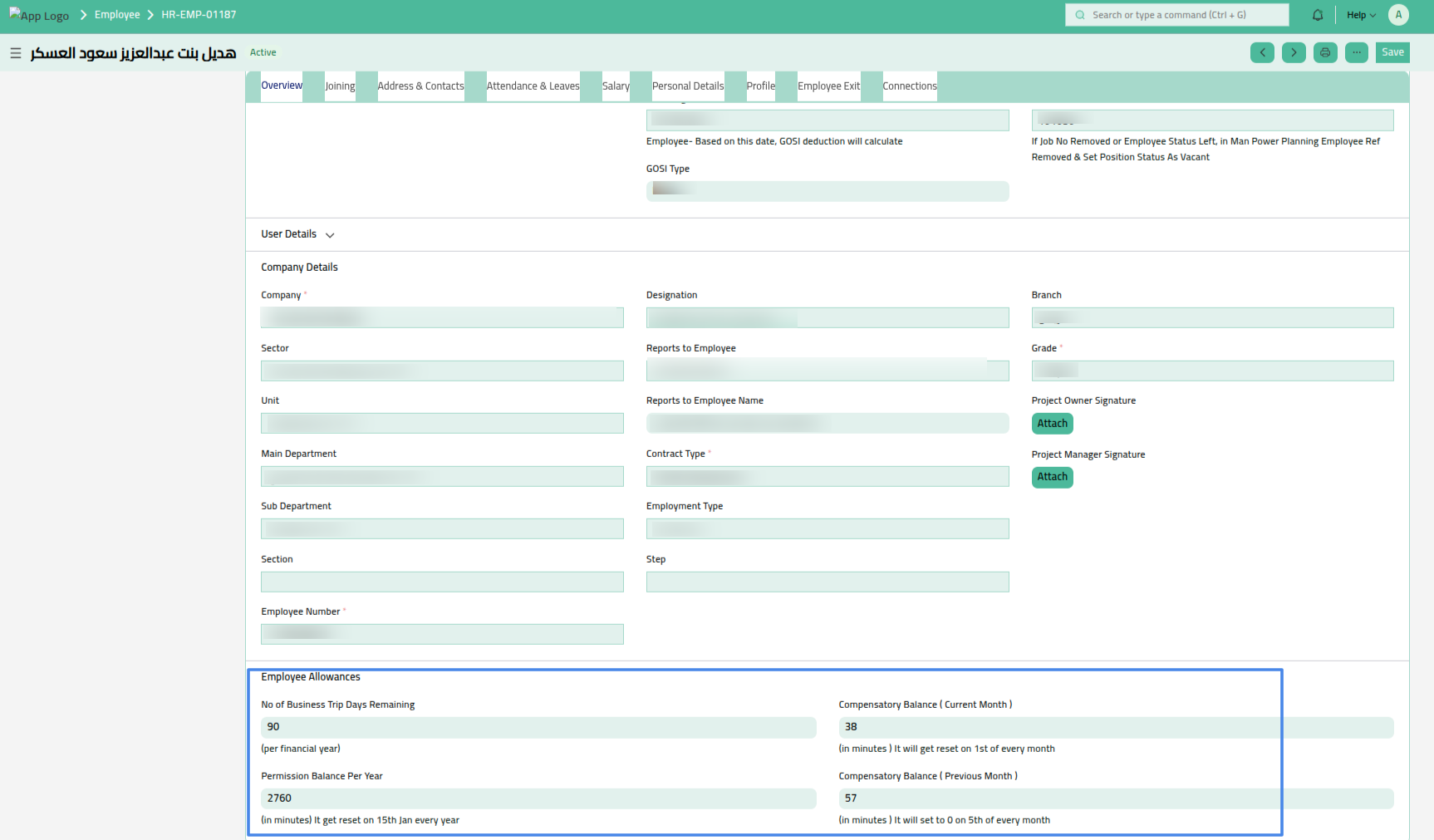
Image 6 : Employee Profile Compensatory Balance
When an employee works beyond the standard required hours, the system converts the extra working minutes into a Compensatory Balance, which is automatically credited to the employee’s profile. The balance will reset on start of every year automatically.In cases where there is a shortage of working minutes, employees can submit a Reconciliation Request to adjust the deficit using their available compensatory balance.
In addition, we have introduced a Permission Request doctype to provide structured flexibility in managing working hours. Through this feature, employees can formally request time adjustments and compensate for short hours by utilizing either their predefined permission balance or their earned compensatory balance.
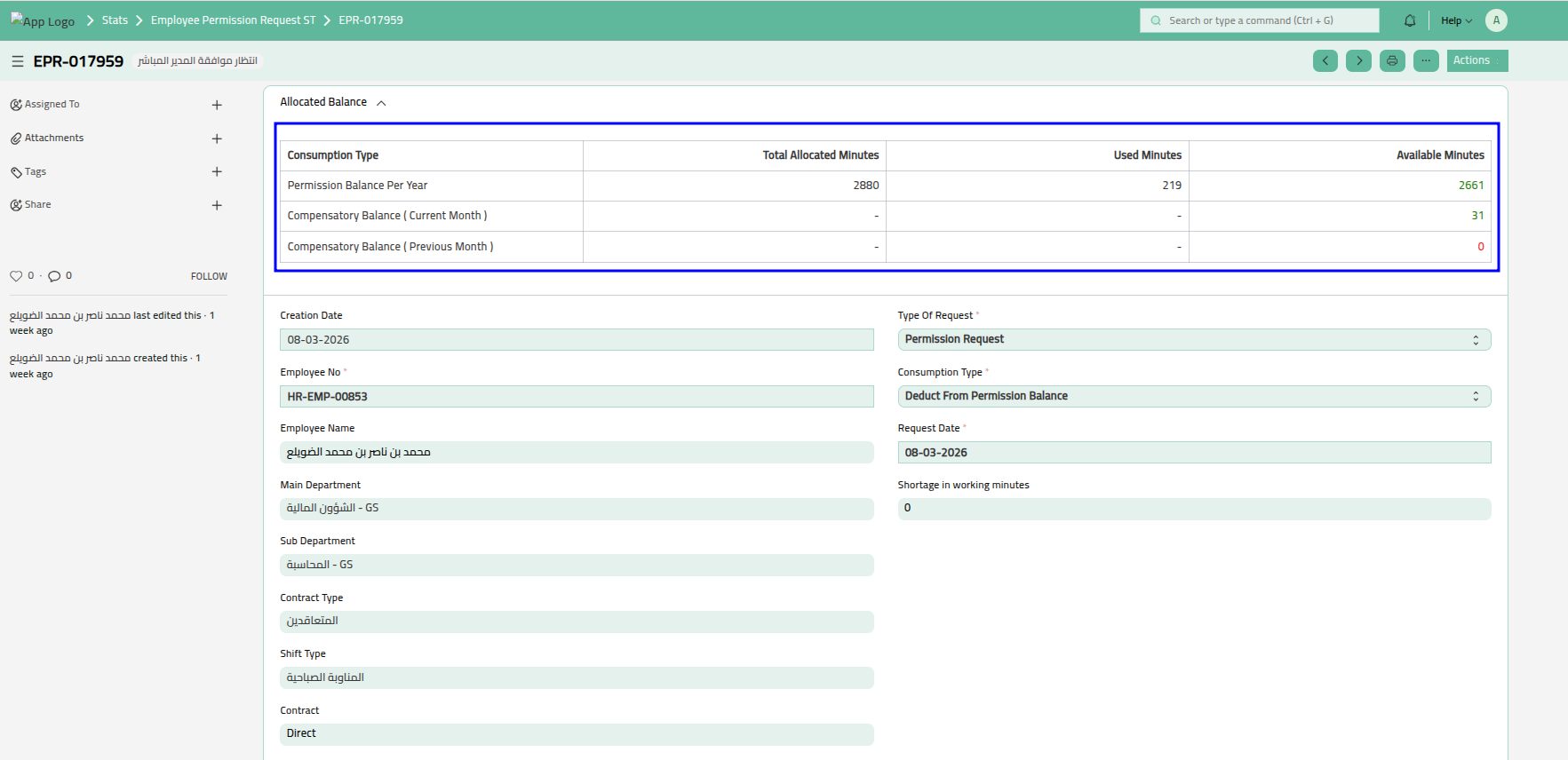
Image 7 : Permission Request Doctype
-
Employee Transfer Management with Hierarchical Approval
We have implemented a structured Employee Transfer customization to manage inter-departmental movements efficiently. The organization hierarchy is clearly defined into Sector, Unit, Main Department, and Sub Department, and each level has its assigned manager. When a Sub Department Manager requires an employee from another department, they can initiate an Employee Transfer Request, specifying the effective transfer date within the form.
The key strength of this feature lies in its multi-level approval workflow. The transfer request must first be approved by the managers of the new department hierarchy. Once approved, it moves to the managers of the current (old) department for employee relieving approval. Finally, the request is submitted for higher management approval. All these stages are managed through a structured workflow, ensuring transparency, accountability, and proper authorization at every hierarchical level.
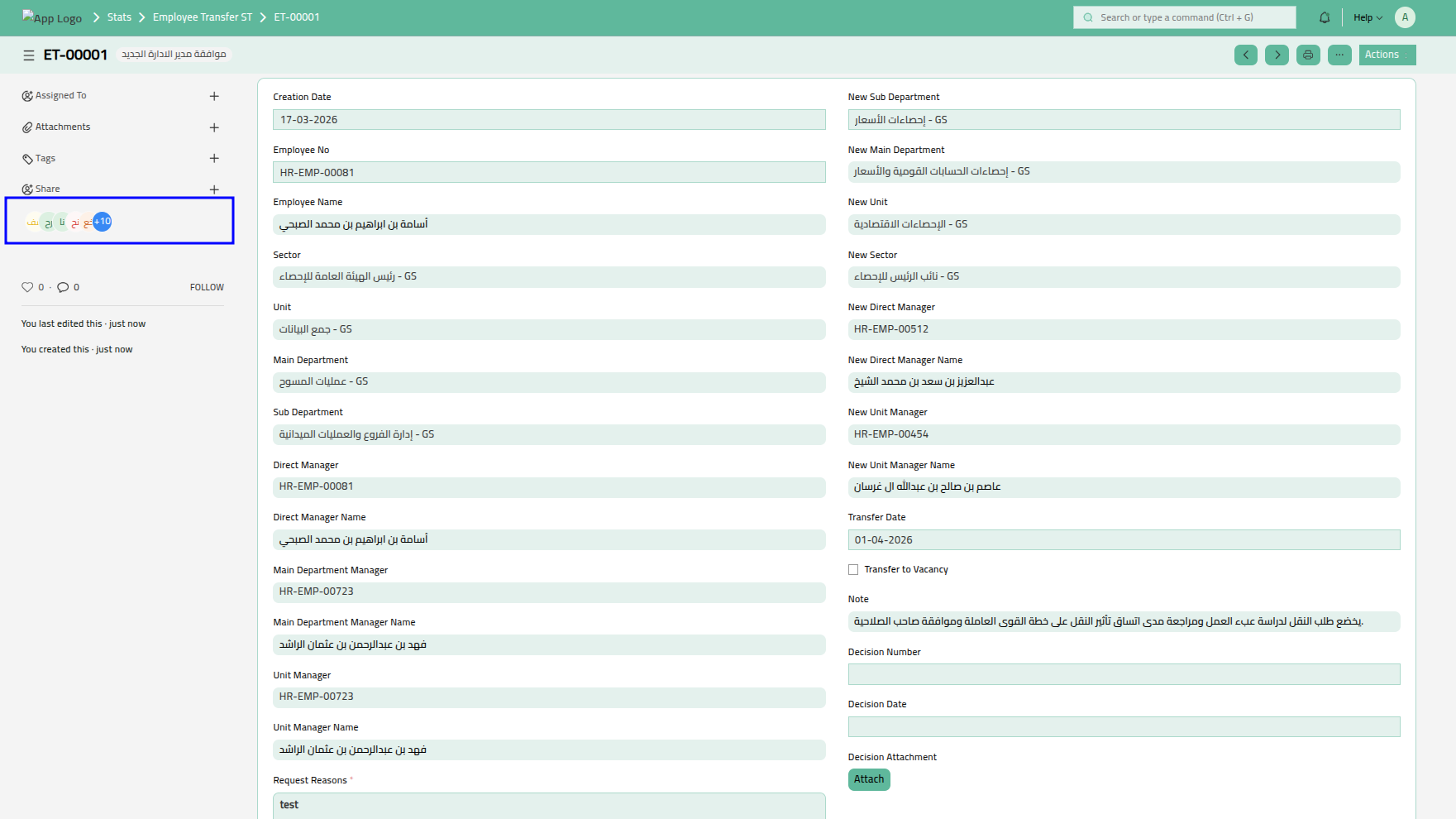
Image 8 : Employee Transfer Doctype
Upon final submission of the transfer request, a scheduler function automatically updates the employee’s profile on the specified transfer date. This ensures that department, reporting structure, and related configurations are updated accurately and timely, without requiring manual intervention from HR.
| Doctype | 150+ |
| Report | 40+ |
| Print Format | 70+ |
| Workspace | 15+ |
| Notification | 15+ |
No comments yet. Login to start a new discussion Start a new discussion