Module Documentation
Night Audit
Feature
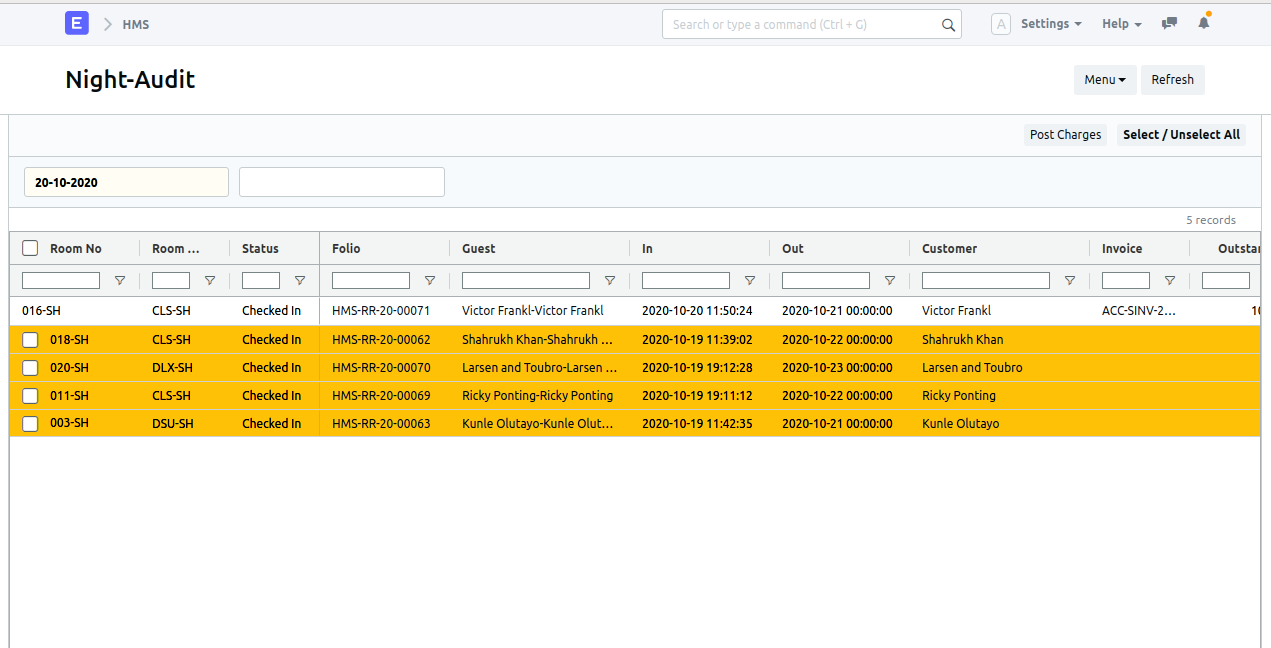
The Night Audit is used for reconciling and closing out daily hotel financial activities. In the Night Audit doctype, one can see the information of checked-in customers.
Note: The yellow colored highlighted row indicates that the invoice is not generated for a particular customer on a particular date.
Navigation
Pre-requisite
How to navigate
- Open Document: Open the Night Audit doctype.
- Verify Date: The current date is automatically fetched.
- Select Row: Select any highlighted row whose invoice is to be generated.
- Post Charges: Click on the Post Charges button.